
HTML Editor Settings
By default, the DNN HTML editor removes div tags whose content is empty. For example, if you add <div class="pt-20"></div> in an HTML module and save it, the code will be gone the next time you edit the content — yet many short codes in this skin (spacing helpers, animation placeholders, etc.) rely on empty div tags. Change the editor settings right after installing the skin.
Steps
Log in to your site as super administrator.
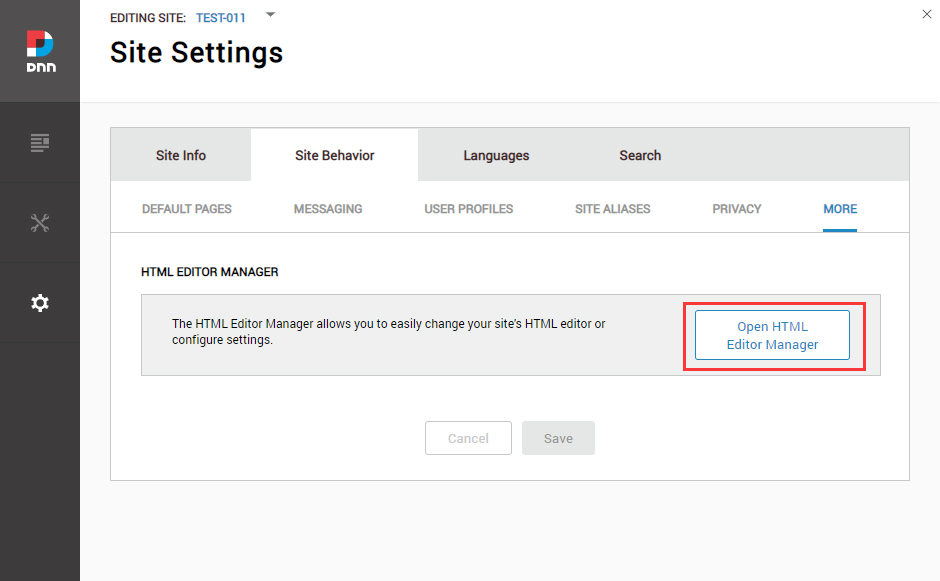
Go to SETTINGS → Site Settings → Site Behavior → MORE and click Open HTML Editor Manager.
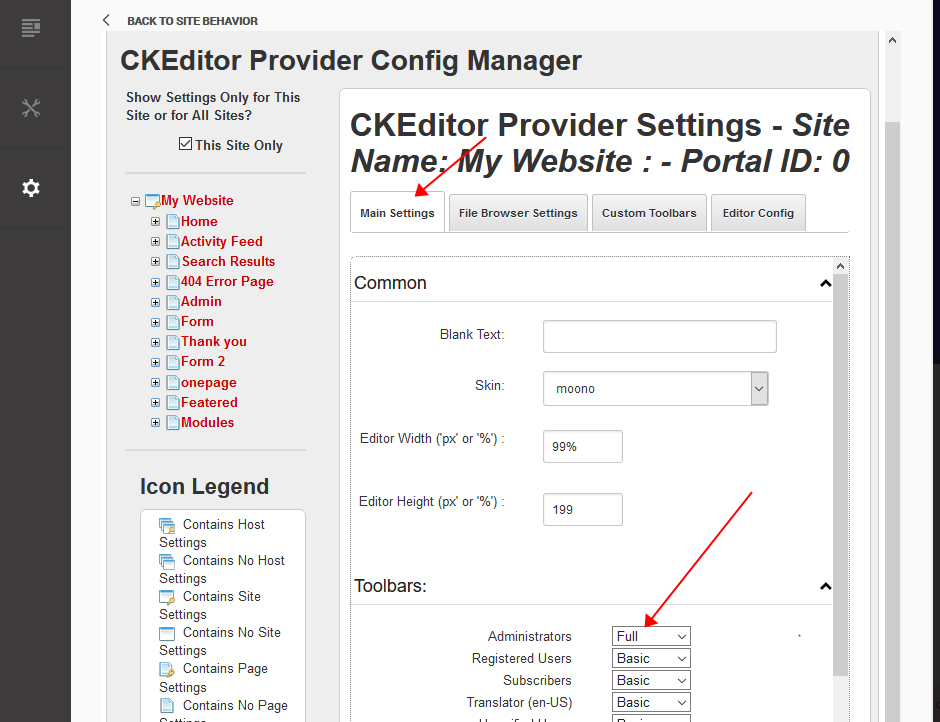
- Open the Main Settings tab and set Administrators to Full.
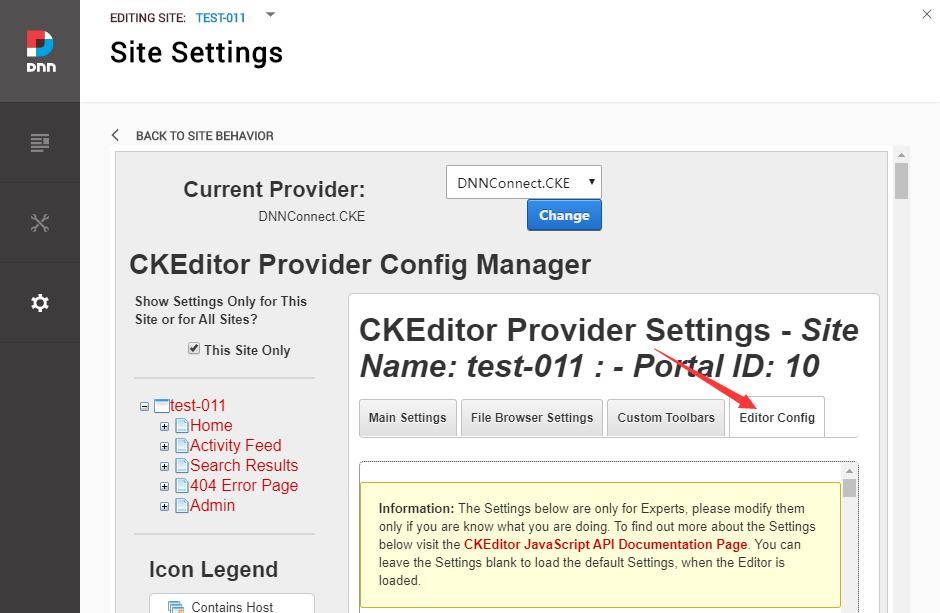
- Open the Editor Config tab.
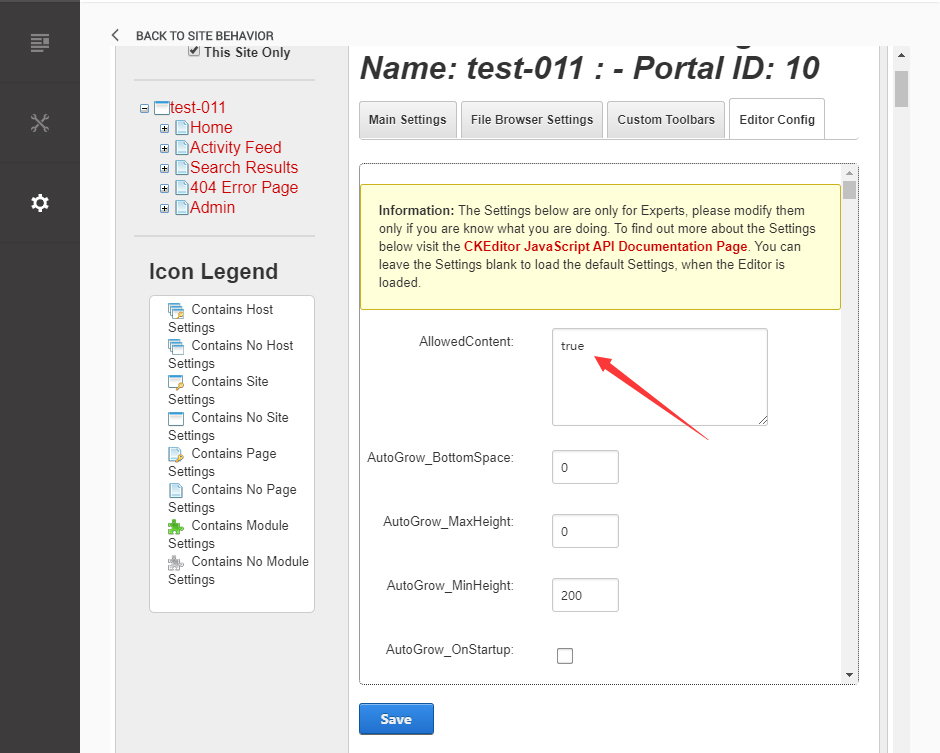
- Set AllowedContent to true.
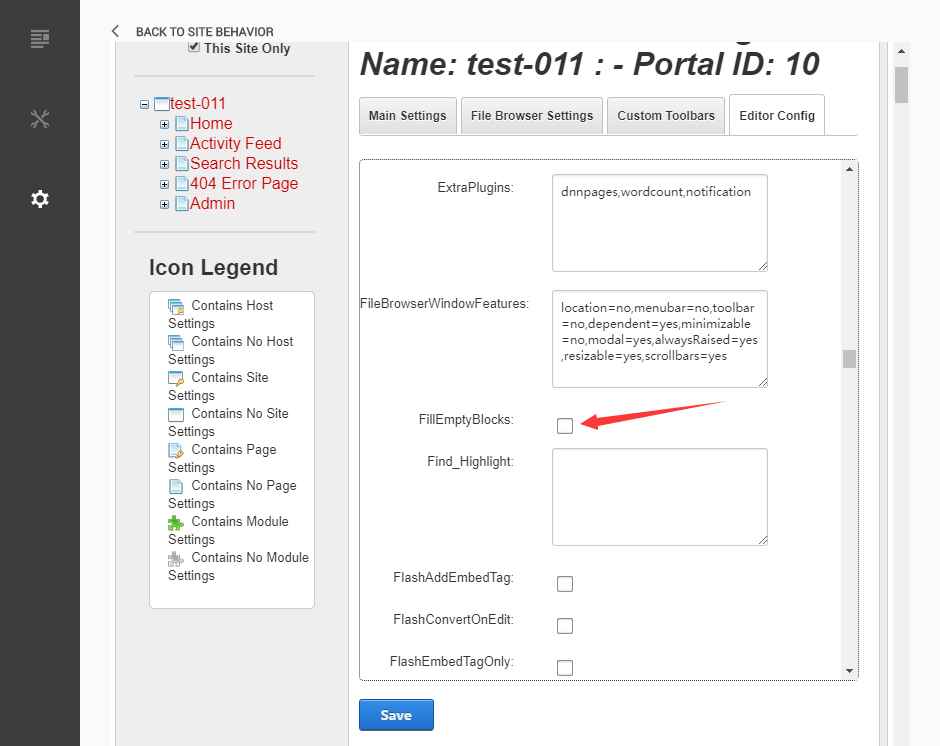
- Set FillEmptyBlocks to false.
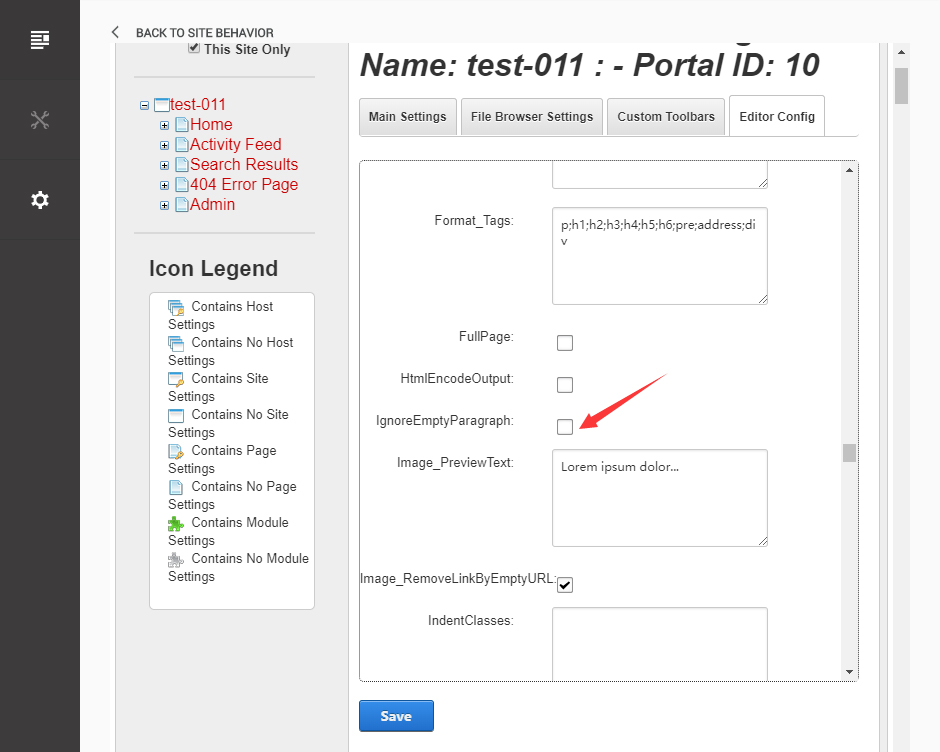
- Set ignoreEmptyParagraph to false.
- Click Save.
WARNING
Content that was already stripped by the editor will not be restored by this setting — you will need to paste the code again.