Search Module
The DNNGO PhotoAlbums Search module provides front-end album search — it searches the albums of its associated main module.
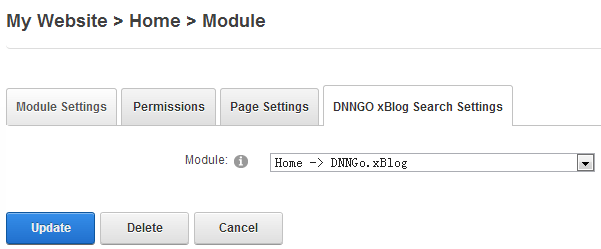
Steps
- Log in to DNN as an administrator and add the DNNGO PhotoAlbums Search module to a pane on the page (usually above the main module or in a sidebar).
- Click the module's Settings link.
- In the DNNGo PhotoAlbums Settings section, choose the main module to search in the dropdown.
- Click Update to save.
Visitors can now type keywords here to search the albums of the selected main module.
TIP
Search results are always in sync with the main module's data — no extra index configuration is needed.
Next Steps
- DashBoard module — show archive, categories, tags and more in a sidebar
- Module Overview — how the modules work together