Skin Style
Skin Style provides a Theme style editor containing the complete CSS of the current skin. Edits take effect immediately after saving — no reinstallation required.
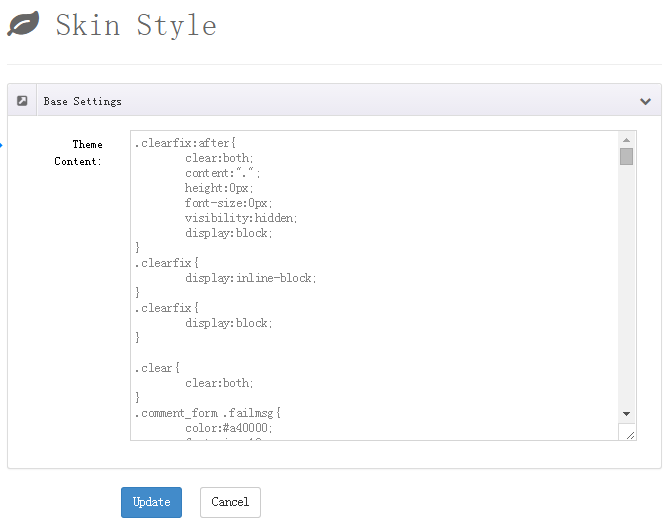
What's in the Stylesheet
Using the Classic skin as an example, the stylesheet is organized by functional blocks so you can locate rules quickly:
| Block | Controls |
|---|---|
.blog-slider | Gallery / related-article slideshows (arrows, dots, carousel) |
.blog-list01 | Article list (entries, date badge, title, summary, Read More button, pagination) |
.blog-detail01 | Article detail (title, author block, comments, replies, comment form, related articles) |
.xblog_search | Search box |
.DnnModule-DNNGOxBlogSubscription | Subscription form module |
.formError | Form validation error messages |
@media rules | Responsive adjustments for tablets and phones |
Accent Color and the CSS Variable
The rules at the end of the stylesheet drive the theme color with a CSS variable:
css
.blog-title01 {
    color: var(--blog-accent, #20a3fc);
}
The value of --blog-accent comes from the Accent Color setting in Skin Options. In other words, change the accent color with the color picker in options — no CSS editing needed. Edit here only when you need to go beyond what the option offers (e.g. different colors in different places).
Editing Tips
- Append, don't modify: append your custom rules at the end of the stylesheet to override the originals — fewer conflicts and easier troubleshooting
- Back up first: copy the entire stylesheet to a local file before editing so you can restore it wholesale
- Prefer Skin Options for show/hide controls; use the stylesheet only for visual tweaks
- For deep customization, edit the
DesktopModules\DNNGo_xBlog\Skinsfolder on the server directly (skins use the Velocity template language) — always back up first