
Set Up Fixed Elements
See our demo at https://kella.dnngo.net/Features/Fixed-Element. When you scroll down the page, the image elements move up and down. Follow these steps to set it up.
Adding Fixed Elements
Step 1. Click the Fixed Element button on the right of the section.

Step 2. Click the add icon.
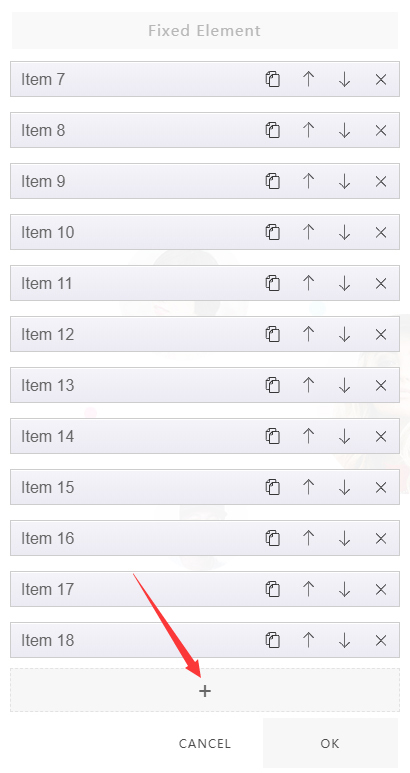
Step 3. Add images.
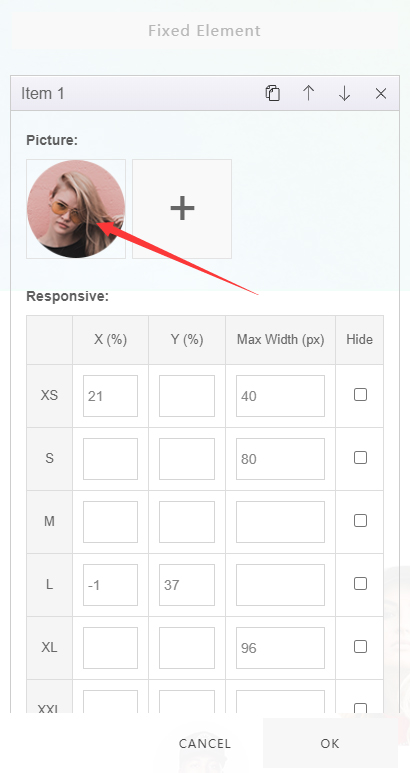
Set the Position of Fixed Elements
Set the position of fixed elements in the Responsive panel.
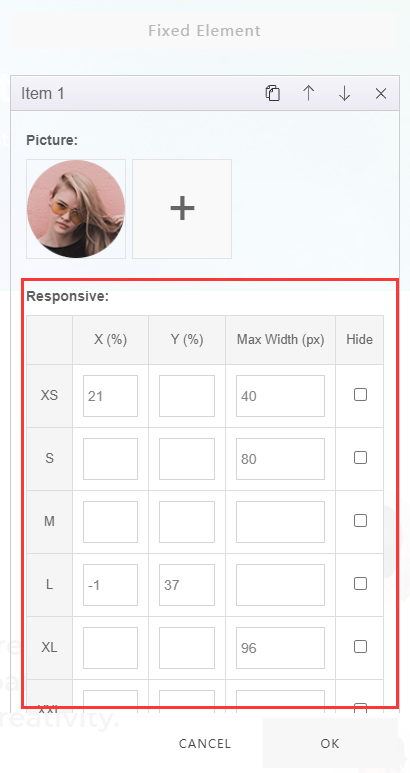
- X (%) — set the horizontal position of the element
- Y (%) — set the vertical position of the element
- Max Width (px) — set the maximum width of the element
- Hide (px) — set at which width the element is hidden
- XS, S, M, L, XL, XXL — set responsiveness; for example, you can set the element's display position on different devices
Add Animations
There are 2 kinds of animation available: Parallax Scroll and Mouse Follow.
- The Parallax Scroll animation can be checked here: https://kella.dnngo.net/Features/Parallax-scrolling
- The Mouse Follow animation can be checked here: https://kella.dnngo.net/Features/Mouse-follow