
Import Page Template
The Kella theme includes 100+ pre-built page templates. Importing a page template duplicates the appearance of the pages from the demo site.
Content will be overwritten
Once you import a page template for a page, all the existing content and modules of the page will be replaced — proceed with care.
Method 1: Import on the Page
Step 1. Log in to your site as super administrator.
Step 2. Go to the page which needs the template.
Step 3. Click the Import Page Template icon on the right of the page.
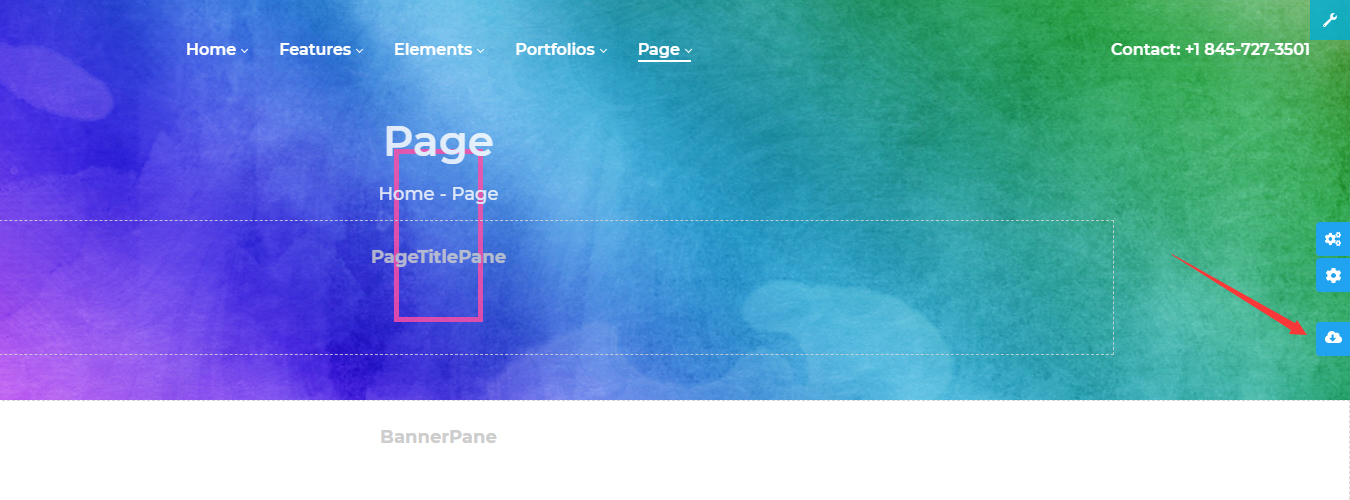
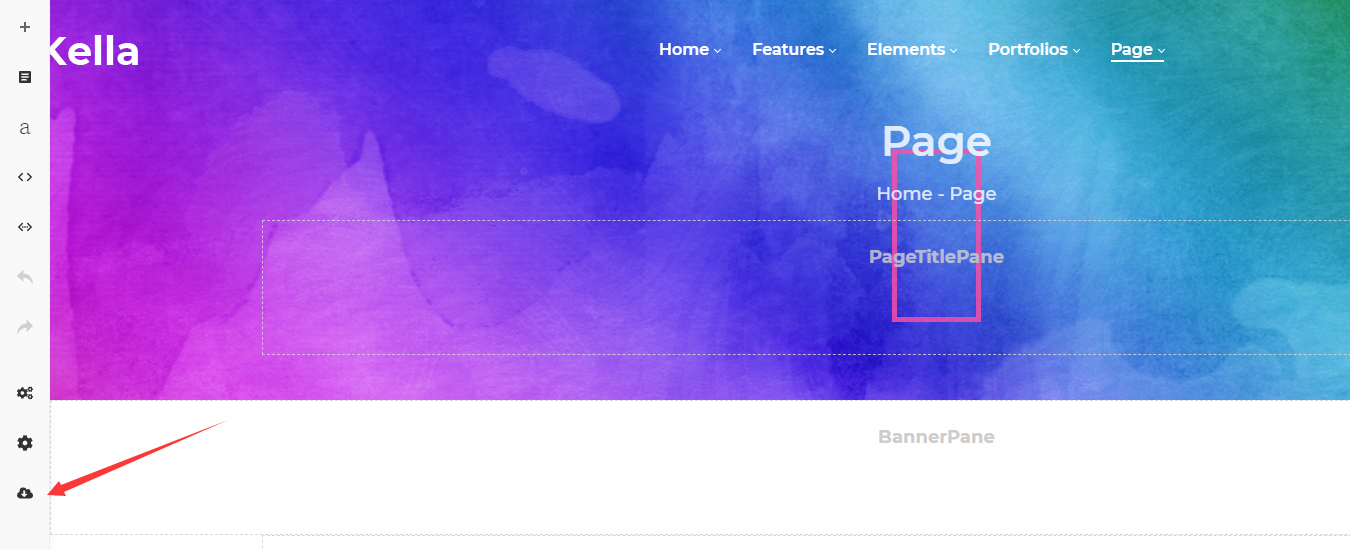
If a Content Builder module is included in the page, the import page template icon will show on the left of your page.
Step 4. Choose a page template.

Method 2: Import via the Pages Page
Step 1. Log in to your site as super administrator.
Step 2. Go to ThemePluginPro > Pages.
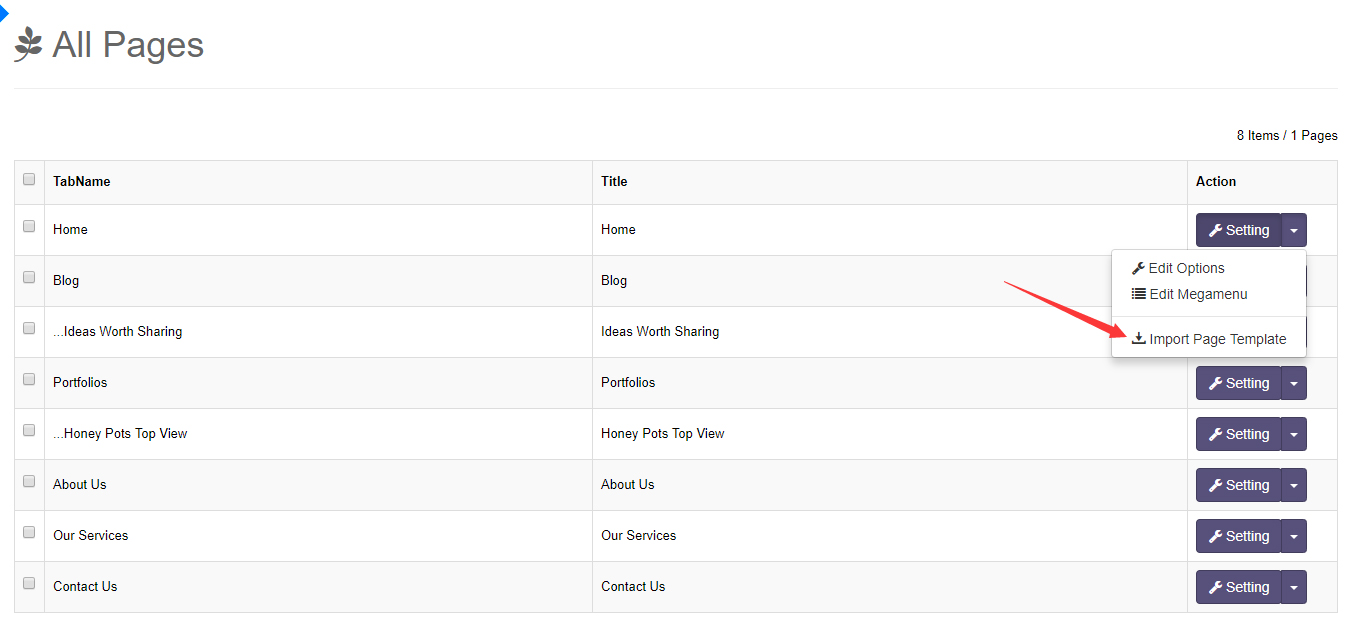
Step 3. Choose the page you want to import a template for and click Import Page Template.
Step 4. Choose a page template to complete the import.