Set Up Scroll Fix Content
See the effect in our demo at https://kella.dnngo.net/Features/Scroll-fix-content. When you scroll down the page, the anchor navigation stays fixed at the top; clicking an anchor scrolls the page to the related section. Follow these steps to set it up.
Add Anchor Navigation
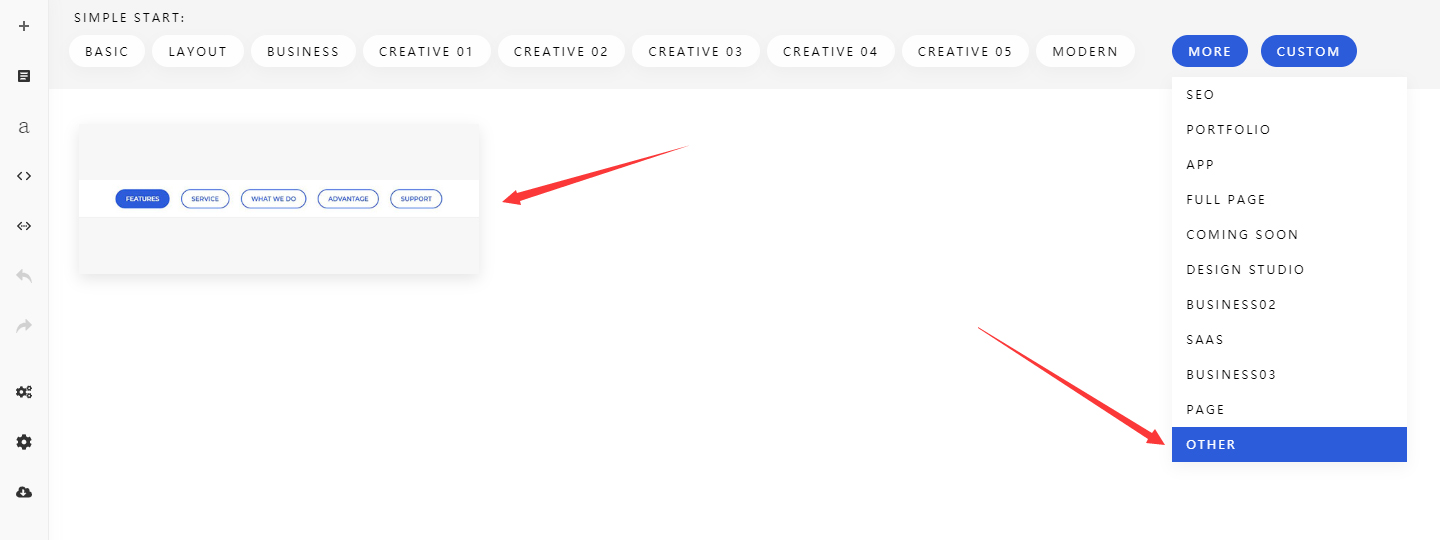
Step 1-1. Add a section to the page.
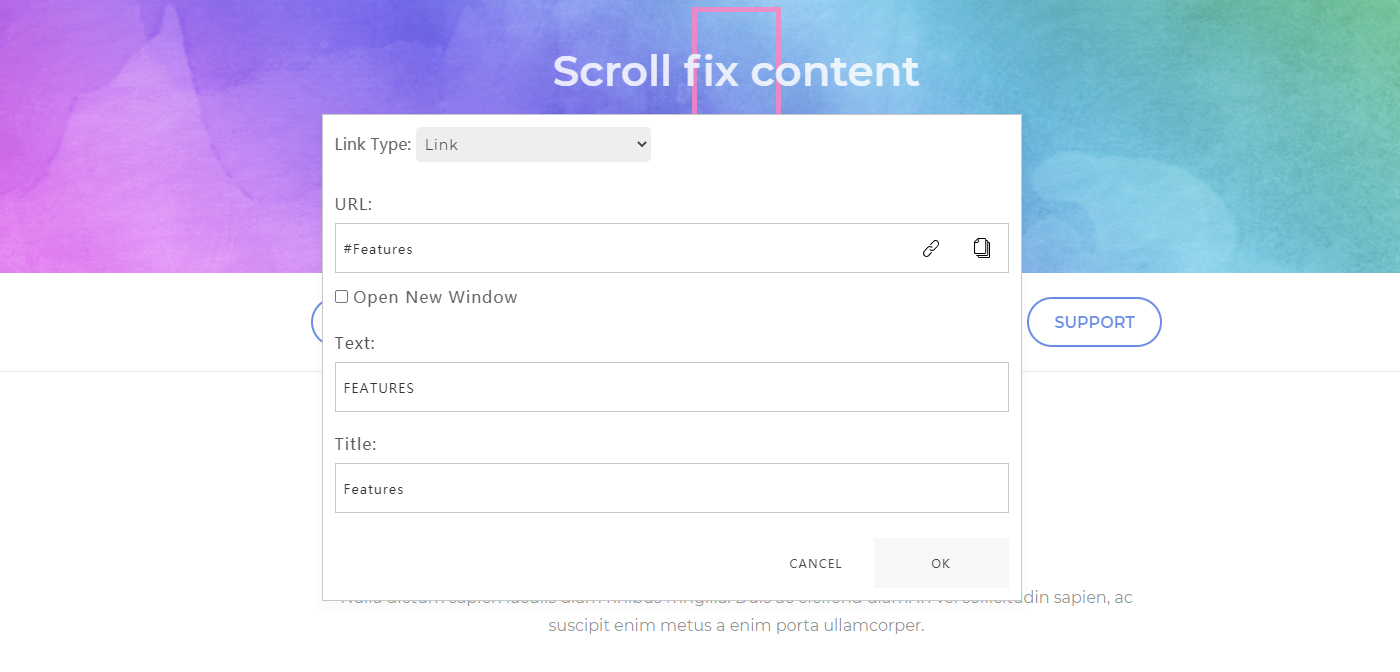
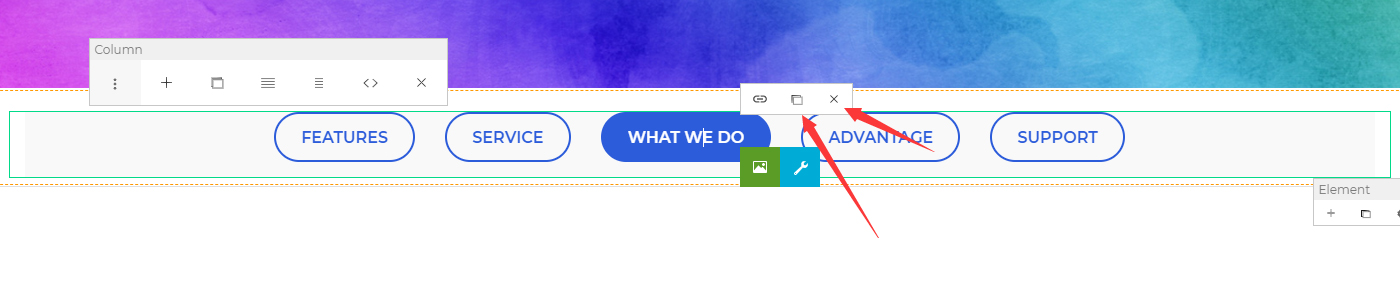
Step 1-2. Set the navigation name and link. Fill in the section ID from Step 2-3 in the URL, fill in the navigation name in the Text, and fill in the prompt text in the Title.
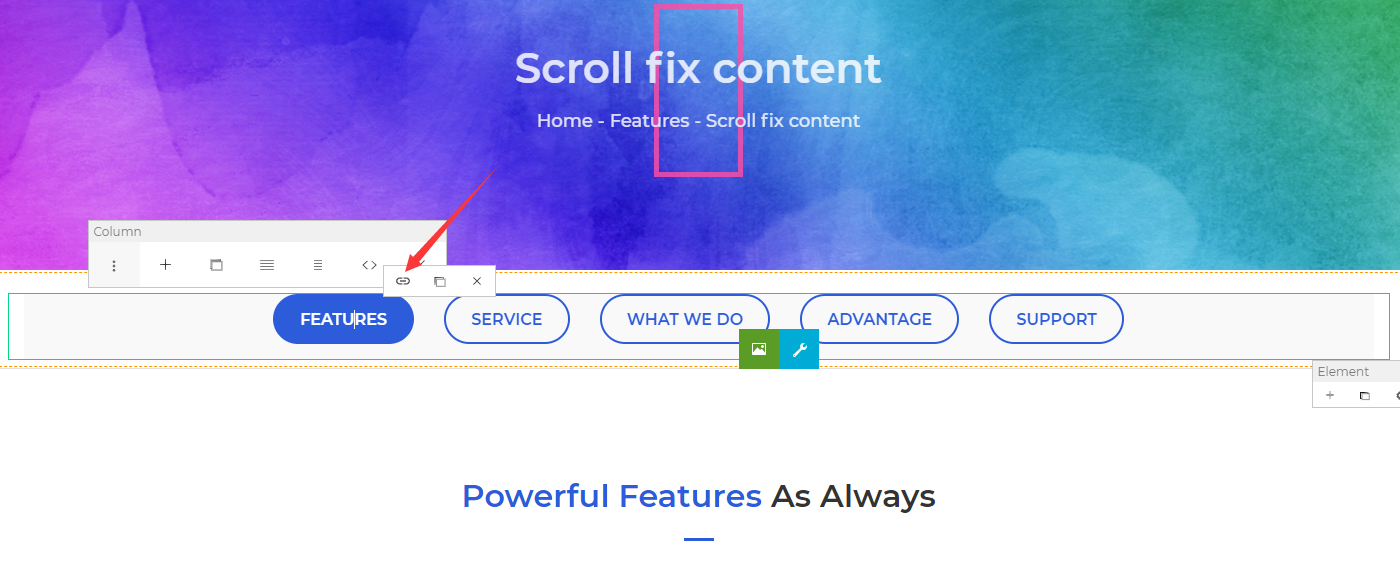
Step 1-3. Navigation items can be added or removed.
Set Sections
Step 2-1. Add some sections to the page.
Step 2-2. Click the section settings button.
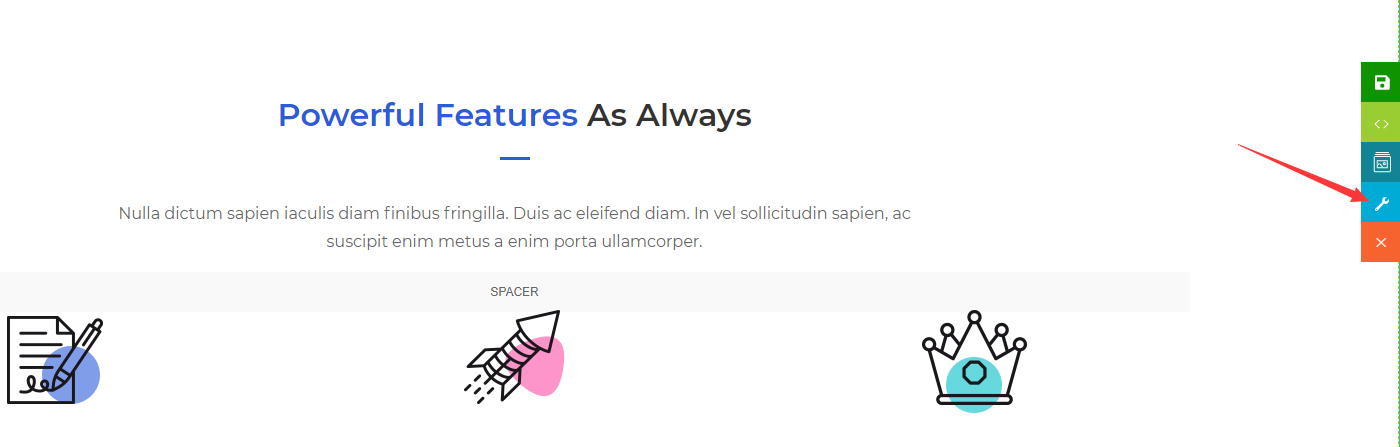
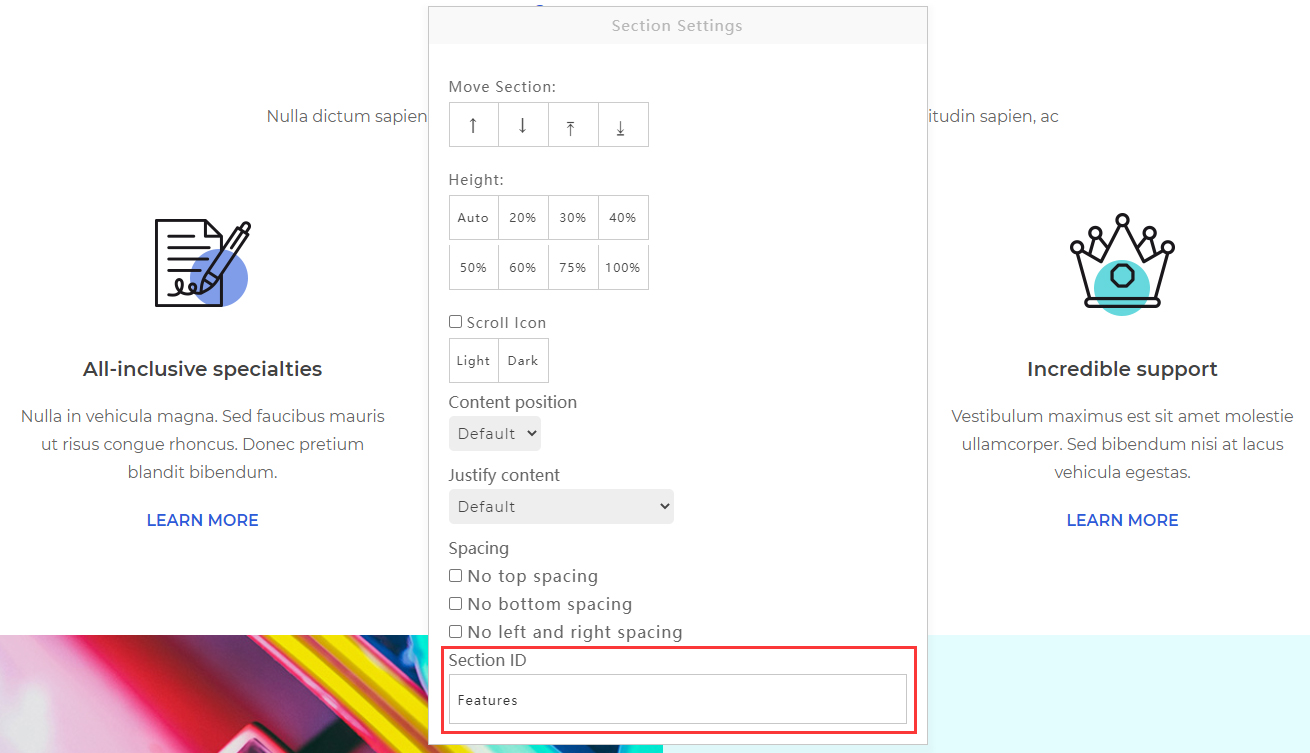
Step 2-3. Fill in the ID in the Section ID. There must be no spaces in the ID text.