

Build a Split Full Page Site
Take a look at the Split Full Page demo first: https://theme.dnngo.net/splitfullpage. Set yours up as follows.

Steps
Log in as a superuser
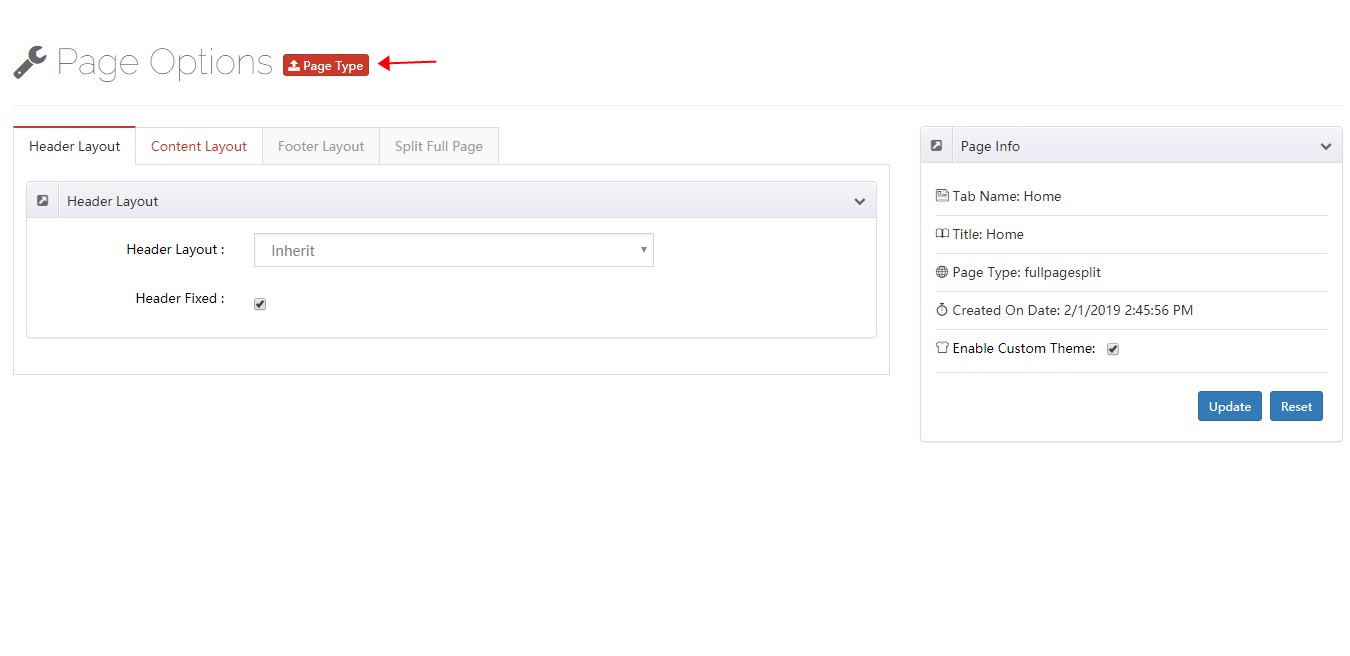
Click the Page Option link on the right side of the page

Click the Page Type button
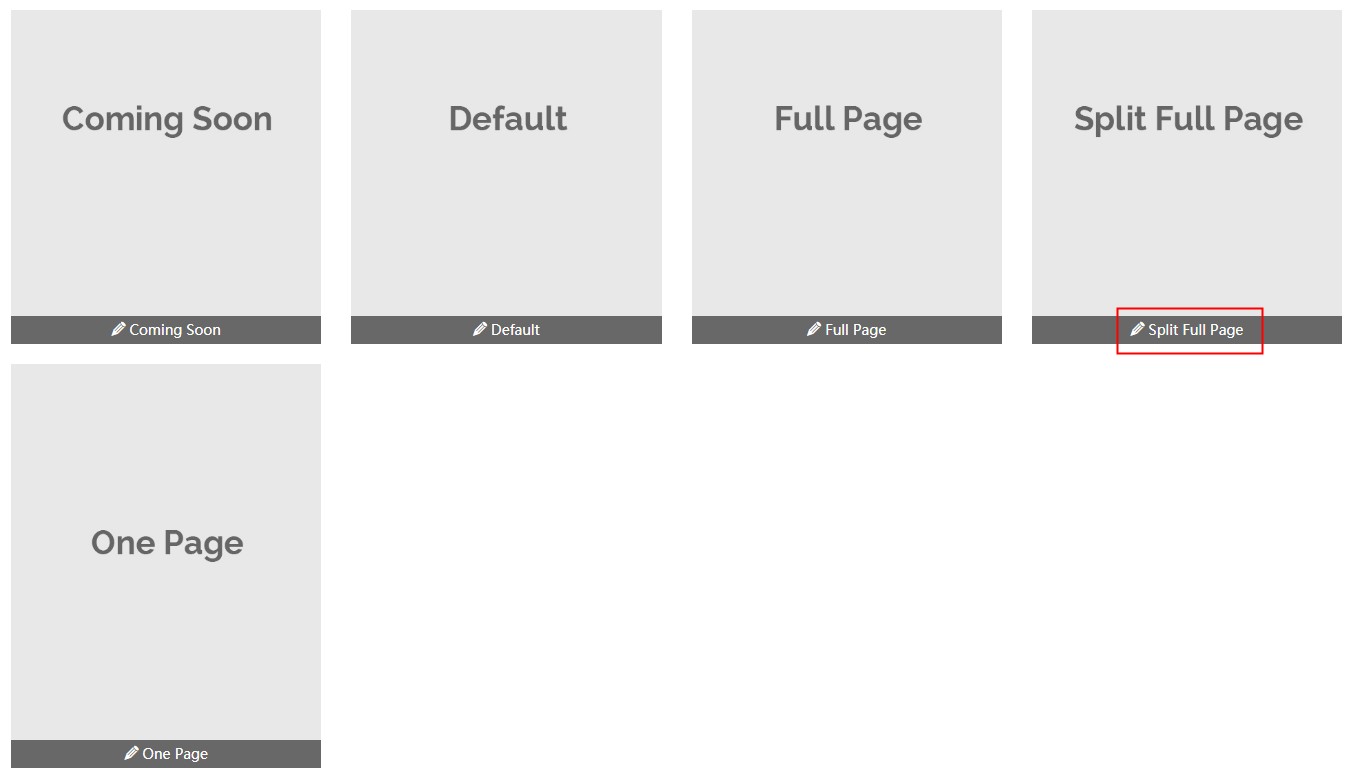
Choose Split Full Page
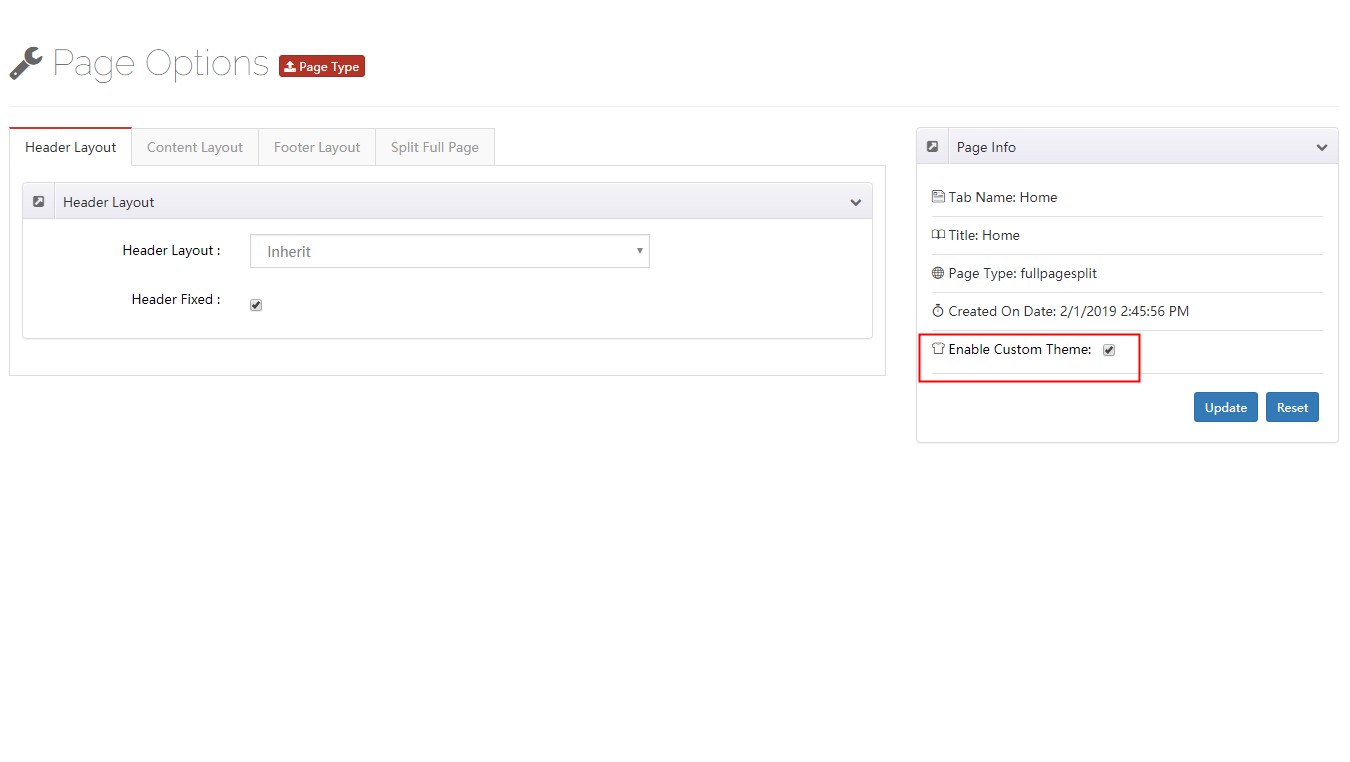
Check Enable Custom Theme
Go to Layout > Content Layouts and edit or create a layout
Drag layouts into the container — each row becomes one vertical area
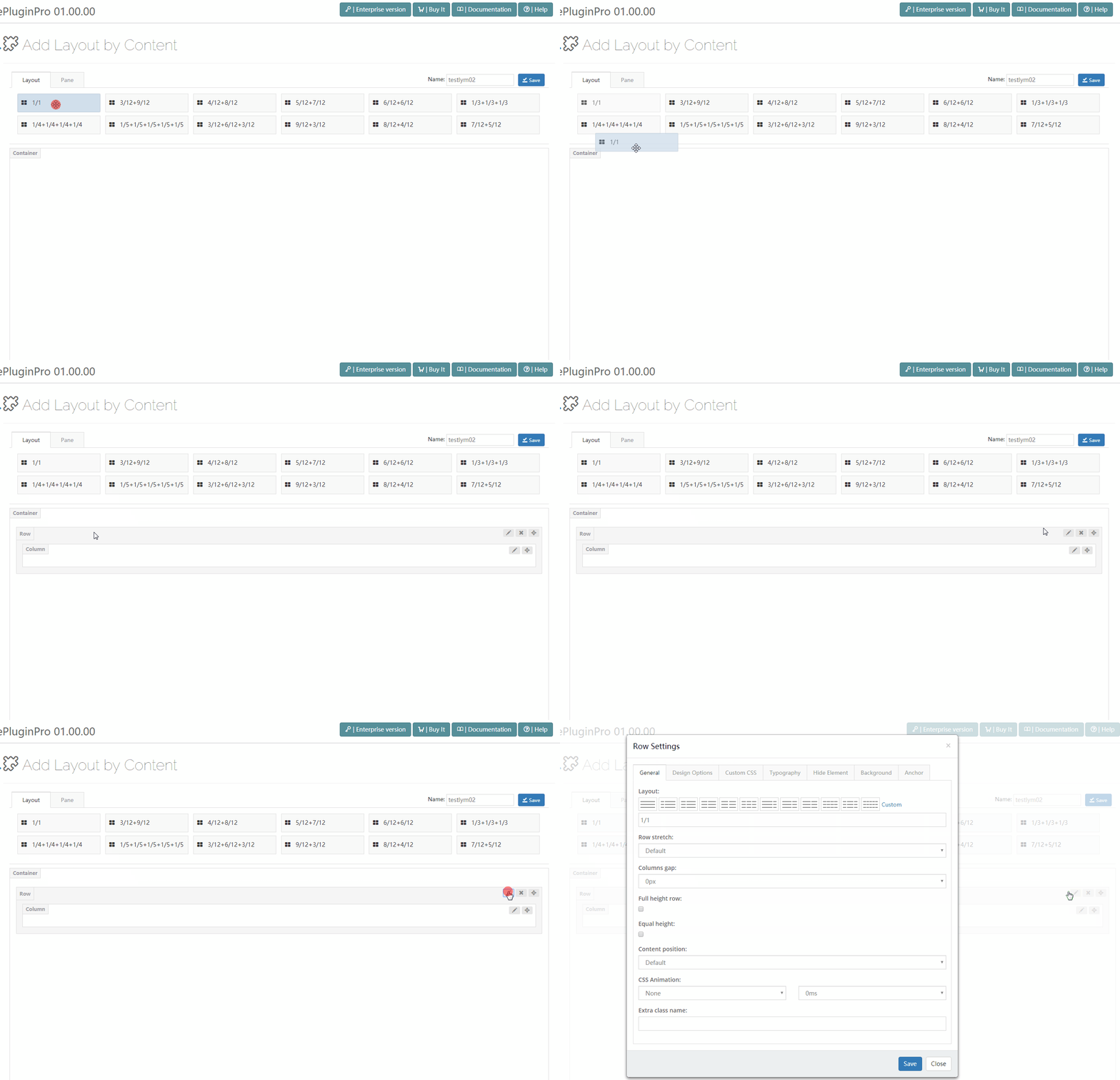
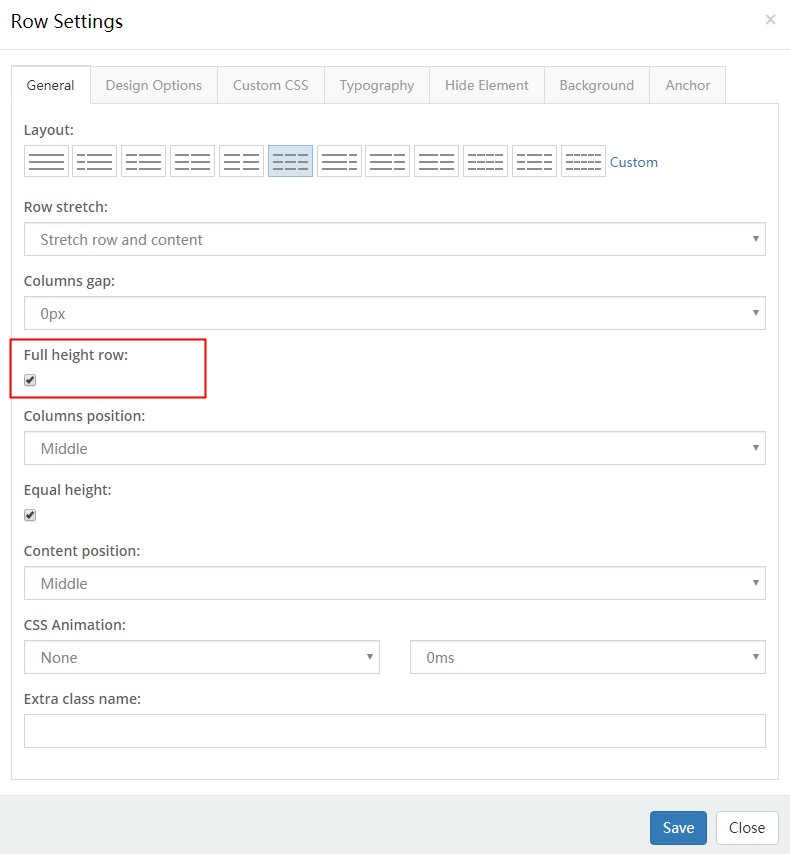
Open the General tab and enable Full height row. To center the content vertically, set Columns position to Middle
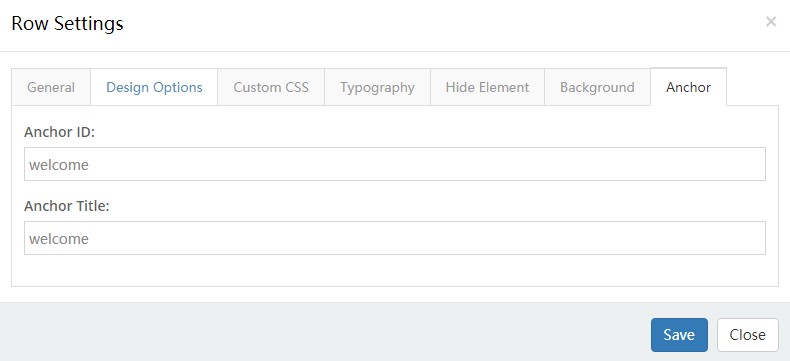
Open the Anchor tab and fill in Anchor ID and Anchor Title. The Anchor ID must not contain spaces; the Anchor Title appears in the side navigation
Repeat steps 7, 8 and 9 to add more areas
Split Full Page Options
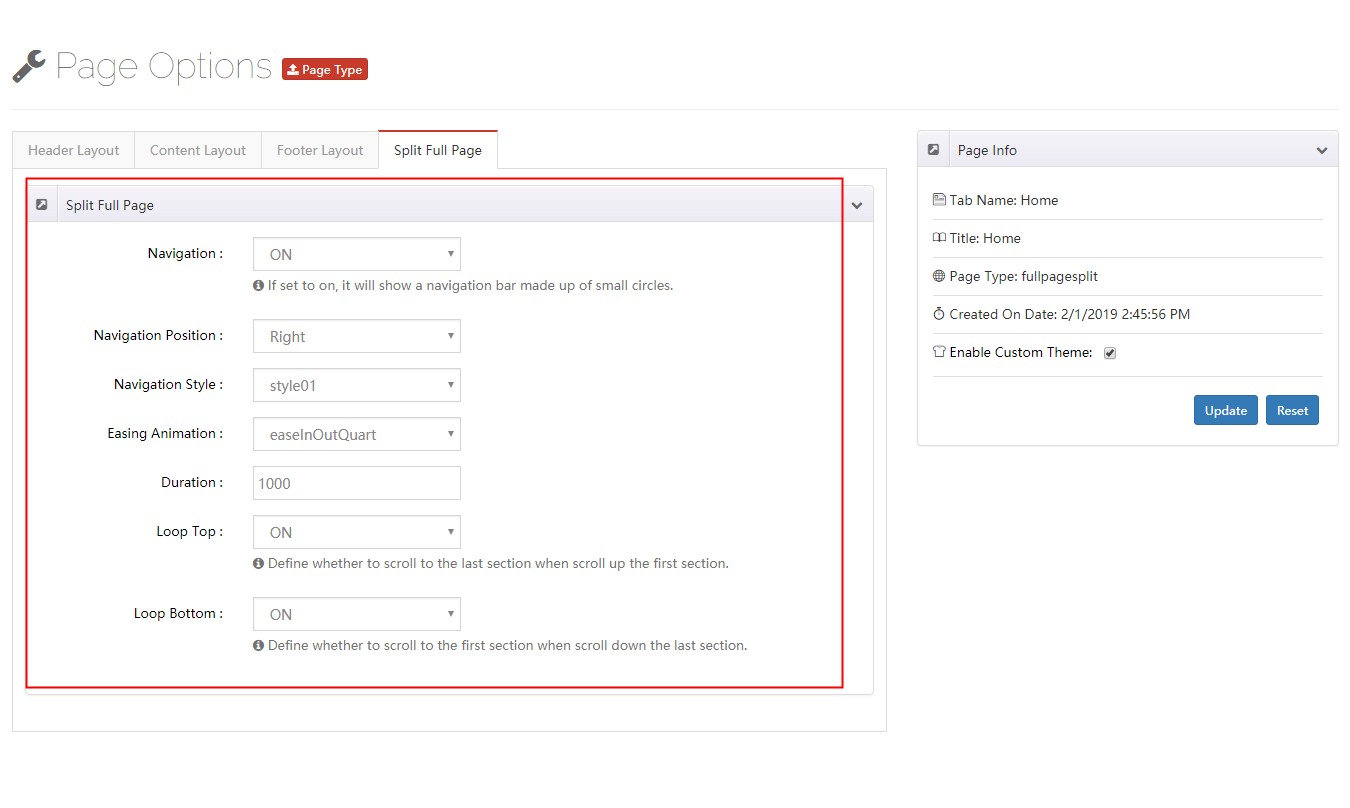
Split Full Page pages come with a few extra settings.
| Setting | Description |
|---|---|
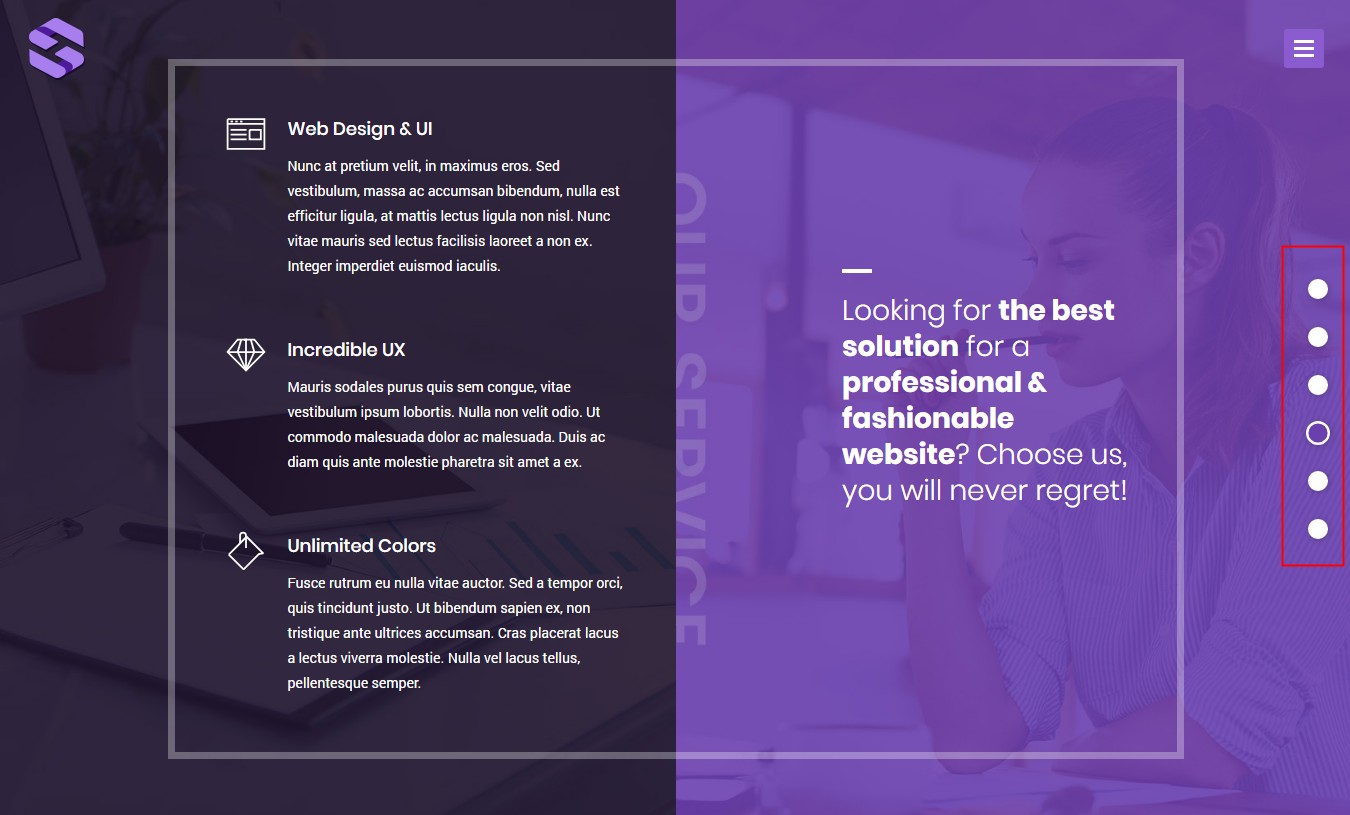
| Navigation | Show a dot navigation bar |
| Setting | Description |
|---|---|
| Navigation Position | Dots on the left or right of the window |
| Navigation Style | Look of the dot bar — 3 styles |
| Easing Animation | Transition effect |
| Duration | Duration of the transition |
| Loop Top | Scrolling up from the first area jumps to the last |
| Loop Bottom | Scrolling down from the last area jumps to the first |