
Lightbox
You can set a lightbox for images and links. When the image or link is clicked, images, videos or maps will be displayed as a lightbox.
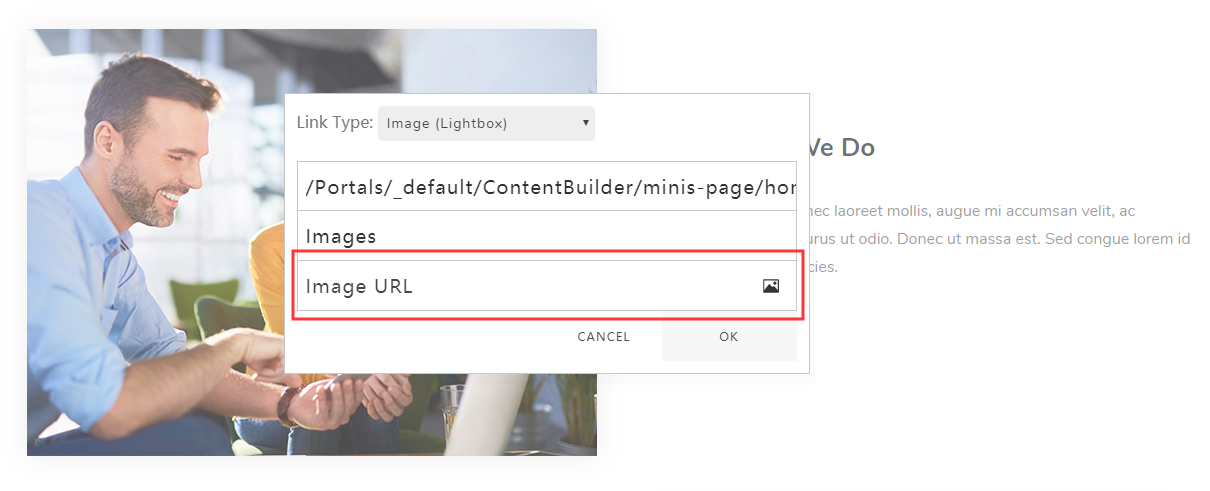
Image (Lightbox)
First, set the Link Type to Image (Lightbox), then enter an image URL in the Image URL field, or upload an image.
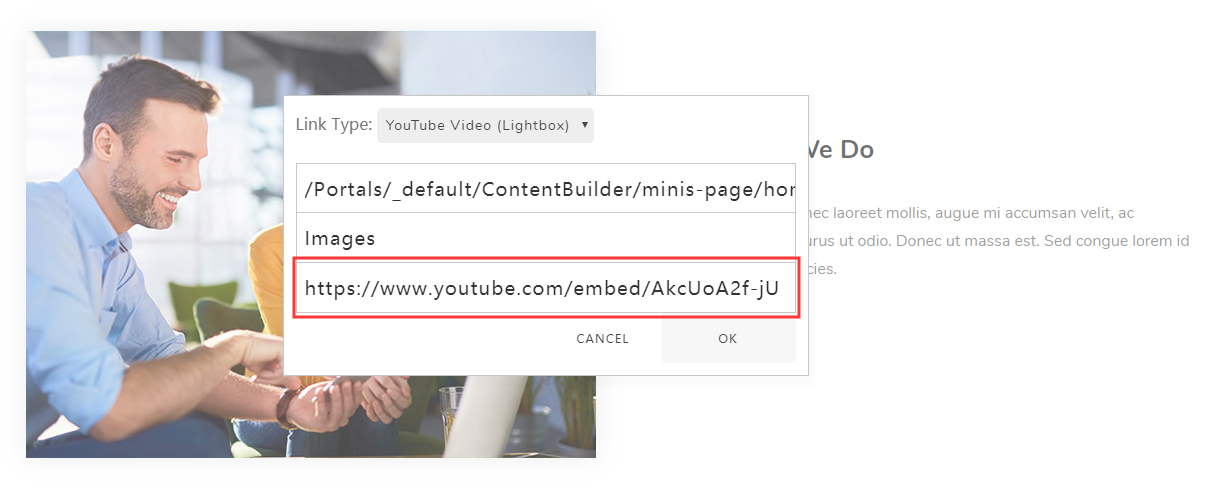
YouTube Video (Lightbox)
Set the Link Type to YouTube Video (Lightbox), then enter a video URL in the YouTube URL field.
For instance: https://www.youtube.com/embed/AkcUoA2f-jU — AkcUoA2f-jU is the video ID, and you can use your own video ID instead.
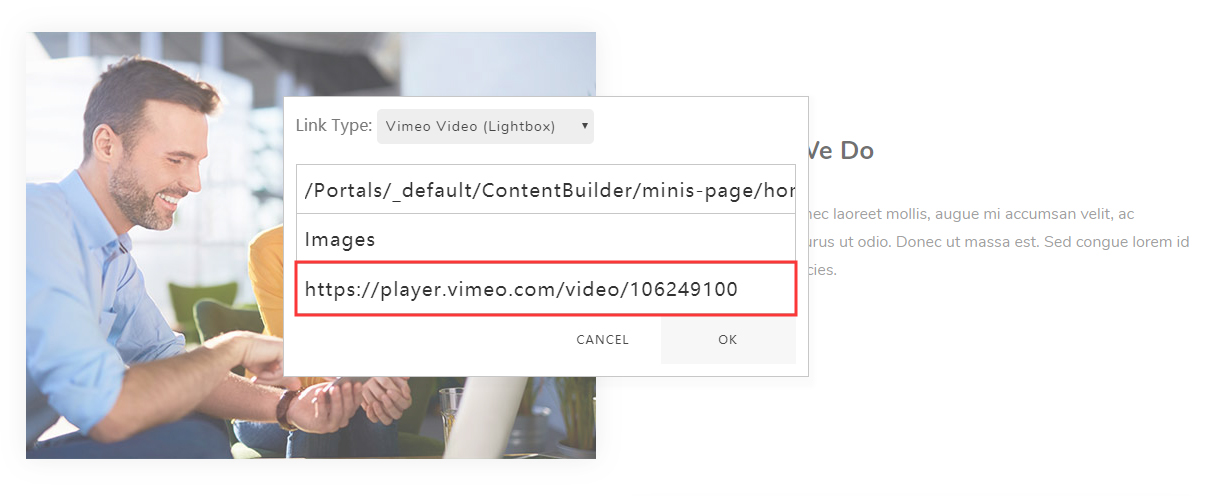
Vimeo Video (Lightbox)
Set the Link Type to Vimeo Video (Lightbox), then enter a video URL in the Vimeo URL field.
For instance: https://player.vimeo.com/video/106249100 — 106249100 is the video ID; replace it with your own.
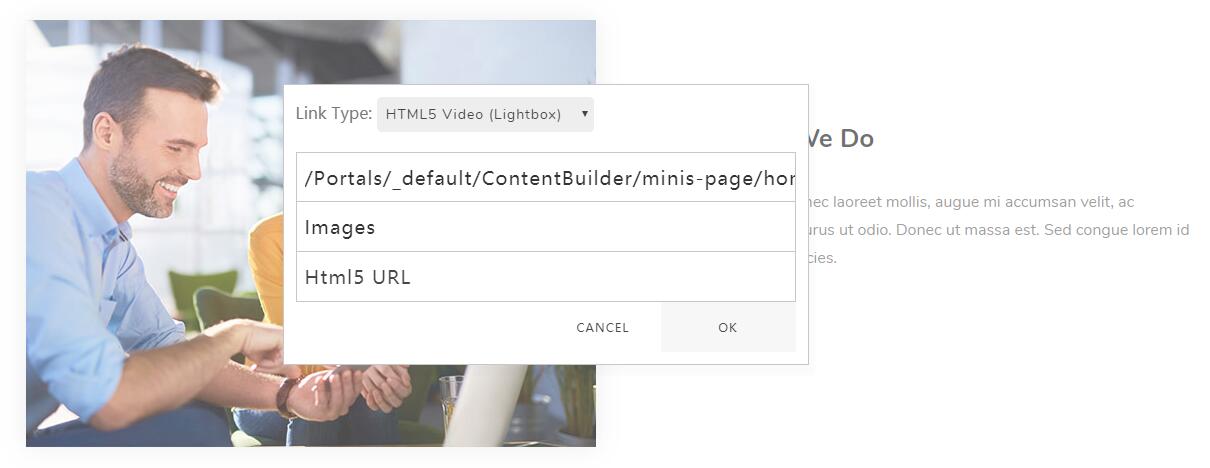
HTML5 Video (Lightbox)
Set the Link Type to HTML5 Video (Lightbox), then enter a video URL in the HTML5 URL field.
Format requirement
The HTML5 video format has to be MP4.
Google Map (Lightbox)
Set the Link Type to Google Map (Lightbox), then enter a map URL in the Google Map URL field, such as:
https://www.google.com/maps/embed?pb=!1m18!1m12!1m3!1d3023.4180044887703!2d-73.99952068428715!3d40.730826844399864!2m3!1f0!2f0!3f0!3m2!1i1024!2i768!4f13.1!3m3!1m2!1s0x89c25990e23d7e8d%3A0xfa615edfd1b67e18!2sWashington%20Square%20Park!5e0!3m2!1sen!2sus!4v1575362448308!5m2!1sen!2sus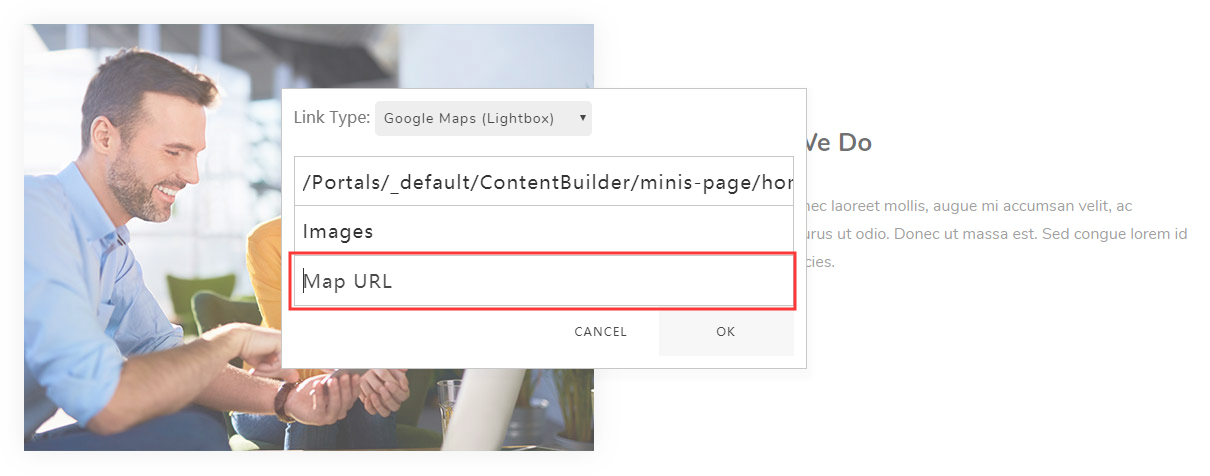
Lightbox Group
You can link multiple images to the same lightbox and browse them together.