
How to Set Bypass Blocks
Bypass blocks are mechanisms that skip over repeated material on a webpage. They are important for users who navigate with a keyboard because they allow users to skip over repeated sections and go directly to the content they are looking for.
The "Bypass blocks" is located in the top left corner of the page. Press the Tab key to enter it.
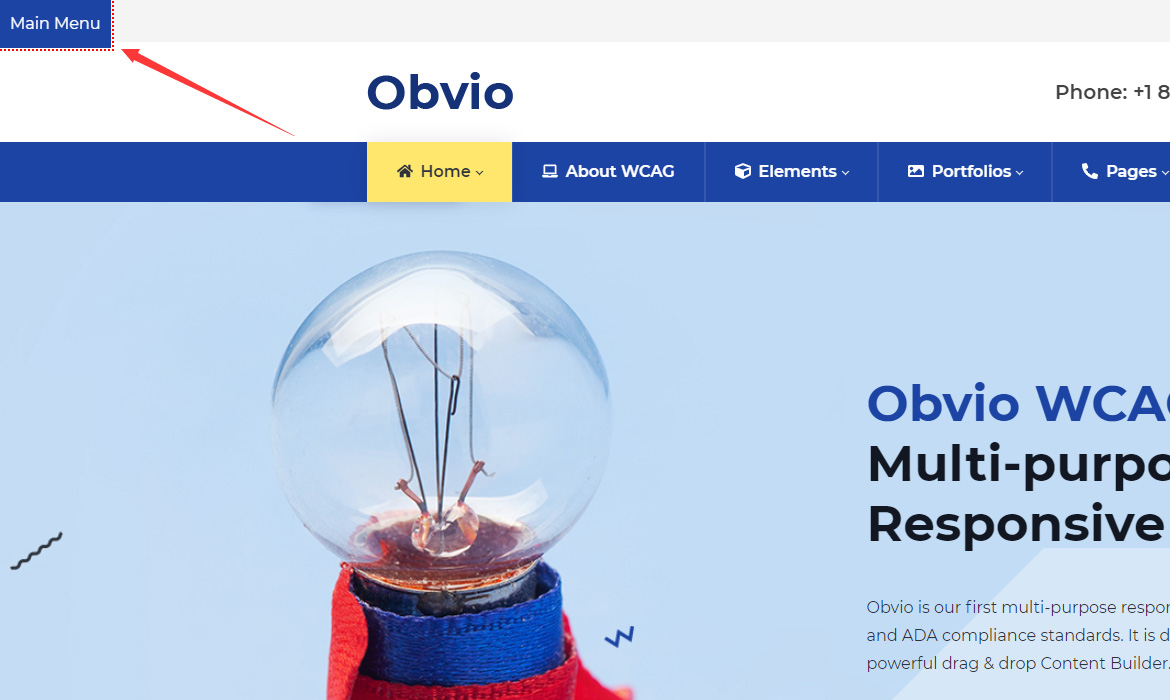
Main Menu
It will jump to the menu area when clicking the Main Menu button. The text of the Main Menu button can be changed in Theme Options > Accessibility.
Add Quick Links
You can also add more quick links besides the Main Menu. The setting steps are as follows:
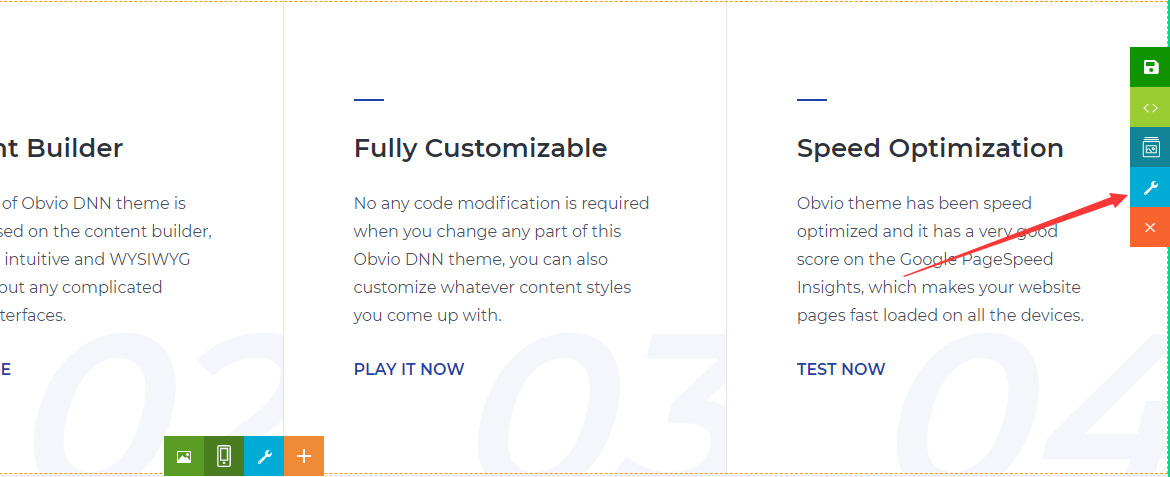
- Click the icon of the Section Settings
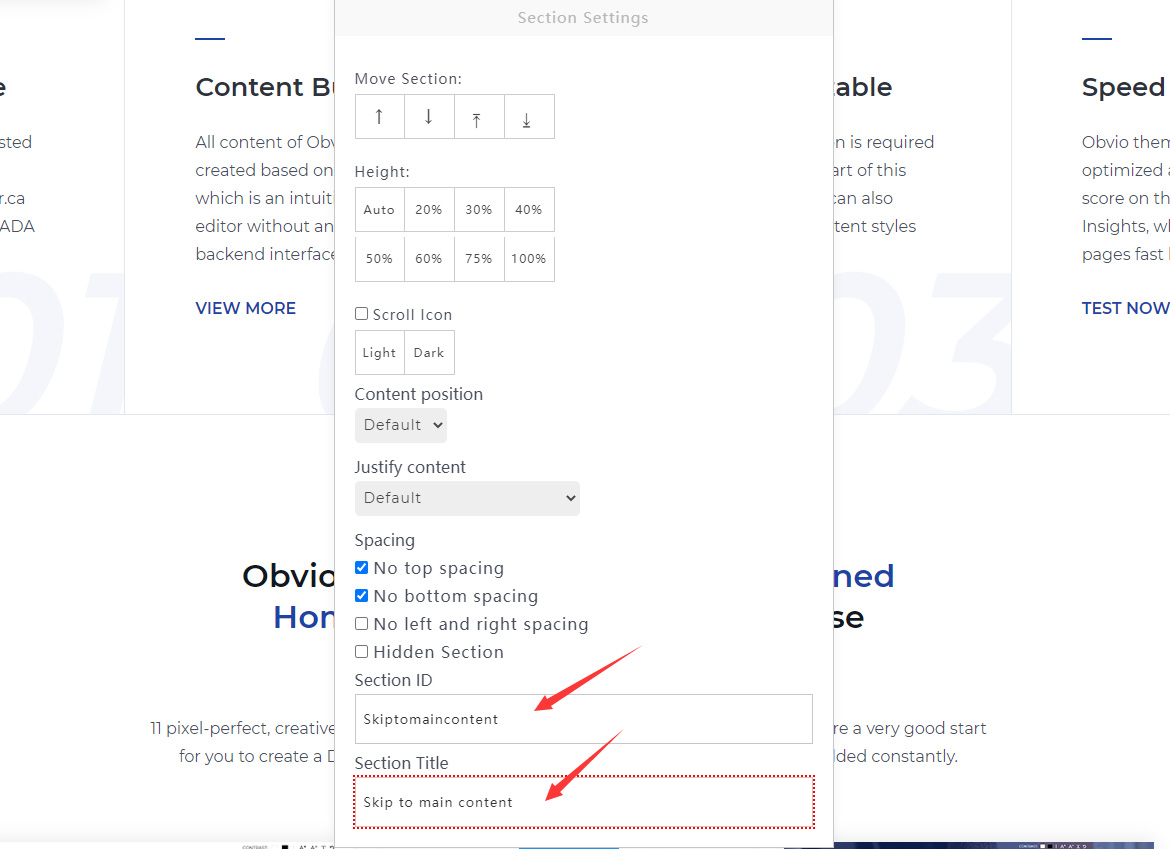
- Fill in the ID in Section ID, and fill in the text of the button in Section Title
- Finally click the Save button