Skip to content
Main Navigation
Guide
Content Builder
Form Builder
Theme Plugin Pro
Changelog
How to
Import Page Template
Set Forms
Set Up One Page
Set Mega Menu
Use DNN Modules in Content Builder
Improve Page Loading Speed
Set Bypass Blocks
Set Fixed Elements
Scroll Fix Content
Set Page Icons
Use WebP Image Format
Appearance
Menu
Return to top
On this page
How to Set the Page Icons
This theme includes thousands of icons, and you can add icons to the menu very easily.
Steps
Log in to your site as super administrator
Go to
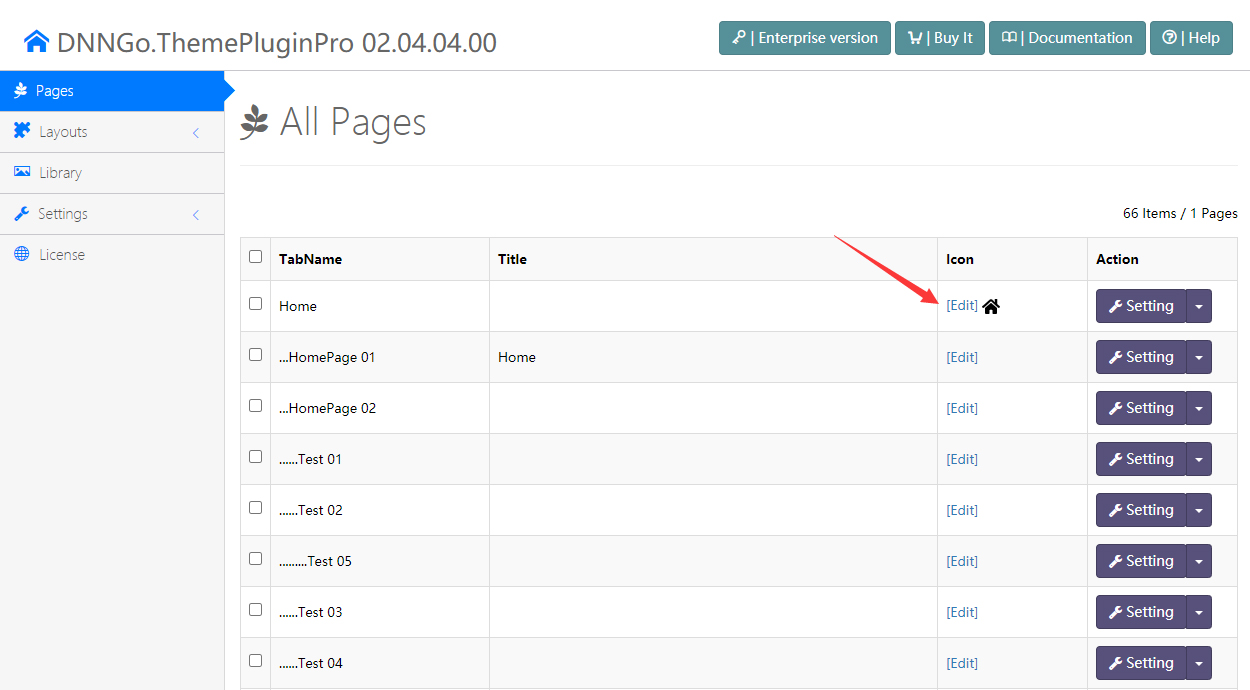
ThemePluginPro > Pages
Click the
Edit
button of the target page
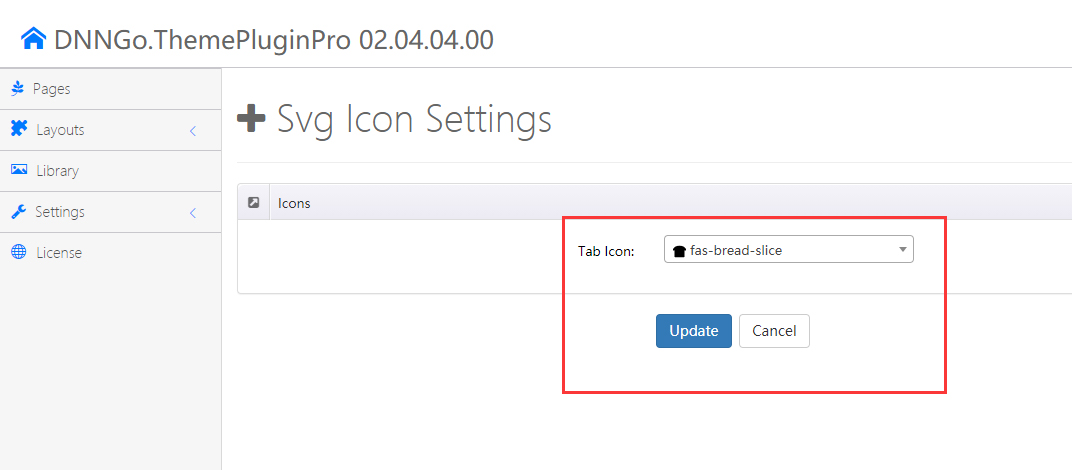
Choose an icon, and then click the
Update
button