How to Improve Page Loading Speed
The Obvio theme has very good performance. You can check its scores from Google PageSpeed Insights — the higher the scores are, the faster the page loading speed is.
In addition to using the Obvio theme for your site, use the following steps to improve your page loading speed.
Compress Page Images
Having appropriately-sized images saves mobile data network traffic and shortens loading time. Use TinyPNG to compress the images which will be used on your site.
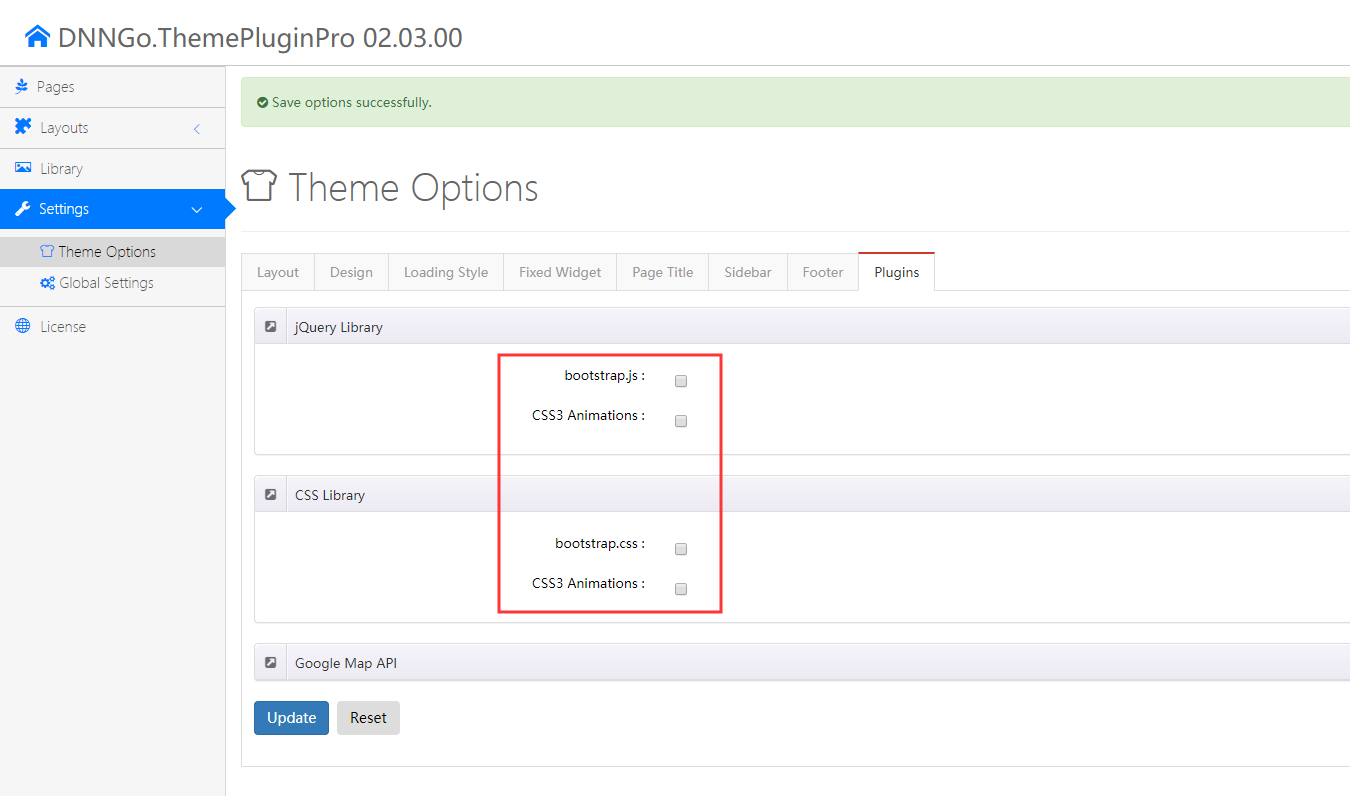
Disable Plugins Which Are Not Used
This theme has integrated some 3rd-party plugins. If they are not used, disable them to improve page loading speed.
Go to DNNGo ThemePluginPro > Theme Options and set it as shown below:
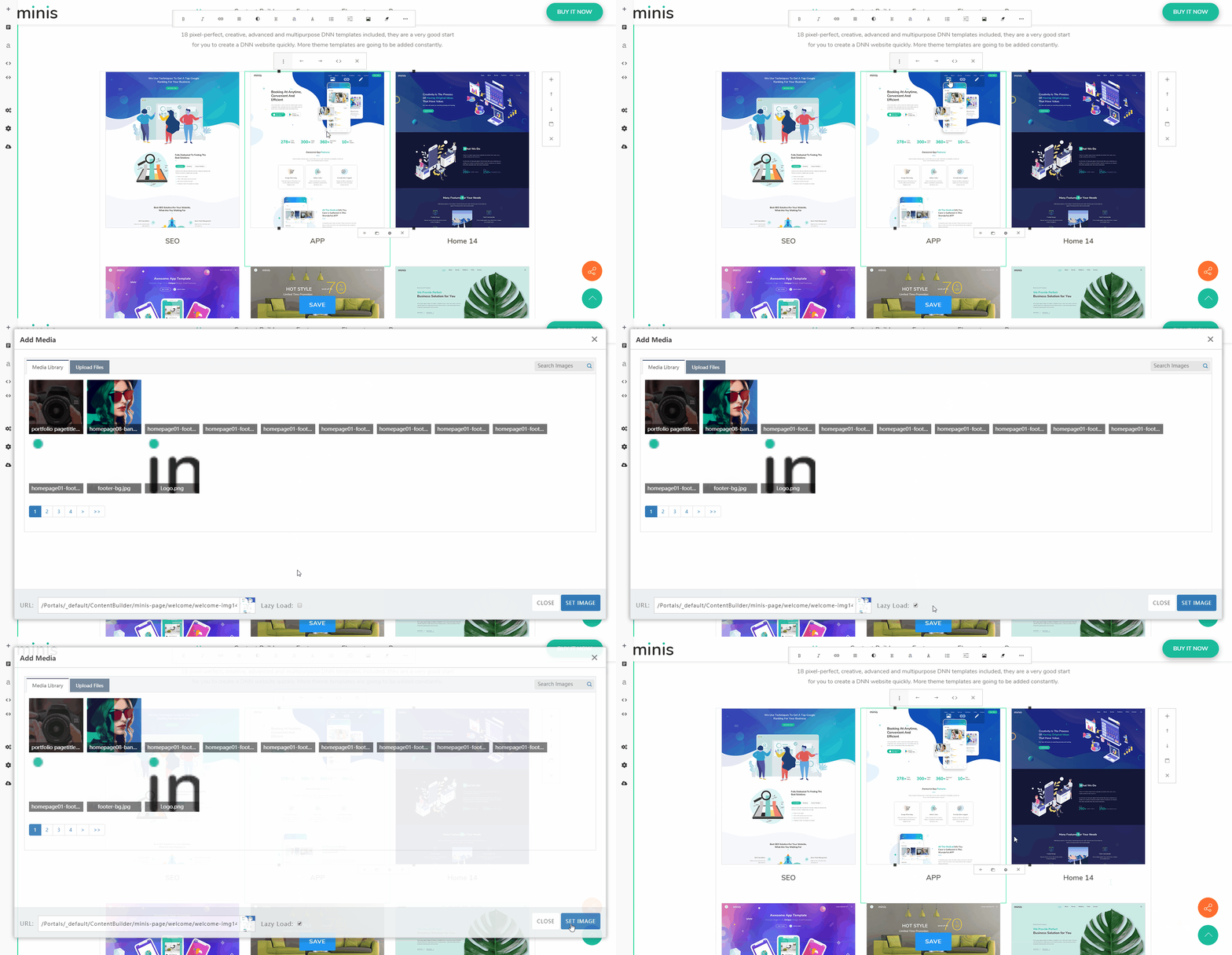
Enable Lazy Loading for Images
Enabling lazy loading for images delays the loading of images which are off-screen and hidden, thereby reducing the time taken before interaction:
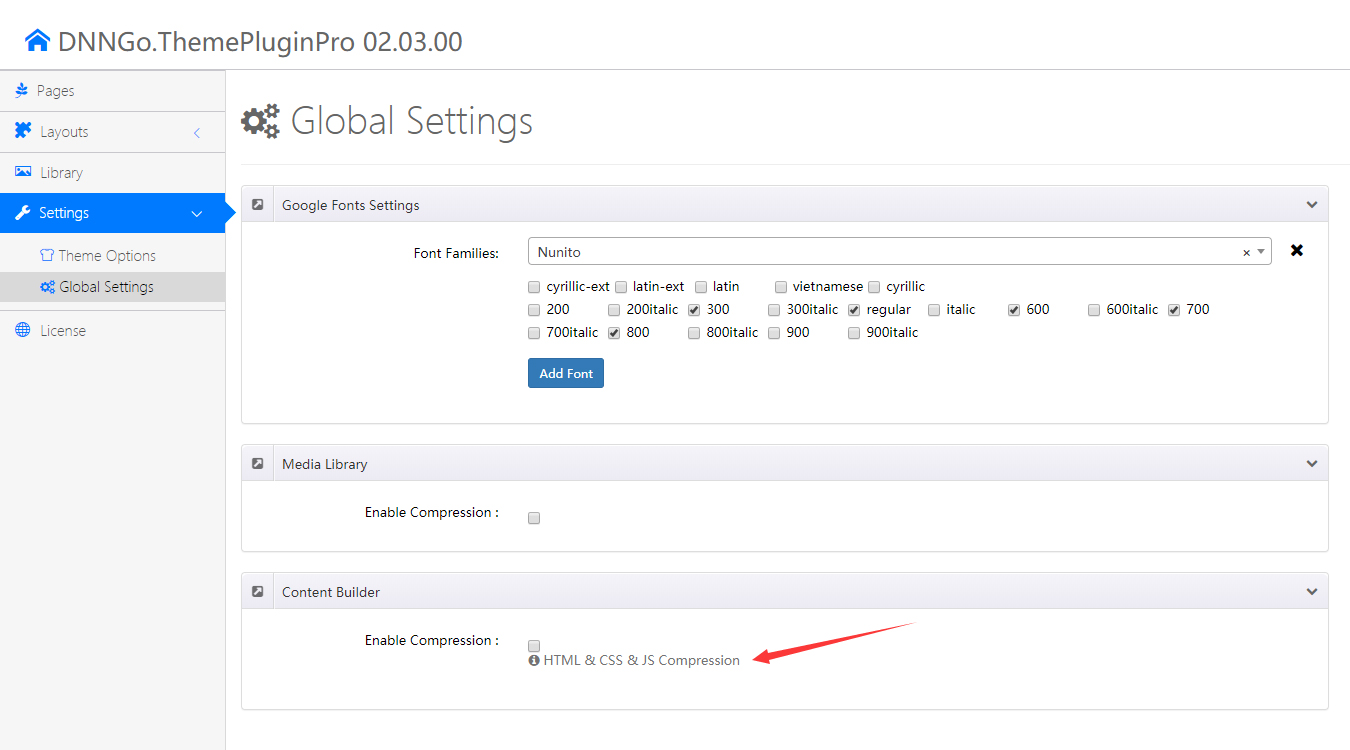
Enable Content Builder Compression
Enabling compression minimizes the total number of bytes consumed by network activity. Go to DNNGo ThemePluginPro > Global Settings and enable Enable Compression under Content Builder:
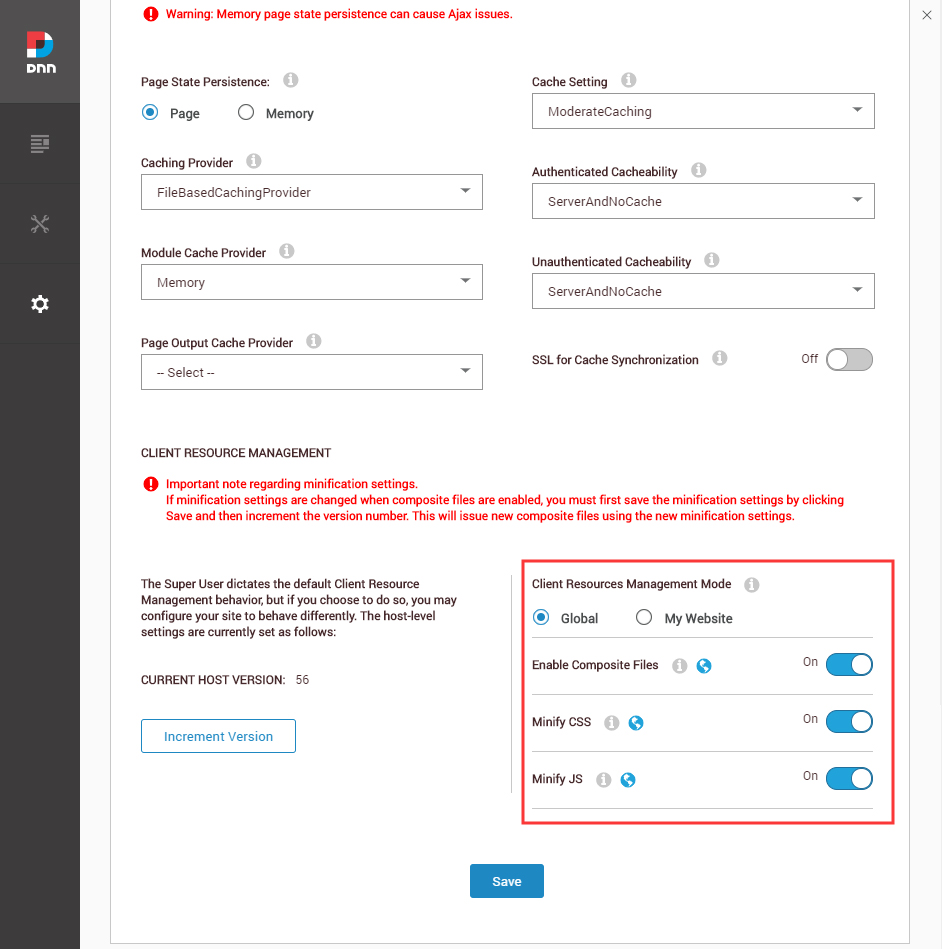
Enable Website Resource Compression
Enabling website resource compression merges and compresses all the CSS and JS of your site. Go to Settings > Servers > Server Settings > Performance: