Rating Settings
Rating Settings configure the article rating feature that lets users vote for their favorite articles. The page contains a single Basic Options panel.
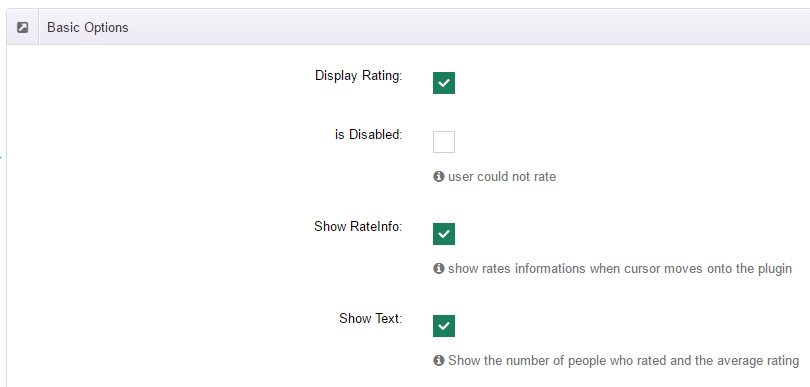
Options
| Field | Description |
|---|---|
| Display Rating | Show the rating widget on article pages (on by default) |
| is Disabled | Read-only mode — users cannot vote, only the current score is shown |
| Show RateInfo | Show rating info on hover (on by default) |
| Show Text | Show the number of ratings and the average (on by default) |
| Step | Star-by-star hover response (on by default) |
| Icon Type | small or big (default big) |
| Length | Number of stars (default 5) |
| Decimal Length | Decimal places of the score (default 1) |
| Rate Max | Maximum score, an integer from 0 to 9999 (default 5) |
| RateInfos X / Y | Relative position of the hover info box (default -45 / 5) |
| Big Stars Path | Large star icon path, default {ModulePath}Resource/images/rating_stars.png |
| Small Stars Path | Small star icon path, default {ModulePath}Resource/images/rating_small.png |
Custom icons
Upload a custom star image to your site and put its path in Big / Small Stars Path to replace the default icons. {ModulePath} is a placeholder for the module folder.
An article's rating (total score and rating times) can also be set manually while editing — see Add New Post → Rating.