Email Settings
Email Settings control subscription email behavior and templates, in three panels: Basic Settings, Email Content Template (single article) and Email Subscription List Template (multiple articles).
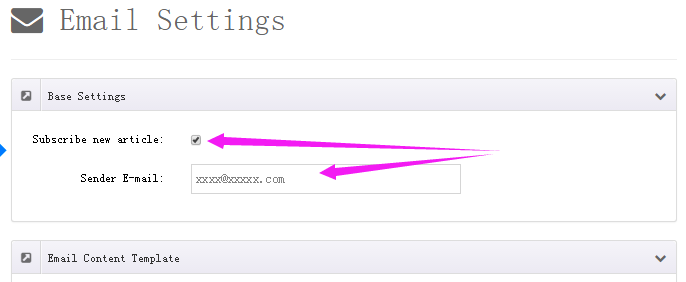
Basic Settings
| Field | Description |
|---|---|
| Subscribe new article | Automatically send subscription emails when an article is published (on by default) |
| Asynchronous Email Delivery | Queue emails in the background for faster form submission; disable to send synchronously while troubleshooting (on by default) |
| Subscription Email Limit (Days) | Only send subscription emails for articles published within the given number of days; default 7, 0 for no limit |
| Enable user email confirmation | Subscribers must click a confirmation link before the subscription takes effect (double opt-in, prevents subscribing others) |
| Sender E-mail | From address of subscription emails, required |
SMTP
Emails are sent through the SMTP server configured in DNN — make sure it is set up correctly in the DNN host settings first.
Email Content Template
The subscription email sent when an article is published:
- Subscription Subject — default
Published a new article: [Title] - Subscription Template — visual HTML editing (CKEditor), lay it out freely
Email Subscription List Template
Used when sending a newsletter manually from All Posts, merging multiple articles into one email:
- Subscription List Subject — the email subject
- Subscription List Template — the overall frame; the
[ArticleList]token inserts the article list area - Subscription List Template Items — the per-article entry template, rendered into
[ArticleList]
Template Tokens
Insert these tokens into subjects and templates — they are replaced with real content when sending:
| Token | Description | Token | Description |
|---|---|---|---|
[Title] | Article title | [ArticleUrl] | Article detail URL |
[Summary] | Article summary | [ThumbnailUrl] | Thumbnail URL |
[ContentText] | Article content | [FeaturedImageUrl] | Featured image URL |
[PublishTime] | Publish time | [AttachmentList] | Attachment list |
[Author] | Author | [AuthorUrl] | Author page URL |
[Email] | Subscriber email | [Name] | Subscriber name |
[WebSite] | Site name | [WebSiteUrl] | Site URL |
[Unsubscribe] | Unsubscribe link | [ArticleList] | Article list area (list template only) |
Keep the unsubscribe link
Always keep the [Unsubscribe] token in your templates — it is a compliance requirement for newsletters and lets users unsubscribe themselves.
Related
- The administrator notification for pending articles is toggled by Review reminder in General Settings
- Subscribers — manage the recipient list
- All Posts — send article emails manually