
Mega Menu
Mega Menus allow you to add multi-column drop-down menus to your navigation with rich media such as images and videos.
You can set the display type of the pop-up menu.
Standard Menu
A general pop-up menu.

Mega Menu
Set to display sub-menus in multiple columns.

Width
Set the width of the sub-menus.
- Auto — the sub-menu width matches the theme's content area width
- Custom — set the sub-menu width to a specific value
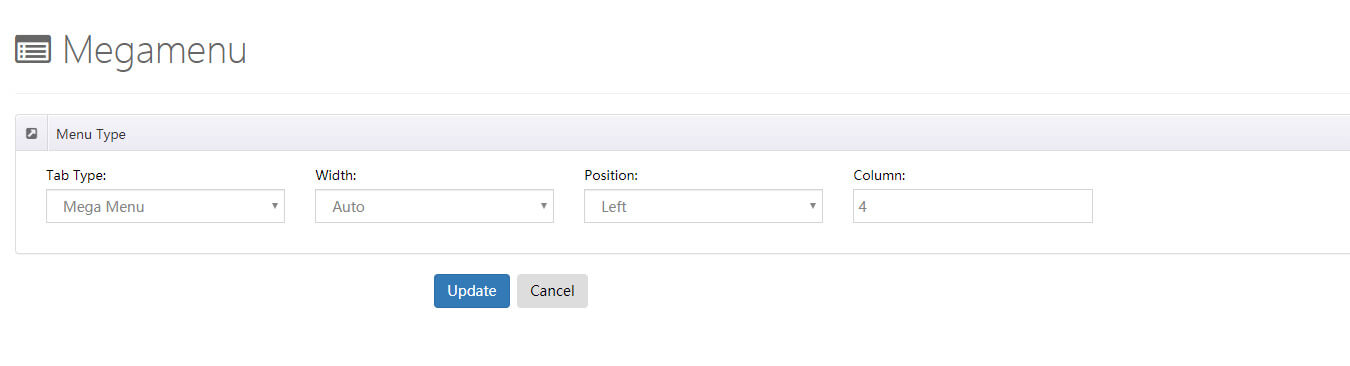
Position
Set the display position of the sub-menus.
Column
Set how many columns the sub-menus are displayed in.
Custom Mega Menu
With this setting you can insert extra HTML modules and 3rd party modules into the pop-up menu.
Width
Set the width of the sub-menus.
- Auto — the sub-menu width matches the skin content area width
- Custom — set the sub-menu width to a specific value
Position
Set where the pop-up menu is displayed.
Pane
You can add panes in the Mega Menu control panel.
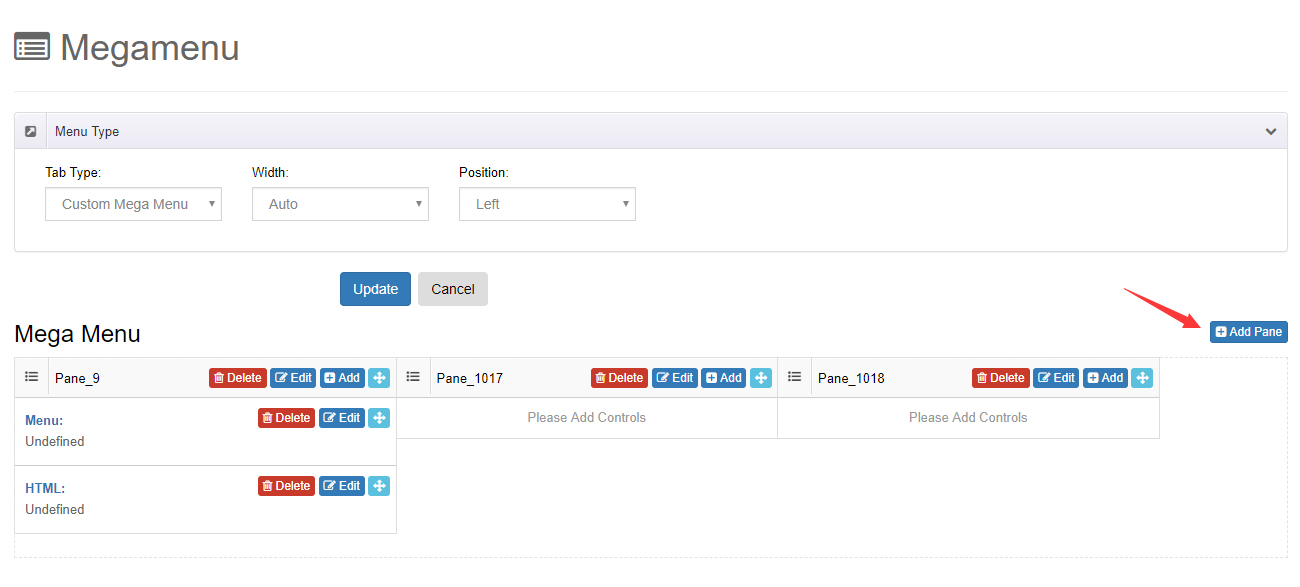
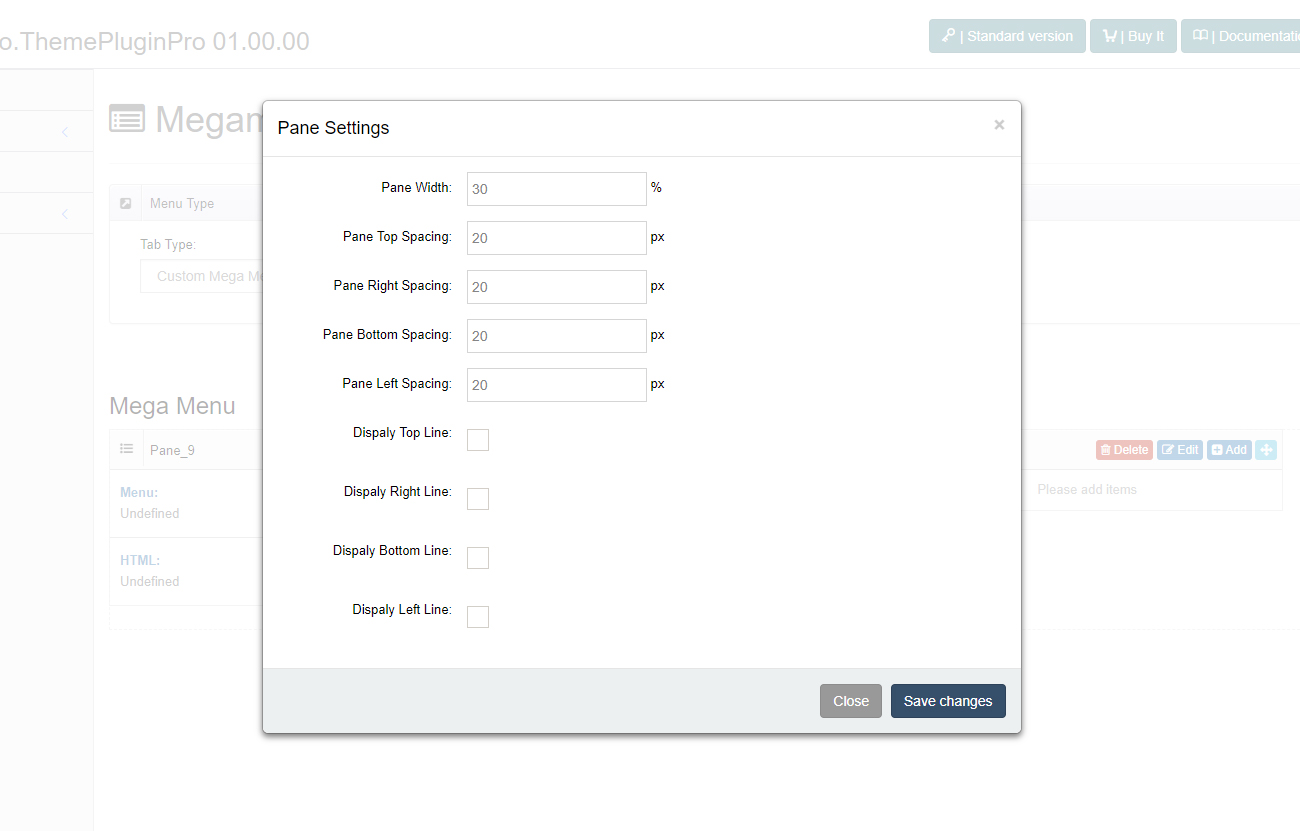
You can change the width of every pane, the space between panes, and add borders.
Controls
You can add multiple controls to panes.
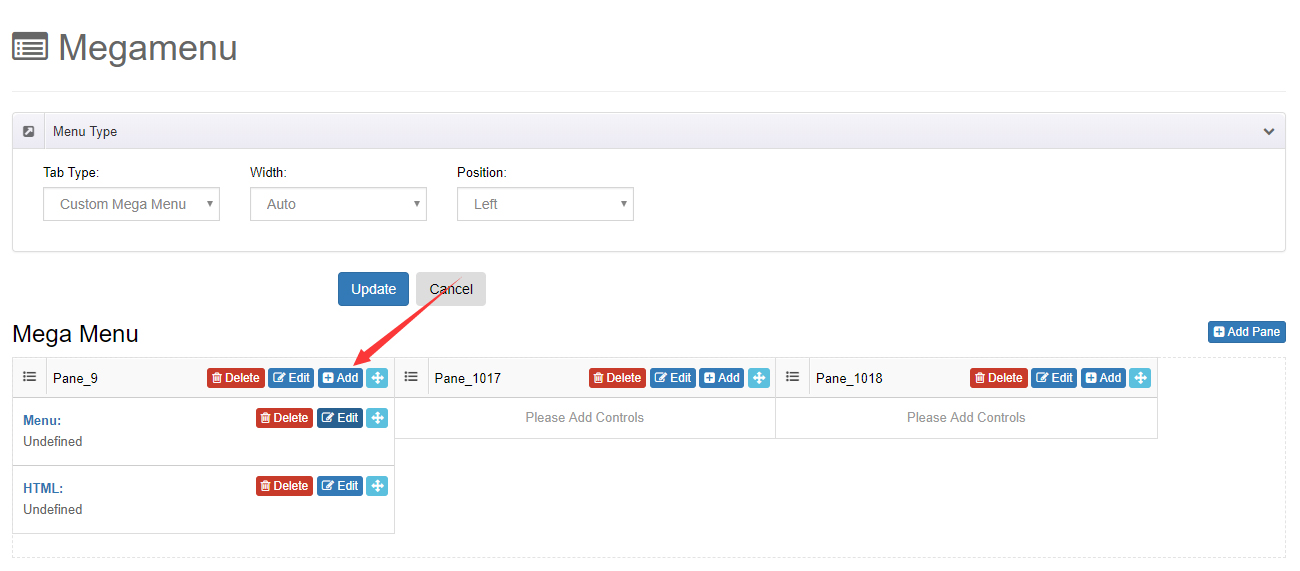
- Menu Control — display a specific menu and its sub-menus
- HTML Control — add HTML code
- Module Control — display modules from a specific page in the pop-up menu
Detailed Steps
For the full step-by-step guide with screenshots, see How to: Set Up Mega Menu.