How to Improve Page Loading Speed
The Minis theme itself delivers outstanding performance. You can check the demo site's score on Google PageSpeed Insights — the higher the score, the faster your pages will load.
In addition to using the Minis theme, you can further improve your site's page loading speed with the following methods.
Compressing Page Images
Using properly sized images saves mobile network data and reduces loading time. You can use tinypng.com to compress the images your site will use.
Disabling Unused Plugins
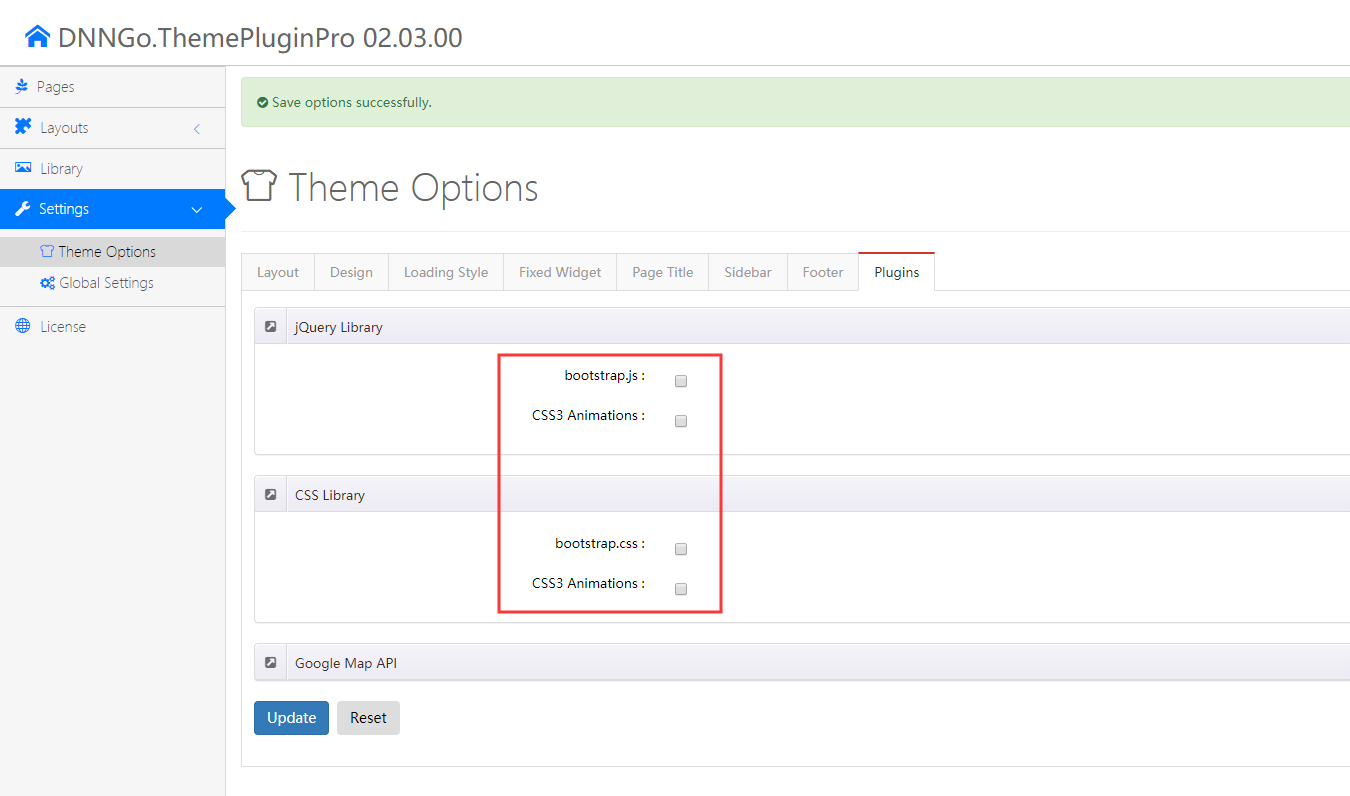
The theme integrates some third-party plugins. If your site does not use them, you can disable them to improve loading speed.
Go to Plugins in DNNGo.ThemePluginPro > Theme Options to configure this:
Enabling Image Lazy Loading
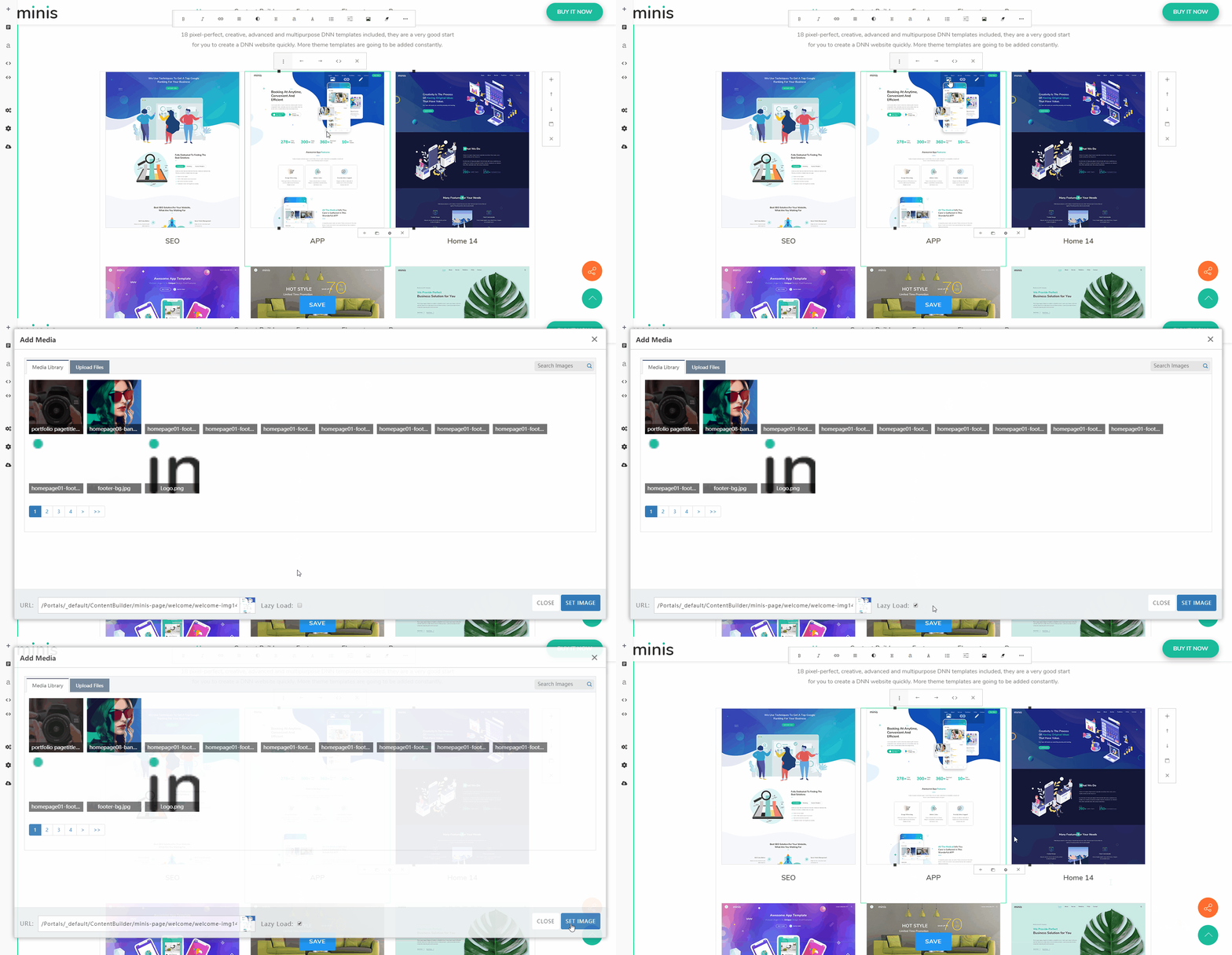
Enabling image lazy loading (Lazy Load) defers the loading of off-screen and hidden images, which shortens the time before the page becomes interactive.
Enabling Content Builder Compression
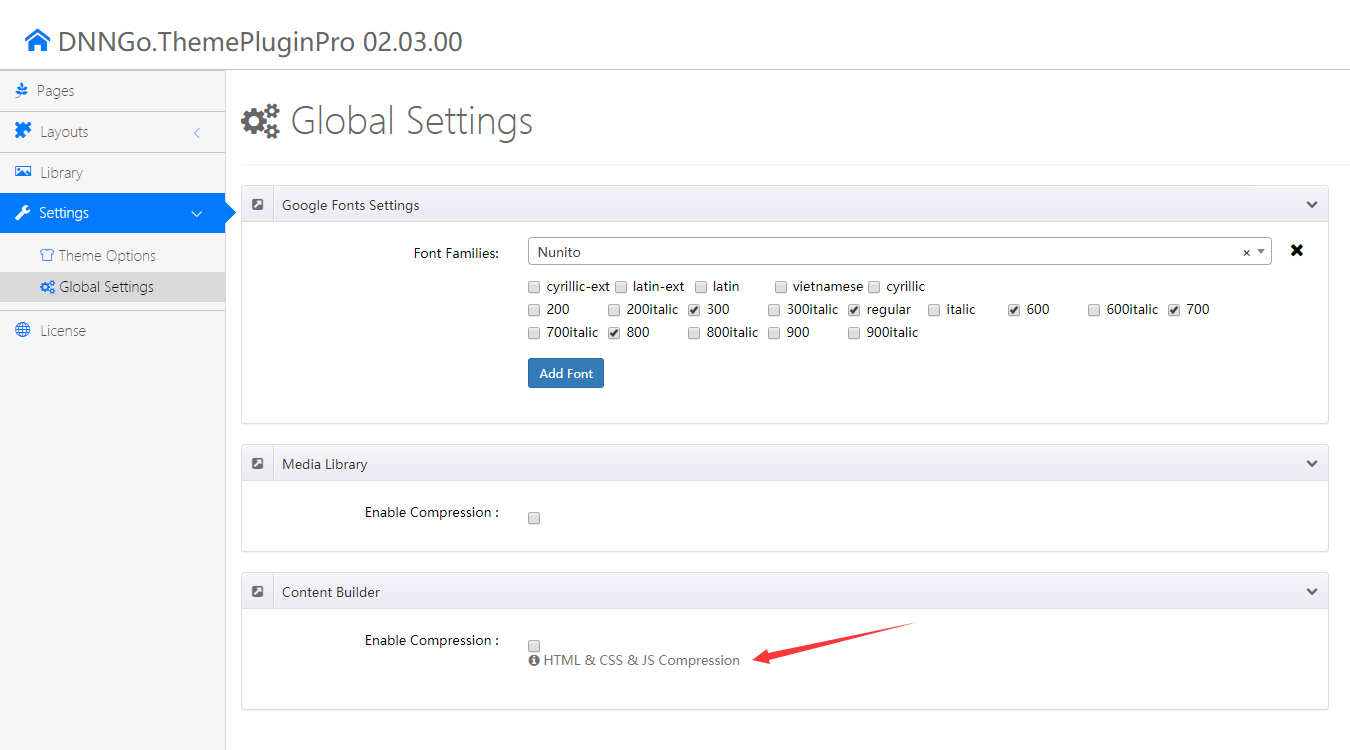
Enabling compression reduces the total number of bytes consumed by network activity. Go to DNNGo.ThemePluginPro > Global Options to configure this:
Enabling Website Resource Compression
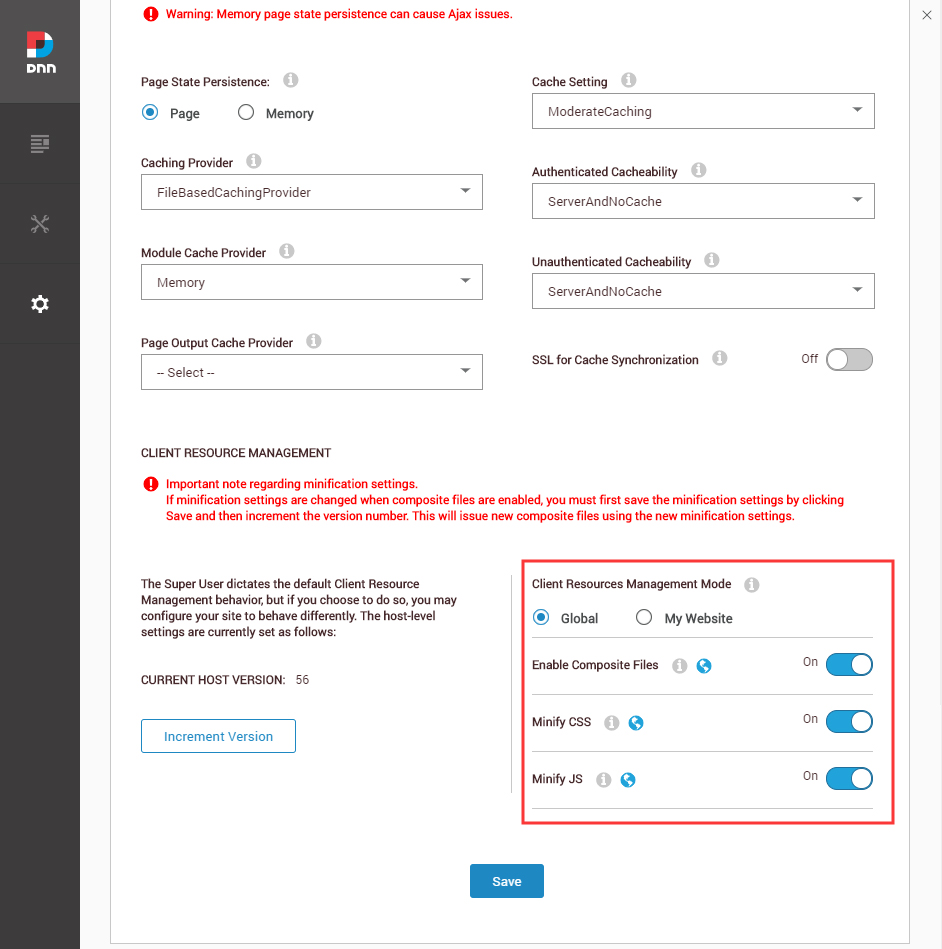
Enabling website resource compression combines and compresses all of the site's CSS and JS. Go to Admin > Servers > Servers Settings > Performance to configure this: