
Import Page Templates
The Minis theme includes 100+ preset page templates. Importing a page template quickly reproduces the look of the corresponding page on the demo site — it is the fastest way to build out your site.
Importing Overwrites the Current Page
After a template is imported into a page, all of the page's existing content and modules will be replaced. Make sure the page's content is safe to discard before importing.
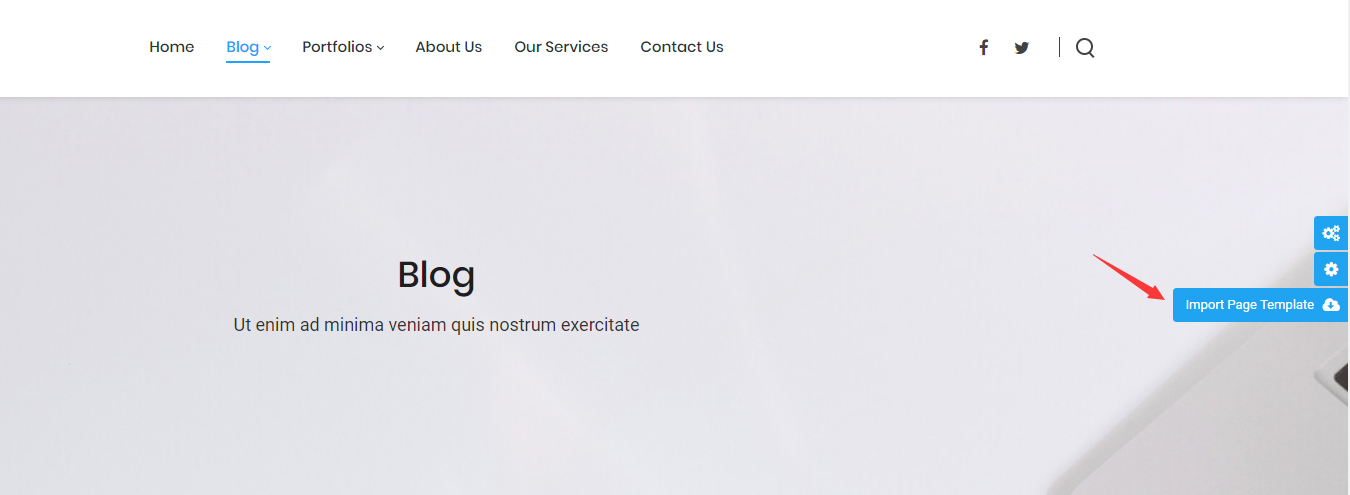
There are two ways to import a page template.
Method 1: Import from a Page
- Log in to your site as a superuser
- Go to the page you want to import a template into
- Click the Import Page Template button on the right side of the page
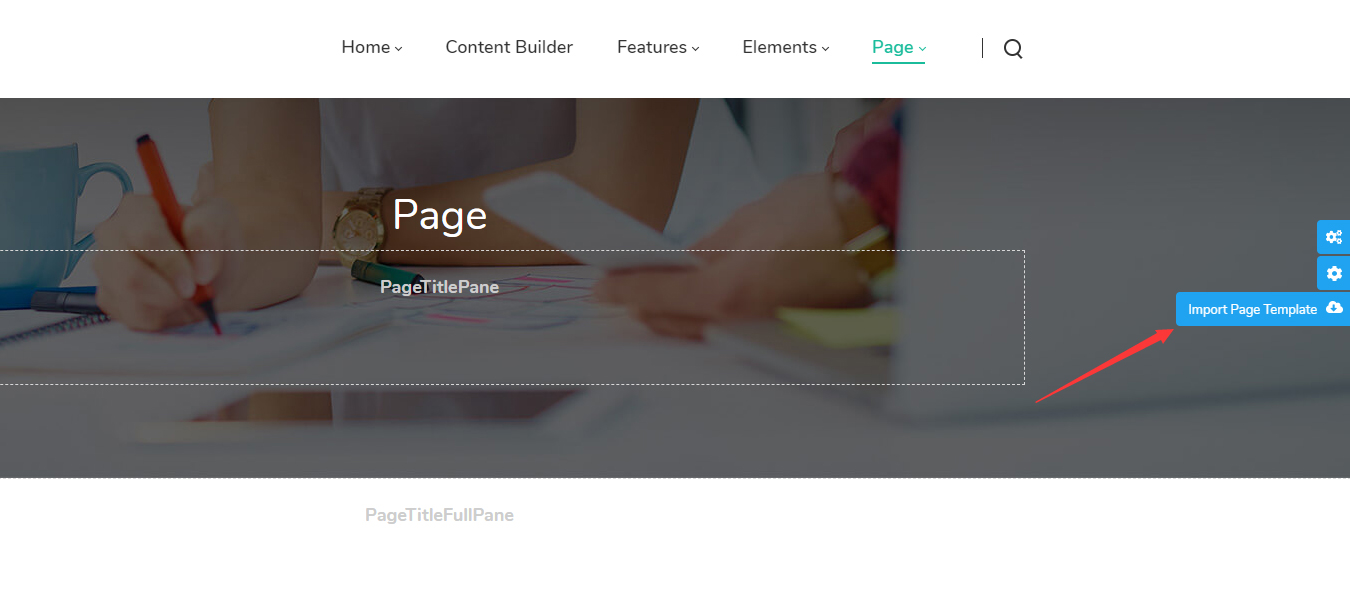
If the page already contains a Content Builder module, the import icon appears on the left side of the page:
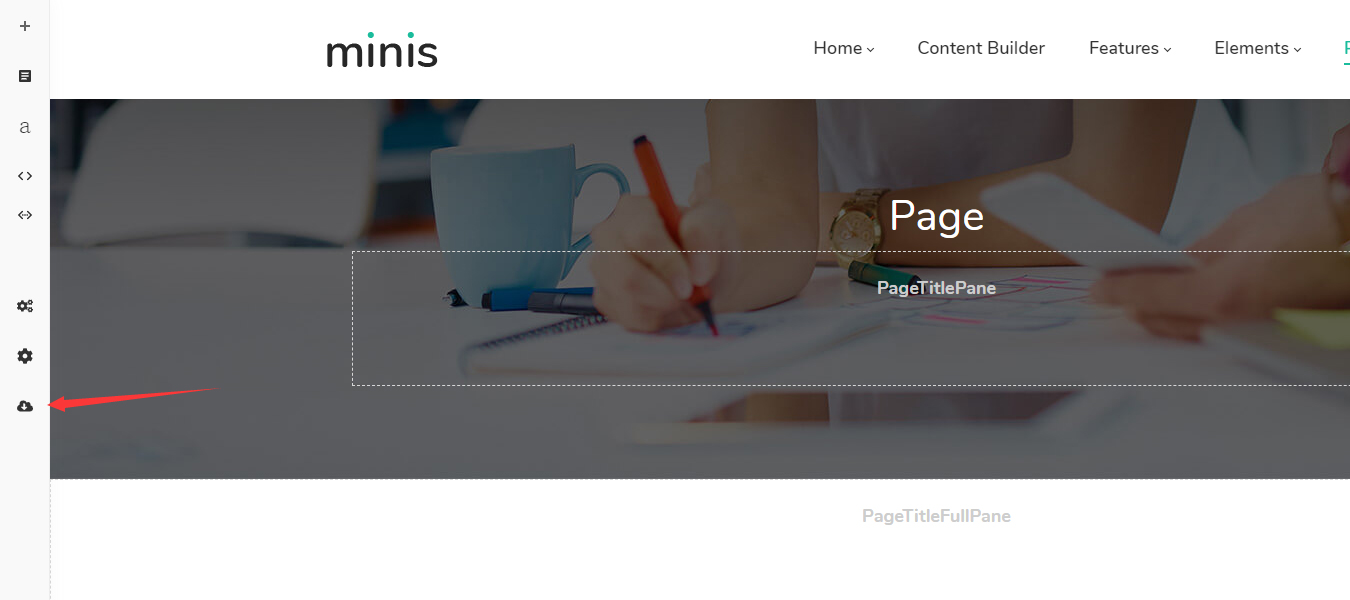
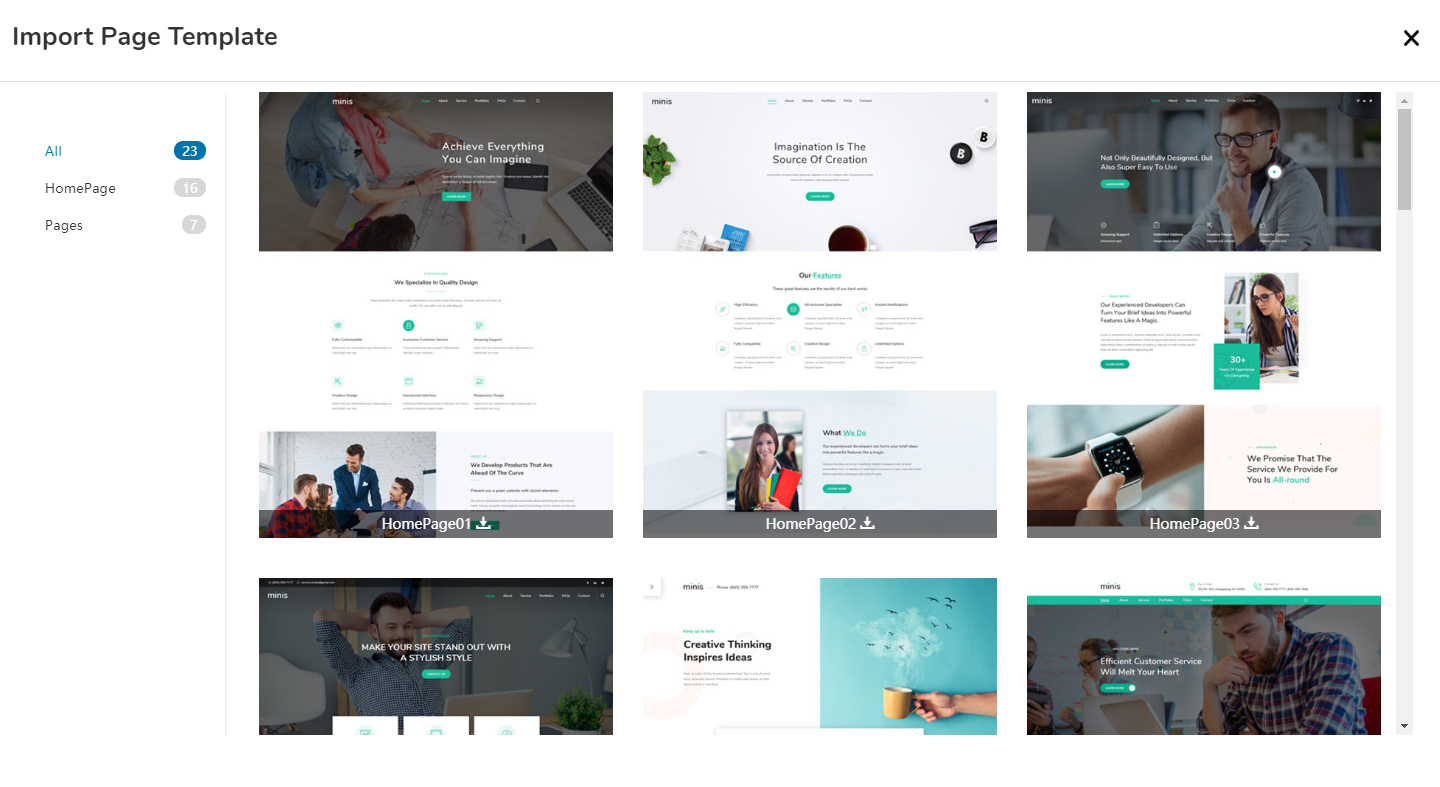
- Select a page template and confirm the import
Method 2: Import from ThemePluginPro > Pages
- Log in to your site as a superuser
- Go to ThemePluginPro > Pages
- Select the page you want to import a template into and click Import Page Template
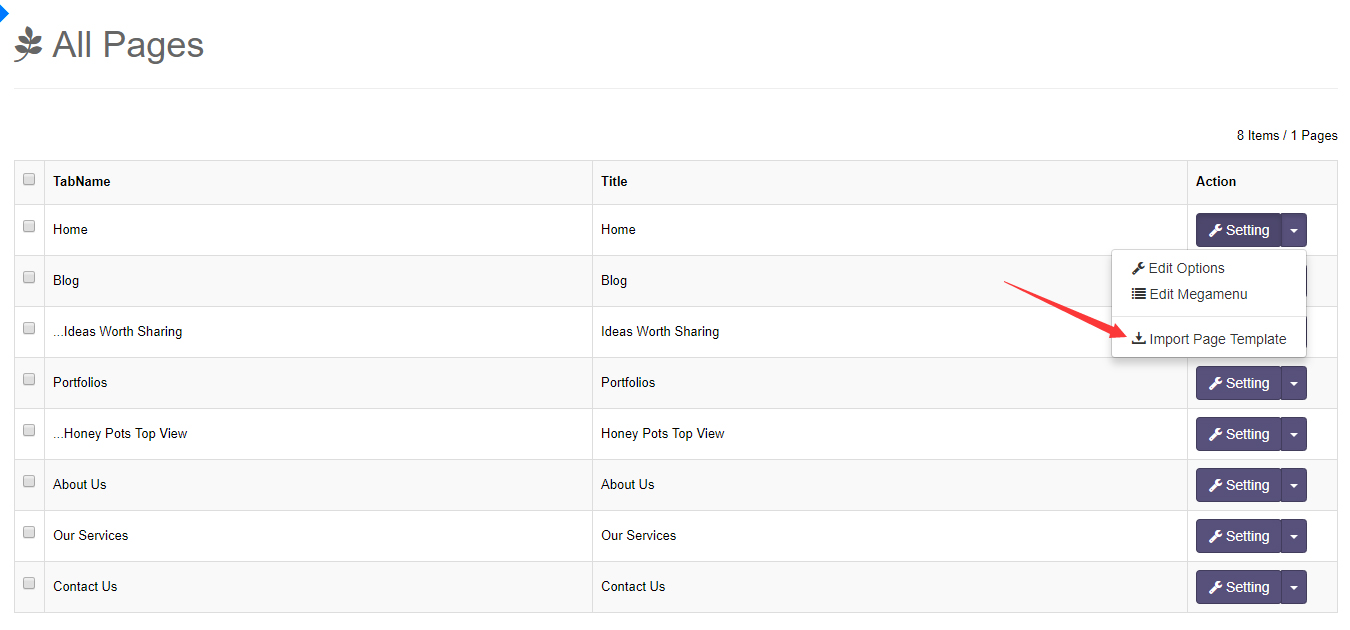
- Select a page template and confirm the import
Next Steps
- Introduction to Content Builder — After importing a template, keep editing the page with Content Builder
- Pages Overview — Manage all site pages in Pages