
How to Set Up a OnePage Site
A OnePage site is a single page: when you click a menu item, the page smoothly scrolls to the corresponding section instead of jumping to a new page.
Take a look at our one-page demo sites to see it in action:
Setup Steps
- Log in to your site as a superuser
- Add the DNNGo.ContentBuilder module to ContentBuilderPane. If the page already contains this module, you can skip this step
- Click the Page Options icon on the left side of the page
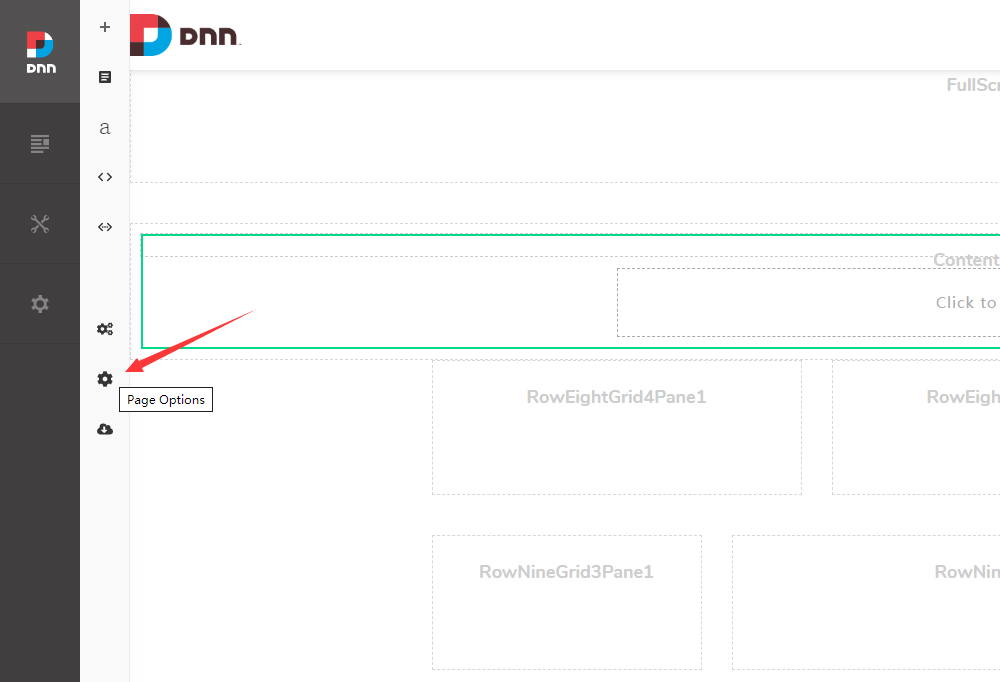
- Click the Page Type button
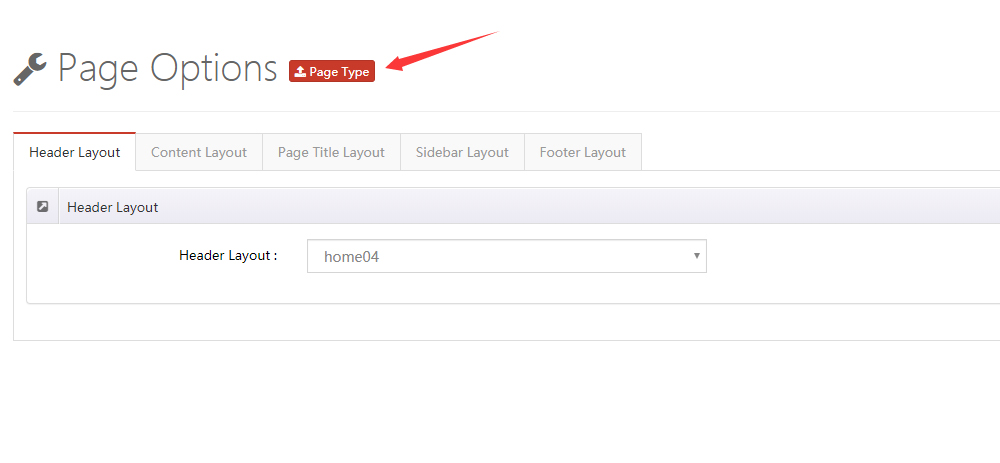
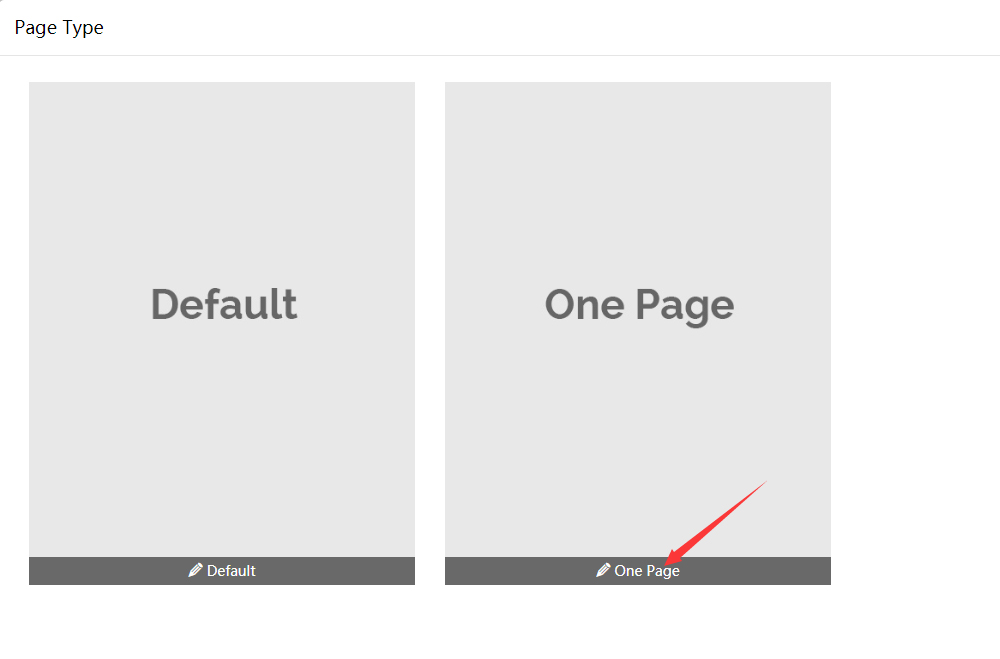
- Select One Page
- Select Enable Custom Theme
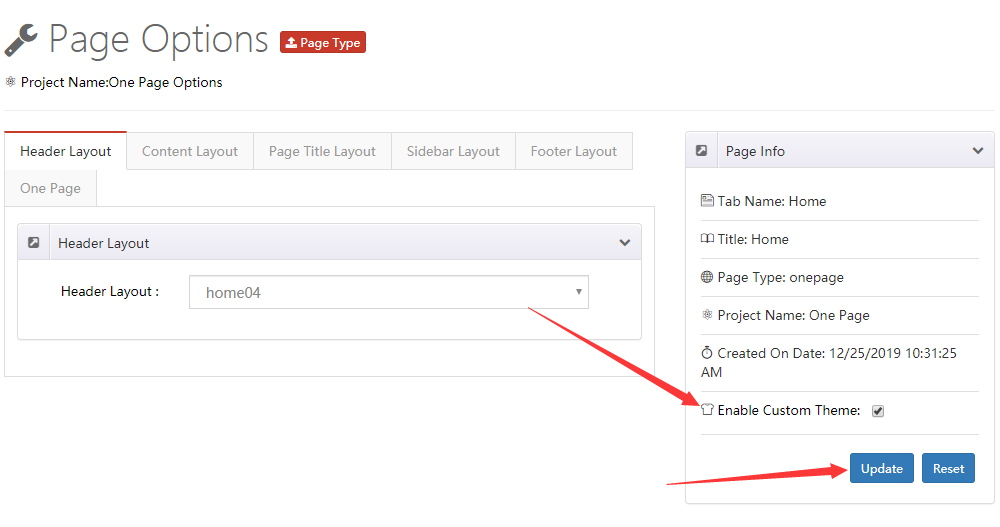
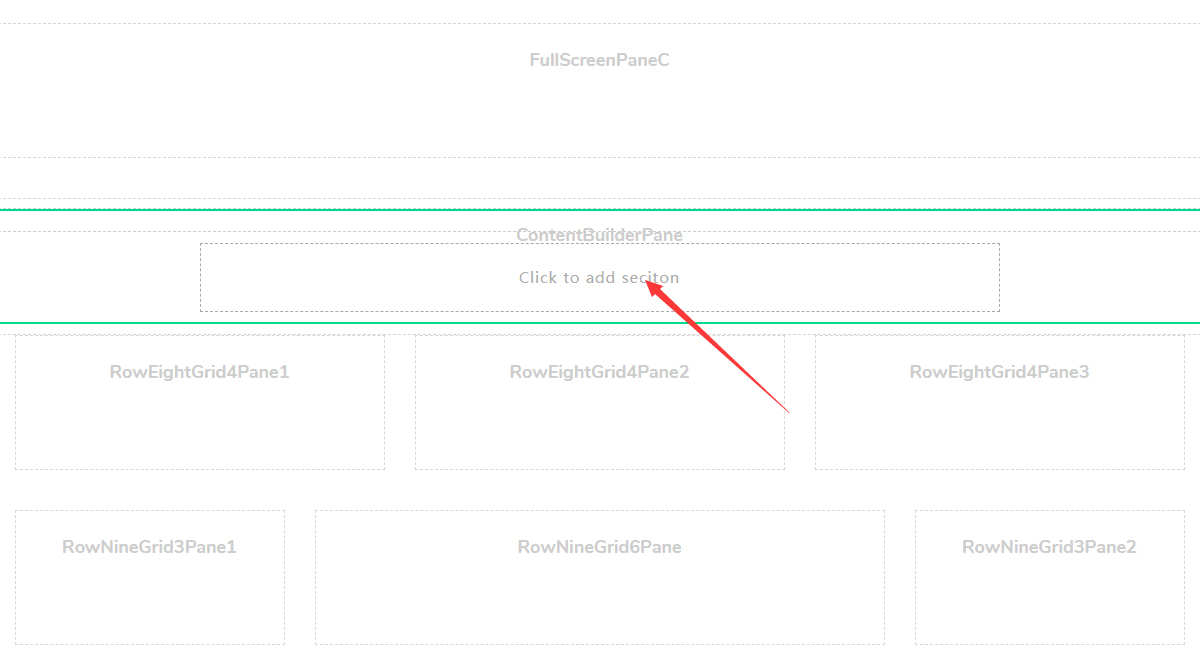
- Return to the page and add a Section in the Content Builder module
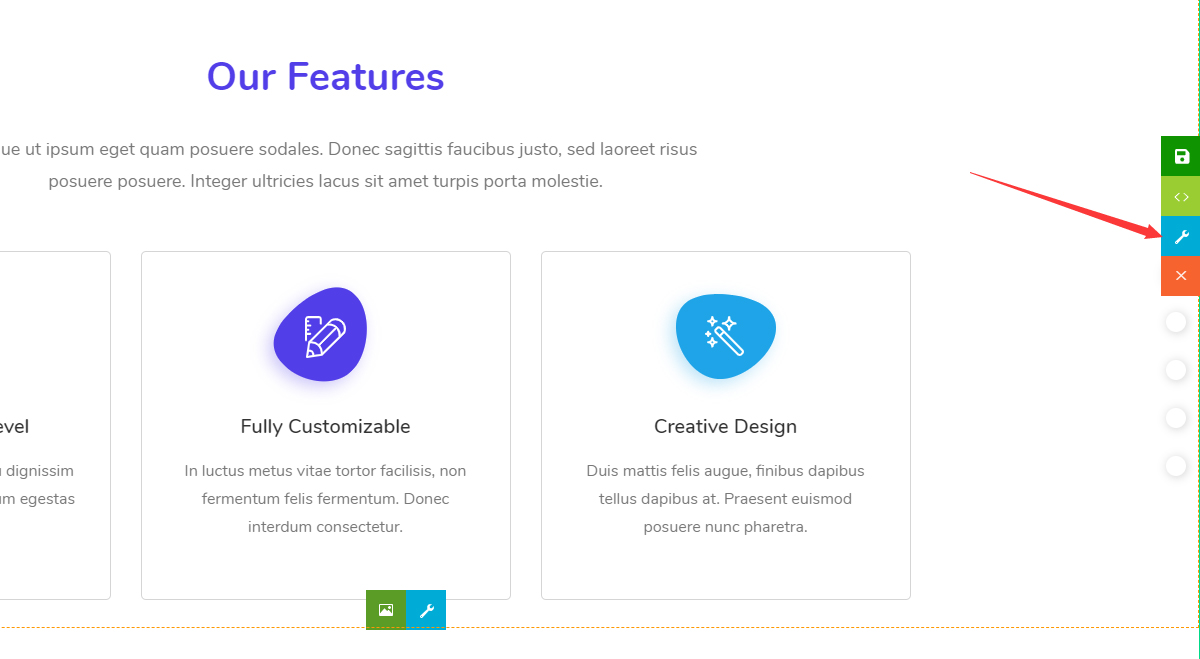
- Click Section Settings
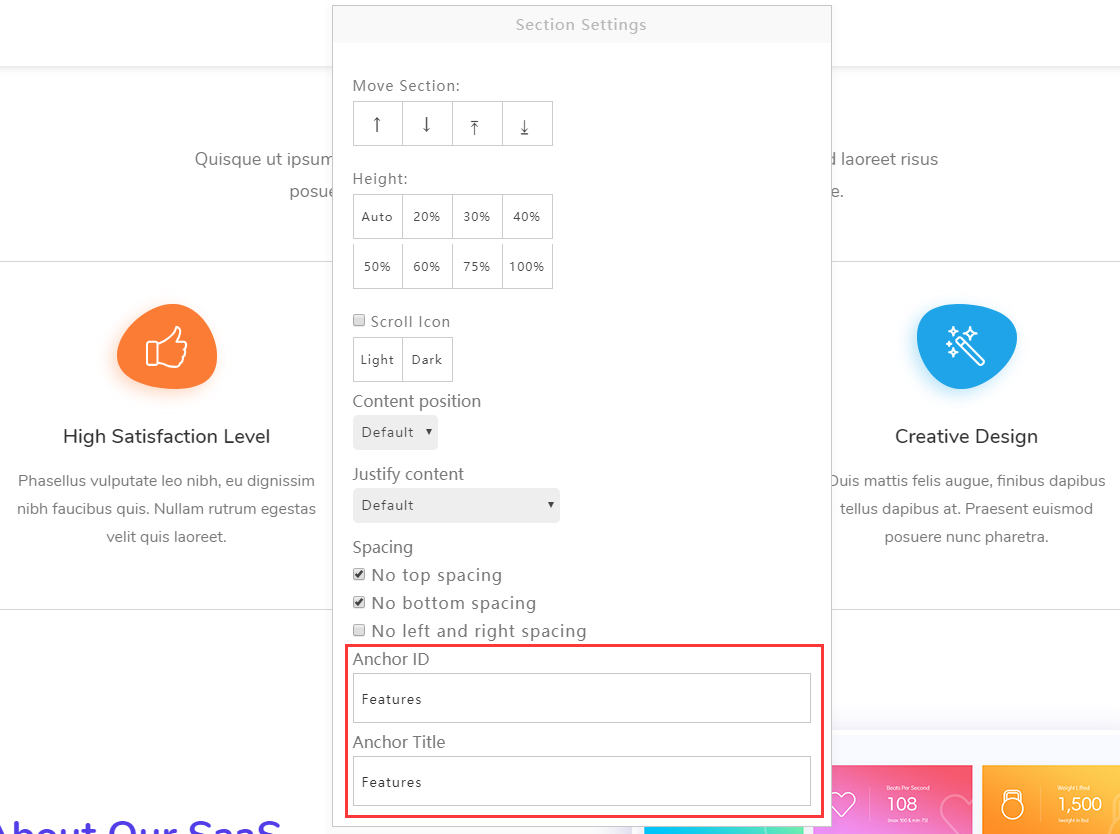
- Fill in the Anchor ID and Anchor Title. Note that the Anchor ID cannot contain spaces; the Anchor Title text will be displayed on the right side of the navigation
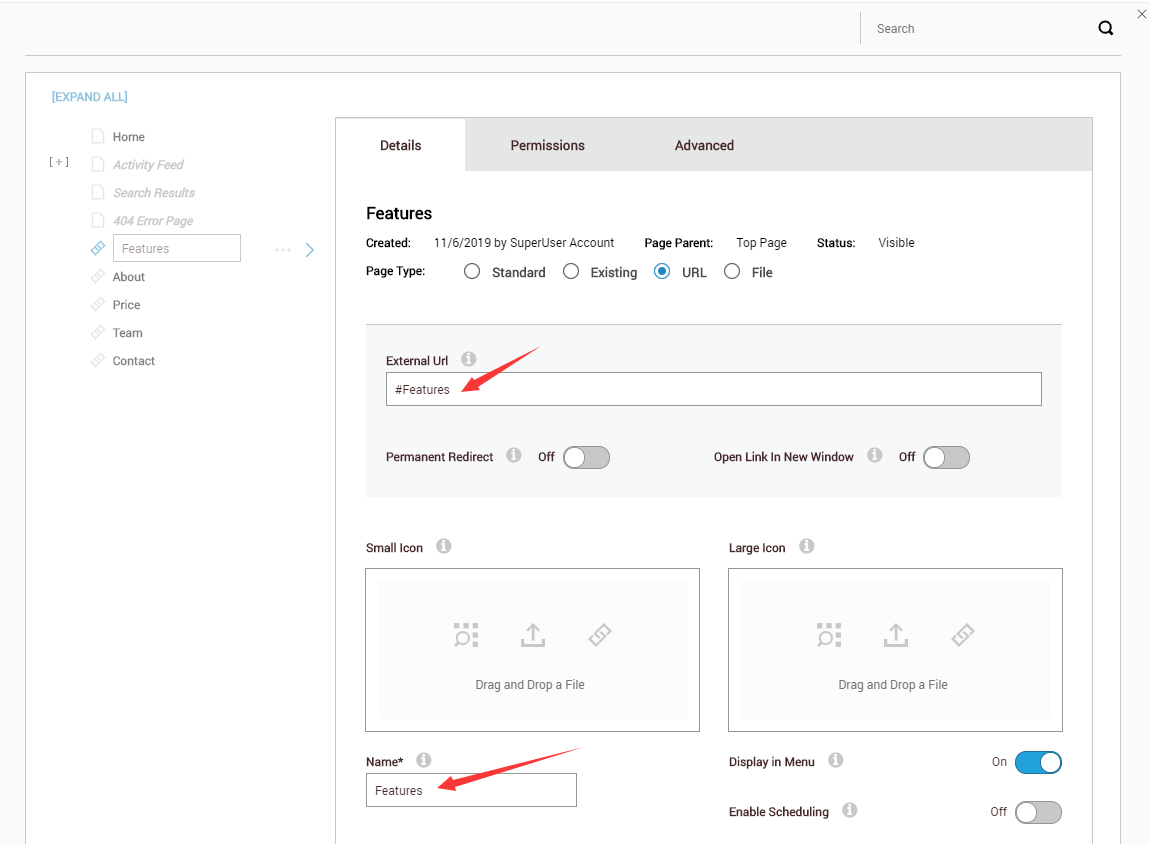
Go to Admin > Pages in the DNN site to add a menu item:
- Set Page Type to URL
- Enter the Anchor ID set in step 9 as the External Url (e.g.,
#Features) - Enter the menu name as the Name (e.g.,
Features)
Once configured, clicking the Features menu will scroll the page to the section containing the
#Featuresanchor
- Repeat steps 8 through 10 to add more anchor sections
One Page Settings
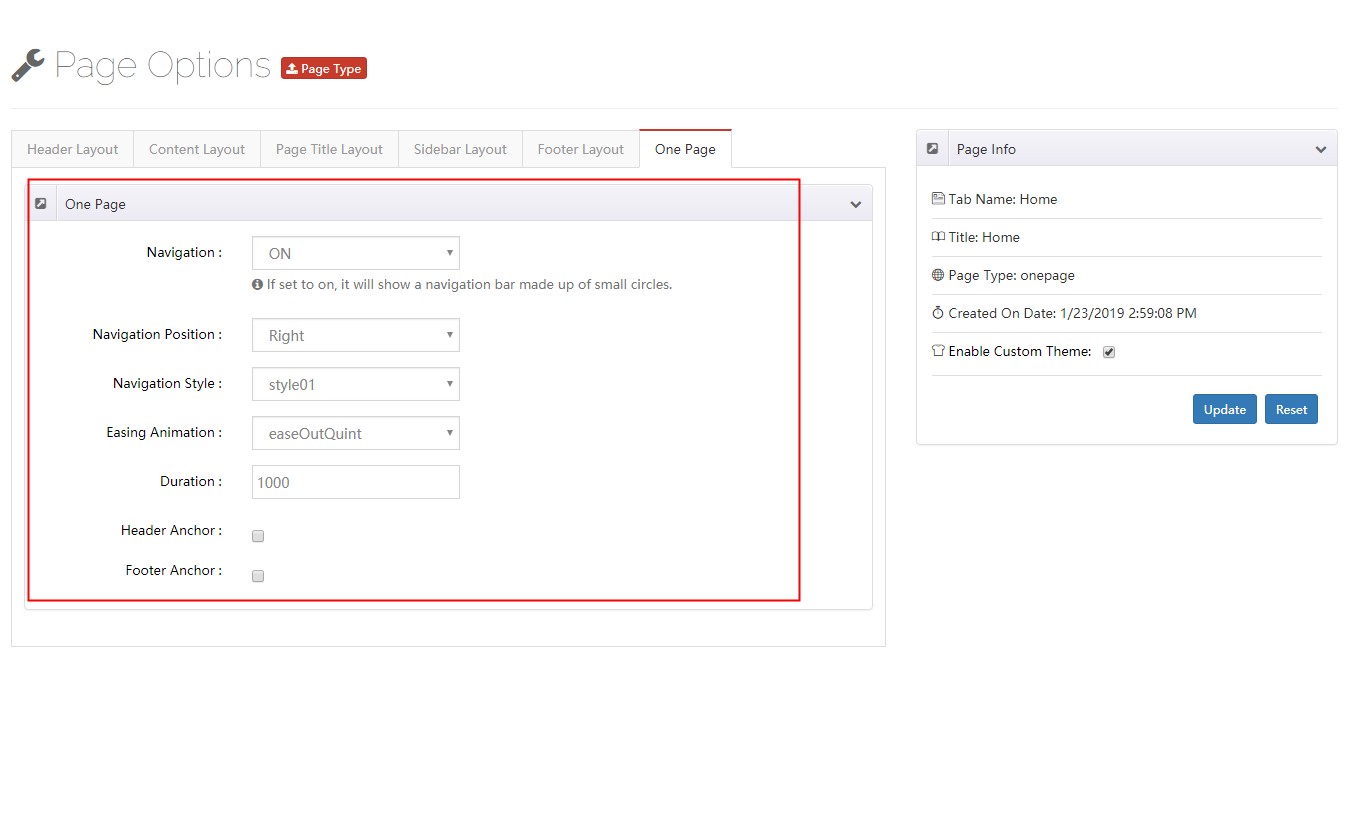
Pages using One Page mode have a few additional settings:
| Setting | Description |
|---|---|
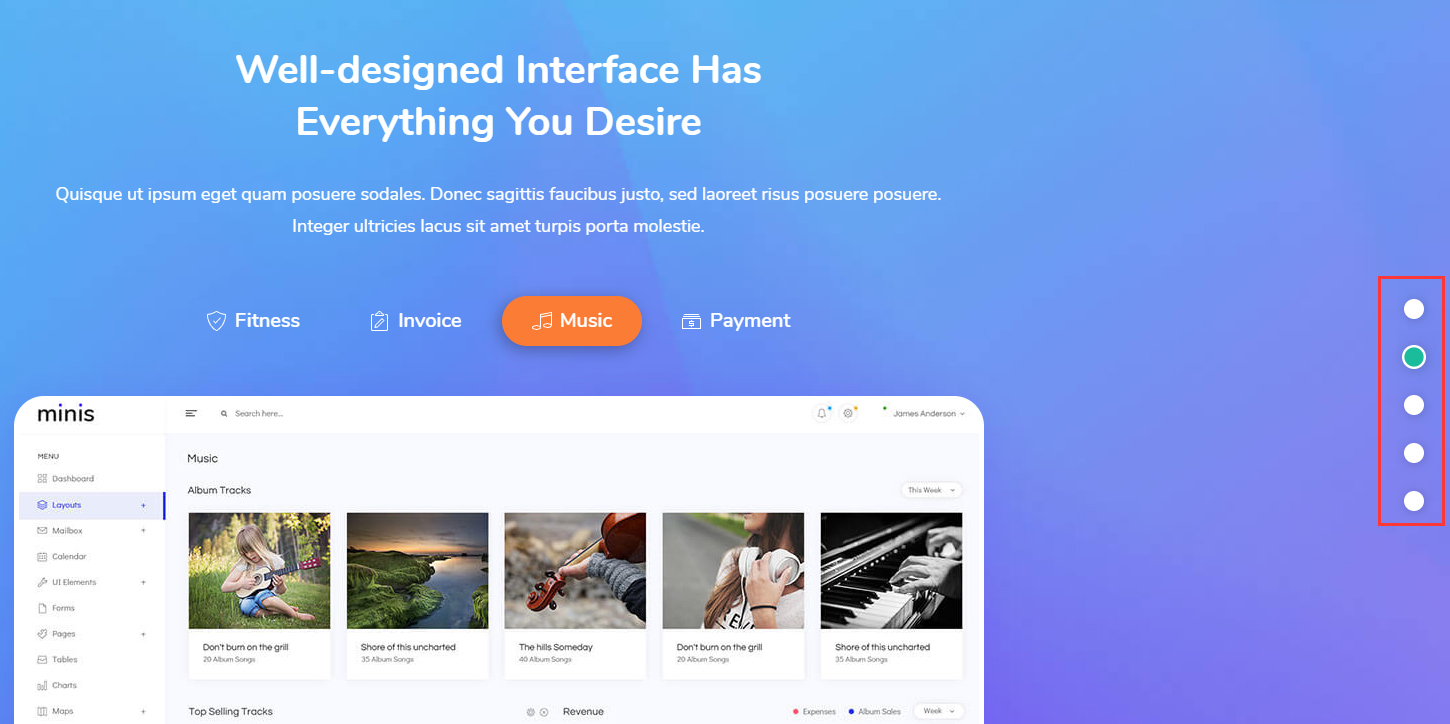
| Navigation | When enabled, displays a navigation bar made up of small dots |
| Setting | Description |
|---|---|
| Navigation Position | Whether the navigation bar is displayed on the left or right side of the window |
| Navigation Style | The appearance of the navigation bar; the theme includes 3 built-in styles |
| Easing Animation | The transition effect of the scrolling animation |
| Duration | The duration of the scrolling animation |
| Header Anchor | The anchor ID of the header section |
| Footer Anchor | The anchor ID of the footer section |