
Activation & License
After installation, the Minis theme and each module run in trial mode and must be activated separately. Activation codes are generated based on your site's Machine Key — just follow these steps.
Purchasing the Theme
If you have not purchased the Minis theme yet, buy it from the dnngo.net store. After purchase you will receive an order email containing your Invoice ID.
Also Valid for Demo Sites
If your site is currently a demo site, the activation code remains valid after you migrate the site to a production site — no need to request a new one.
Theme Activation
- Apply the Minis theme to your site
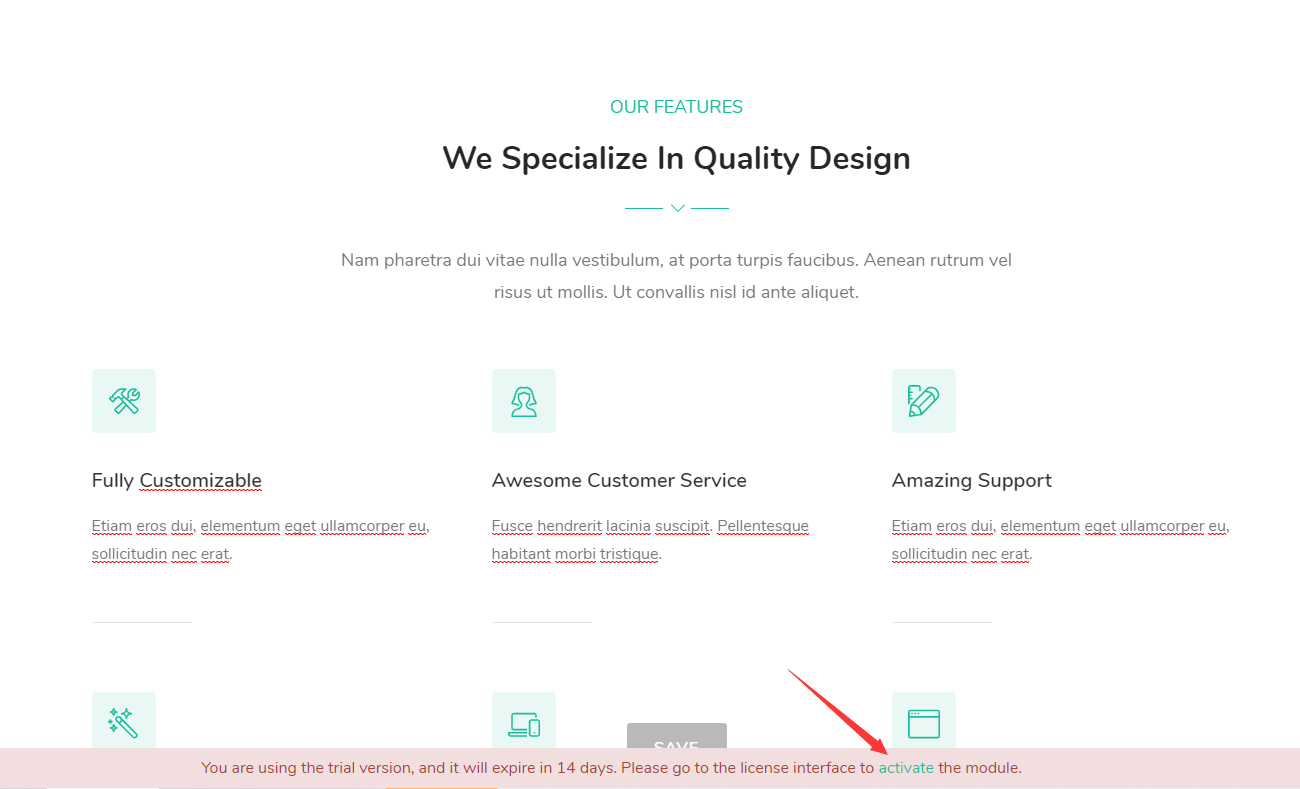
- A trial notice appears at the bottom of the page; click the Activate link in it
- Get the Machine Key
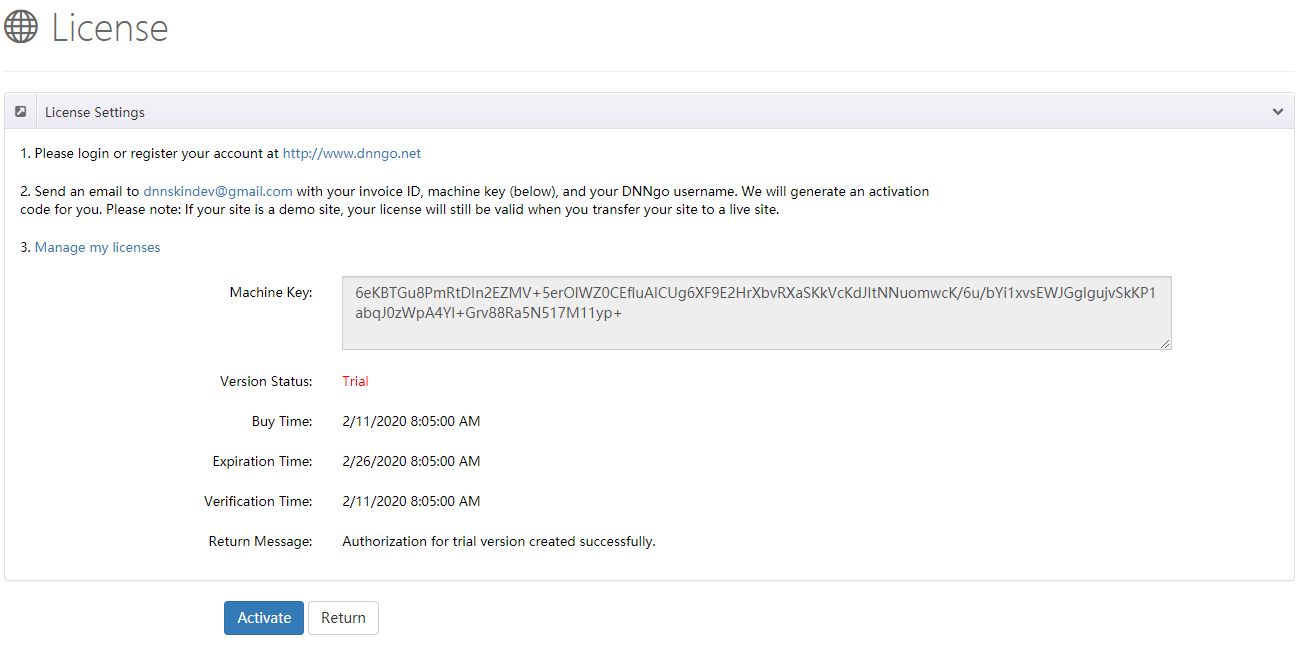
- Sign in to or register your account on dnngo.net
- Email your Invoice ID, Machine Key, and DNNgo username to [email protected], and we will generate an activation code for you
Module Activation
Applies to modules such as DNNGo_LayerGalleryPro, DNNGo_FormBuilder, and DNNGo_xBlog:
- Install the corresponding module on your site
For Users Who Purchased from the DNN Store
If you purchased the theme from the DNN Store (store.dnnsoftware.com), the download package does not include any module files. To obtain the other modules, please contact us by email at [email protected] to purchase them.
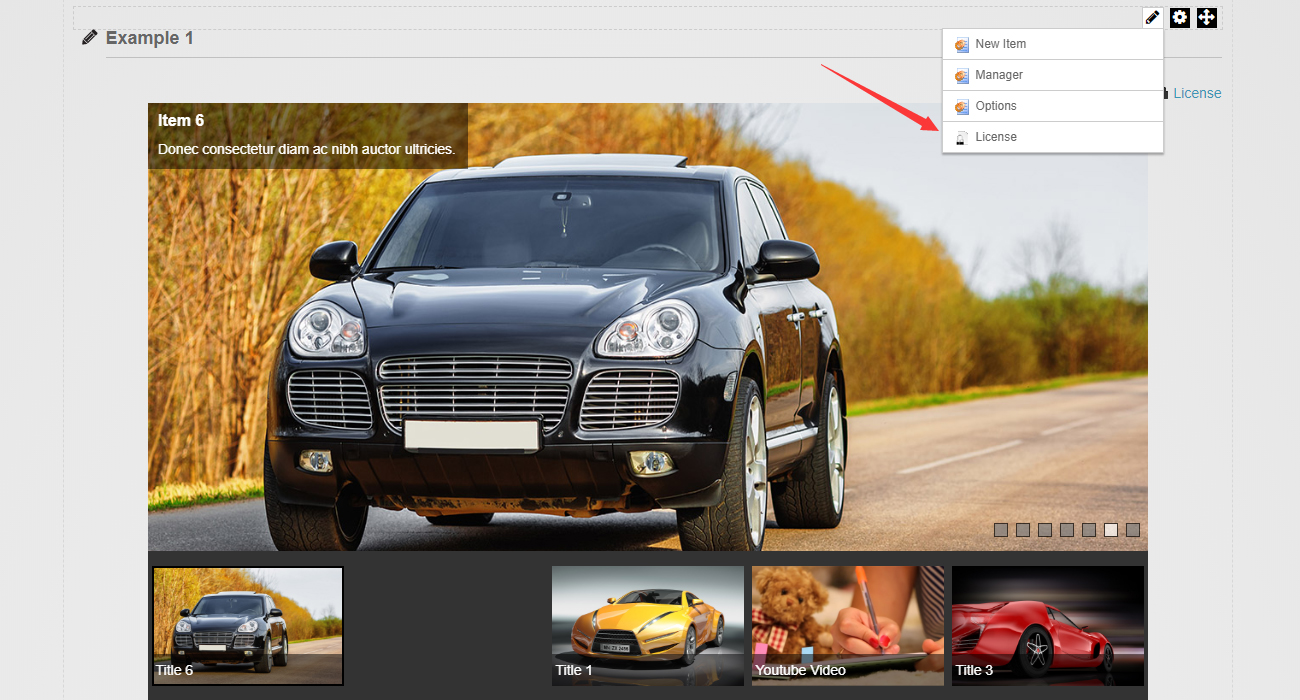
- Add the module to a page and click the module's License link
- Get the Machine Key
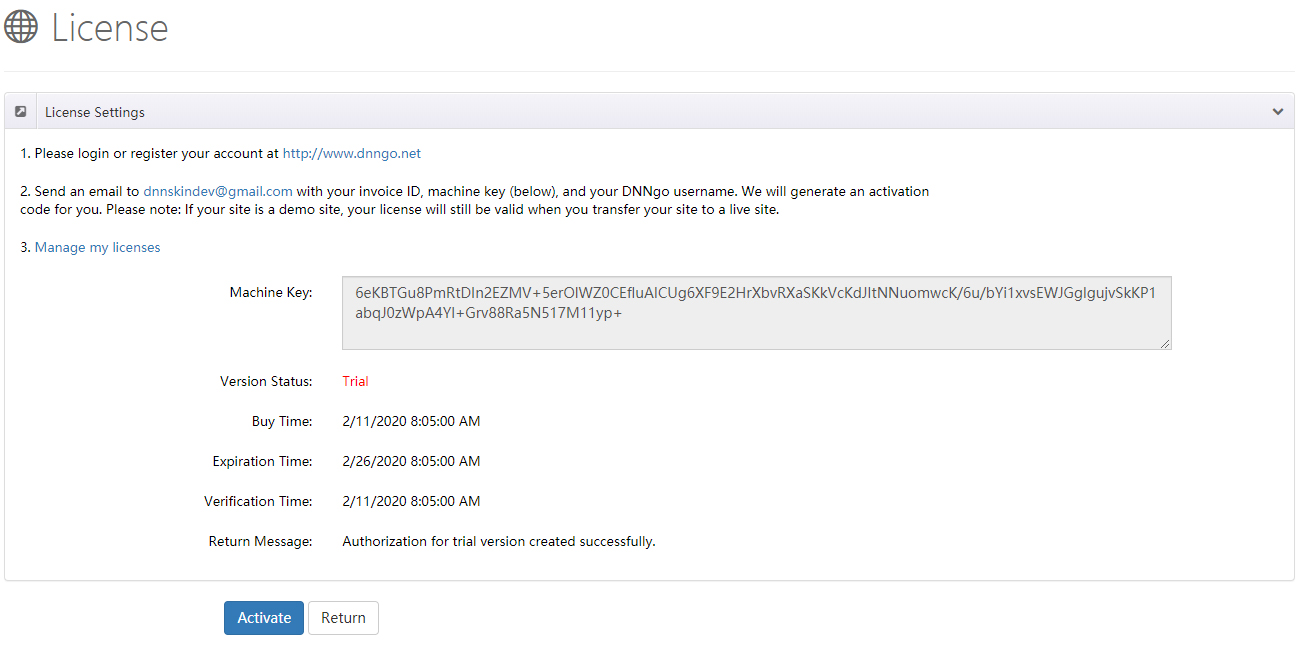
- Sign in to or register your account on dnngo.net
- Email your Invoice ID, Machine Key, and DNNgo username to [email protected], and we will generate an activation code for you