RssFeed Source
The RssFeed Source feature imports articles from the RSS feeds of other websites. It relies on the DNN scheduler to run the import task on time.
RSS Feed Schedule
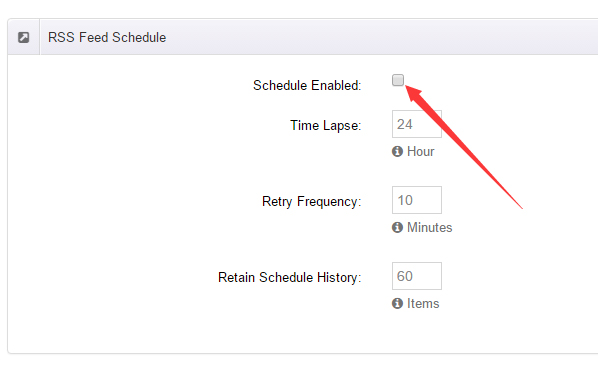
The RSS Feed Schedule panel at the top configures the import schedule:
| Field | Description |
|---|---|
| Schedule Enabled | Check to enable automatic import |
| Time Lapse | Interval between imports, in hours (default 24) |
| Retry Frequency | Retry interval after a failure, in minutes (default 10) |
| Retain Schedule History | Number of schedule history records to keep (default 60) |
Article Status
The Publish option in the Article Status panel sets the initial status of imported articles:
- Checked — imported articles are published immediately
- Unchecked — imported articles are drafts that must be published manually
Click Update to save.
Limitation
Only RSS 2.0 feeds are supported at the moment.
Add an RSS Source
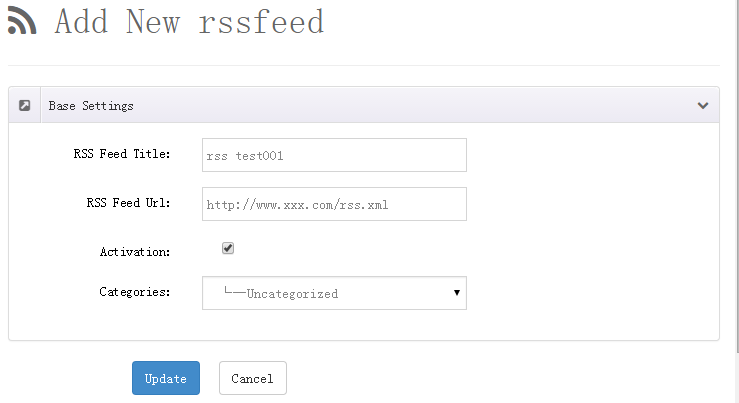
Click Add New to open the RSS entry form and fill in the options to import feed items.
RSS Source List
The table at the bottom lists the configured sources:
| Column | Description |
|---|---|
| ID | Source ID |
| Title | Source name |
| Categorie | Category assigned to imported articles |
| Author | Author of imported articles |
| Article Num | Number of articles imported from this source |
| Error | Accumulated failed attempts |
| Last Time | Last fetch time |
| Status | Enabled / disabled |
| Action | Edit, delete |
Error retry
Failed fetches accumulate in the Error column; reactivating a source resets the counter to zero.
How It Works
- The DNN scheduler runs at the configured Time Lapse.
- xBlog reads the latest items of each RSS source.
- New articles are imported with the Article Status you configured.
- Skin options control whether RSS-imported articles show their source URL.