Tags
In the Tags interface you can review the tags used by articles and add, edit or delete them. The left form creates or edits a tag, the right side lists all tags.
Add New Tag
Fill in the Add New Tag form on the left:
| Field | Description |
|---|---|
| Name | Tag name, required |
| Description | Tag description |
Click Update to save.
Where tags come from
Tags entered while adding an article (separated by commas) are added to this list automatically, so you can maintain them here in one place.
Tag List
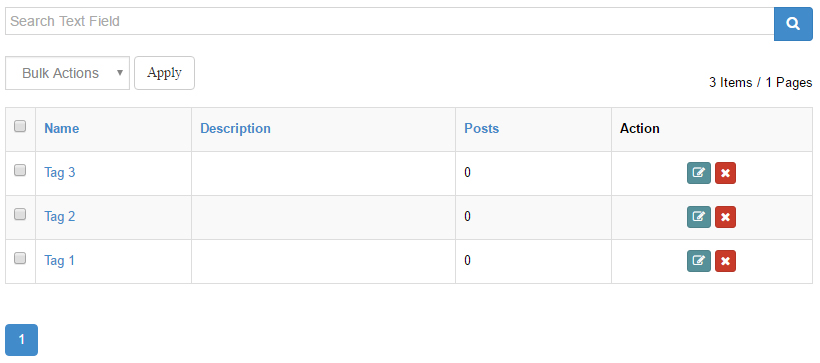
The right side lists all tags with keyword search. Click a column header (Name / Description / Posts) to sort:
| Column | Description |
|---|---|
| Name | Click to open the front-end search page for that tag in a new window |
| Description | Tag description |
| Posts | Number of articles using the tag |
| Action | Edit, Remove |
Clicking Edit loads the tag into the left form for editing. Clicking Remove deletes the tag after confirmation.
Bulk Delete
Check multiple tags, choose Delete in the Bulk Actions dropdown and click Apply.
What Tags Do
- Tags organize articles more flexibly than categories
- Related articles at the end of an article are matched by tags
- The front-end search module supports searching by tag
- The DashBoard Tag Cloud effect displays your tags