Notifications Overview
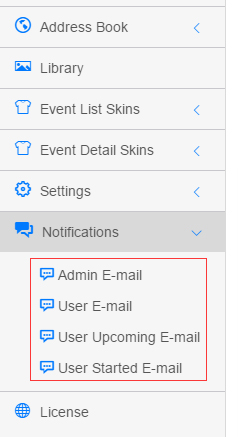
The Notifications menu manages every reminder email the module sends:
| Page | Description |
|---|---|
| Email Settings | Basic email options such as the sender address |
| Admin E-mail | Reminder to the admin/author when a user registers |
| User E-mail | Confirmation to the user after registering |
| User Upcoming E-mail | Scheduled reminder before the event starts |
| User Started E-mail | Notification when the event starts |
| Review E-mail | Reminder to the admin when an event awaits review |
| Review Completed E-mail | Reminder to the author when the review is completed |
Template Editor
Every template page shares the same editor interface: a Basic Settings panel (Template Name, Language, Enable, Mail To, Mail CC) and an Email Content Template panel (Mail Subject, rich-text Mail Body), with the full token reference below. See Email Templates.
Trigger Overview
| Template | When | Recipient |
|---|---|---|
| Admin E-mail | Sent immediately after a user registers | Event author ([AUTHOR_MAIL]) |
| User E-mail | Sent immediately after a user registers | The registering user ([REGISTER_MAIL]) |
| User Upcoming E-mail | Scheduled N hours before the event starts | Registered users |
| User Started E-mail | Sent when the event starts | Registered users |
| Review E-mail | When an author submits an event for review | Administrators |
| Review Completed E-mail | When the admin completes the review | Event author |
Scheduled emails
The "upcoming" and "started" emails rely on the DNN Schedule task — make sure the host Schedule is running.