Rating Settings
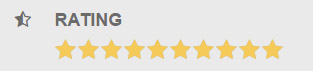
The rating feature appears on the event detail page and is based on the jRating plugin. Open Settings → Rating Settings — a single Basic Options panel:
| Option | Type | Description |
|---|---|---|
| Display Rating | Checkbox | Show the rating (on by default) |
| is Disabled | Checkbox | Read-only mode — users cannot vote, rating is display-only |
| Show RateInfo | Checkbox | Show rating statistics when the cursor moves over the plugin (on by default) |
| Step | Checkbox | Star-by-star mode — selection follows the mouse one star at a time |
| Icon Type | Radio | Star icon size: small / big (big by default) |
| Length | Number | Number of stars displayed |
| Decimal Length | Number | Decimal places of the rating |
| Rate Max | Number | Maximum rating — an integer from 0 to 9999 (or more) |
| RateInfos X / Y | Number | X / Y offset of the info box relative to the plugin on hover |
| Big Stars Path | Text | Path of the big star icon (rating_stars.png) |
| Small Stars Path | Text | Path of the small star icon (rating_small.png) |
Per-event rating
The initial rating (total score and vote count) of an event can be set in Add New Event; author visibility of that panel follows the Author Panel switches in the General Settings.