
Adding Fonts
Click the FONTS nav in ThemePlugin to add extra Google Fonts and TTF custom fonts.
Google Fonts
Click the Add Google Font button.
Options:
- Font Alias — set an alias for the font;
- Font Link — set the font URL, which you can get from fonts.google.com, as shown below:
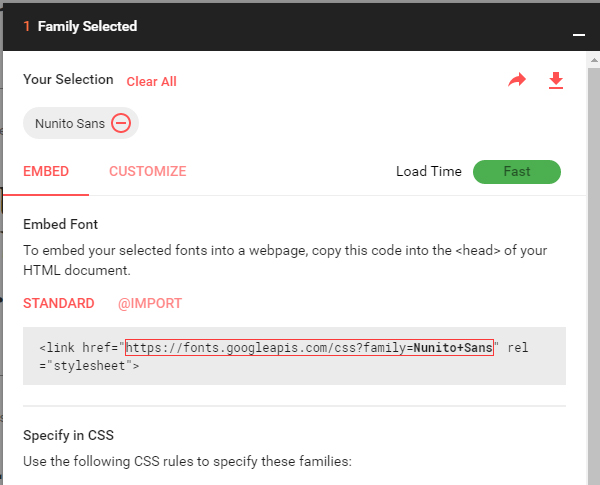
Click the Analyze button and the module will work out the font format from the URL automatically.
The font can be turned on or off.
After saving, the font becomes available in the skin settings.
Upload Font
Click the Upload Font button.
Options:
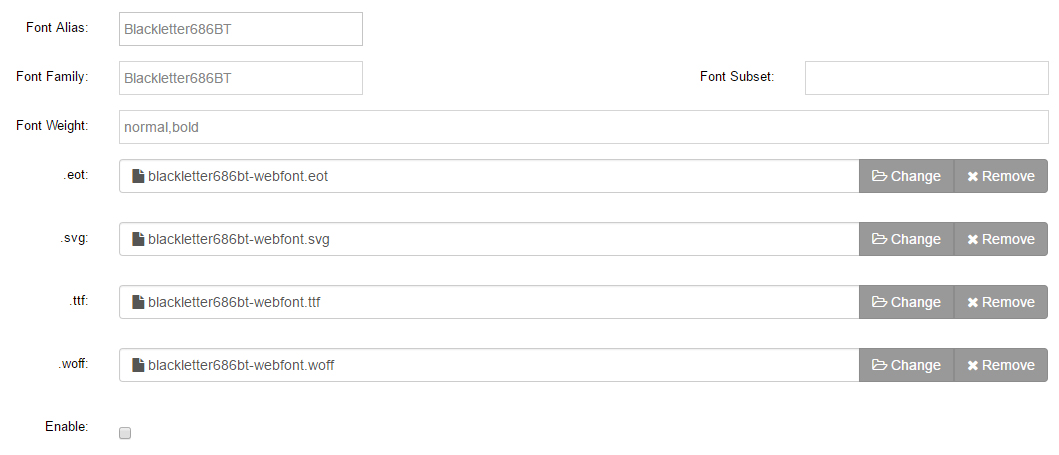
- Font Alias — set an alias for the font;
- Font Family — set the font name;
- Font Weight — enter
normal,bold, etc.; - Upload the font files in
.eot,.svg,.ttfand.woffformats, as shown below:
The font can be turned on or off.
After saving, the font becomes available in the skin settings.