
Coming Soon Page
Click to preview the Coming Soon demo.
Creating a Coming Soon page is easy:
Create a page named Coming Soon;
Import
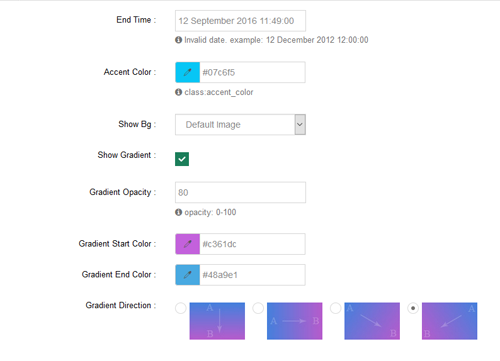
ComingSoon.page.templatefor that page (the template is in thepagetemplatefolder of the skin install directory — see Import Page Templates);Through ThemePlugin you can set the color, end time and background image of the Coming Soon page, as shown below:
TIP
The countdown end time is configured in the Coming Soon settings of ThemePlugin. If the countdown on the page looks wrong, check whether that time has already passed.