
Pane Layouts & Sidebar
Full Layout and Boxed Layout
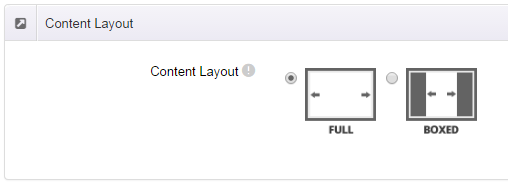
The skin offers both a Full Layout and a Boxed Layout, switchable in the Content Layout section of ThemePlugin.
With Boxed Layout applied, the content is constrained to a centered box, and the area outside the box can be filled with a page background that surrounds the content.
The background can be a static image, a rotating slideshow or any solid color, and different pages can have different backgrounds — see Page Background.
Skin width
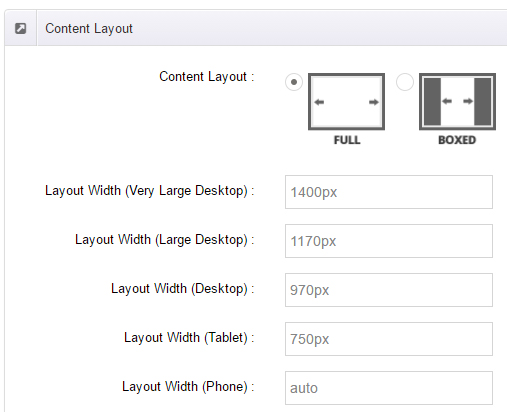
In the Content Layout settings you can set the skin width per device. For example, setting 1400px for large screens makes the content 1400px wide with more generous margins on the sides — a good match for full-width backgrounds.
Pane layouts
The skin ships with several pane (content zone) layouts:
- The home pages
HomePageNN.ascxuse the 0-12-0 layout (content spans all 12 columns); InsidePage-leftmenu.ascxuses 3-9-0 (a 3-column menu on the left, 9 columns of content on the right);InsidePage-rightmenu.ascxuses 9-3-0 (9 columns of content, a 3-column menu on the right).
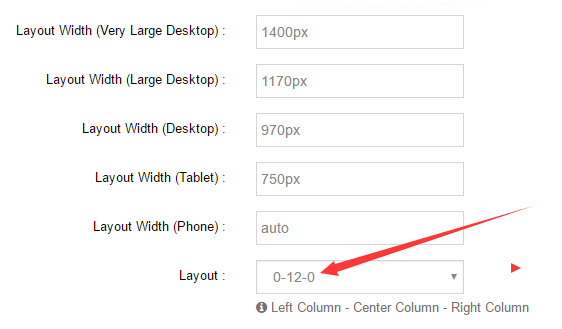
Click the links to see each layout in action: HomePage Layout, InsidePage Layout, InsidePage Leftmenu, InsidePage Rightmenu
Sidebar layout
InsidePage-leftmenu.ascx and InsidePage-rightmenu.ascx include a sidebar by default. Both sidebars show the second-level menus of the current section:
- InsidePage Leftmenu demo: menu on the left;
- InsidePage Rightmenu demo: menu on the right.