
How to Improve Page Loading Speed
The Glend theme performs very well out of the box — check its scores on Google PageSpeed Insights. The higher the scores, the faster the pages load.
Beyond the theme itself, the following steps will push your site's loading speed even further.
Compress page images
Right-sized images save mobile data and shorten loading times. Compress the images you plan to use with tinypng.com.
Disable unused plugins
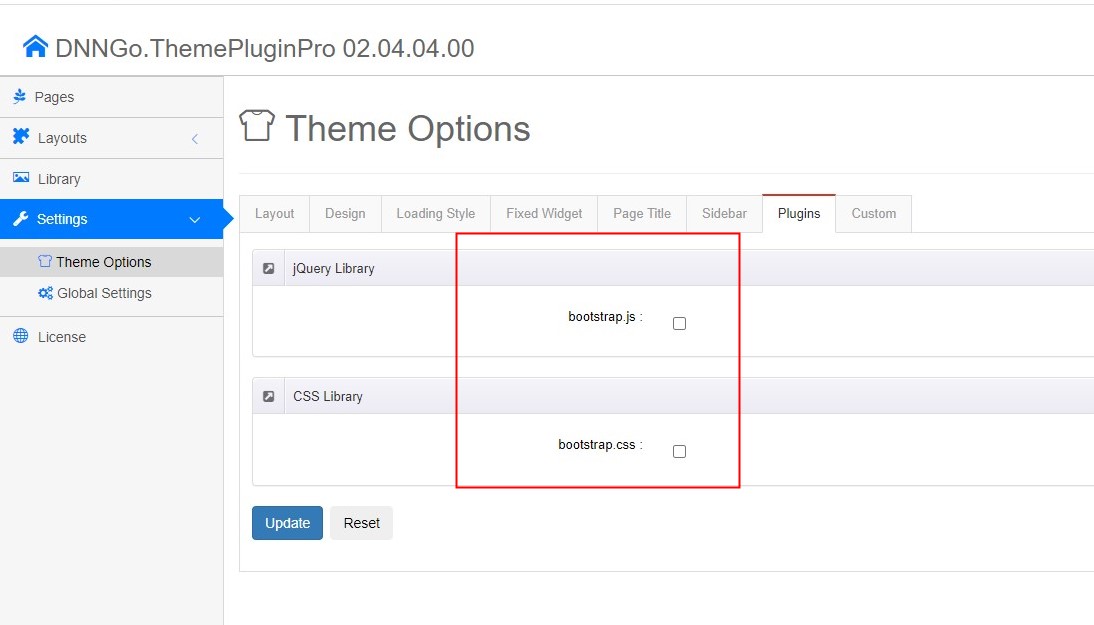
The theme bundles several third-party plugins. Disabling the ones your site doesn't use improves loading speed.
Set this under DNNGo ThemePluginPro > Theme Options > Plugins, as shown below.
Enable lazy loading for images
Lazy loading defers off-screen and hidden images, reducing the time before the page becomes interactive.

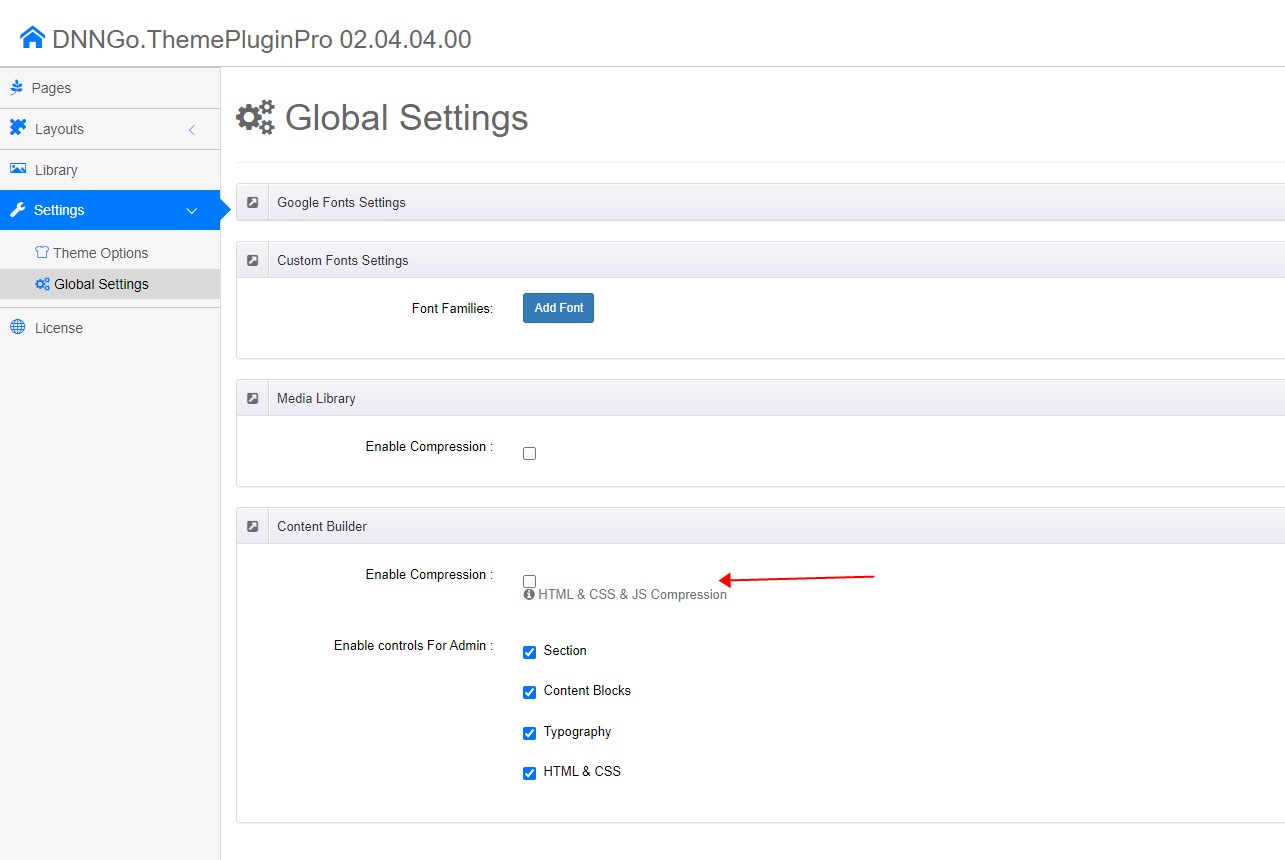
Enable Content Builder compression
Compression minimizes the total number of bytes transferred over the network. Set it under DNNGo ThemePluginPro > Global Settings, as shown below.
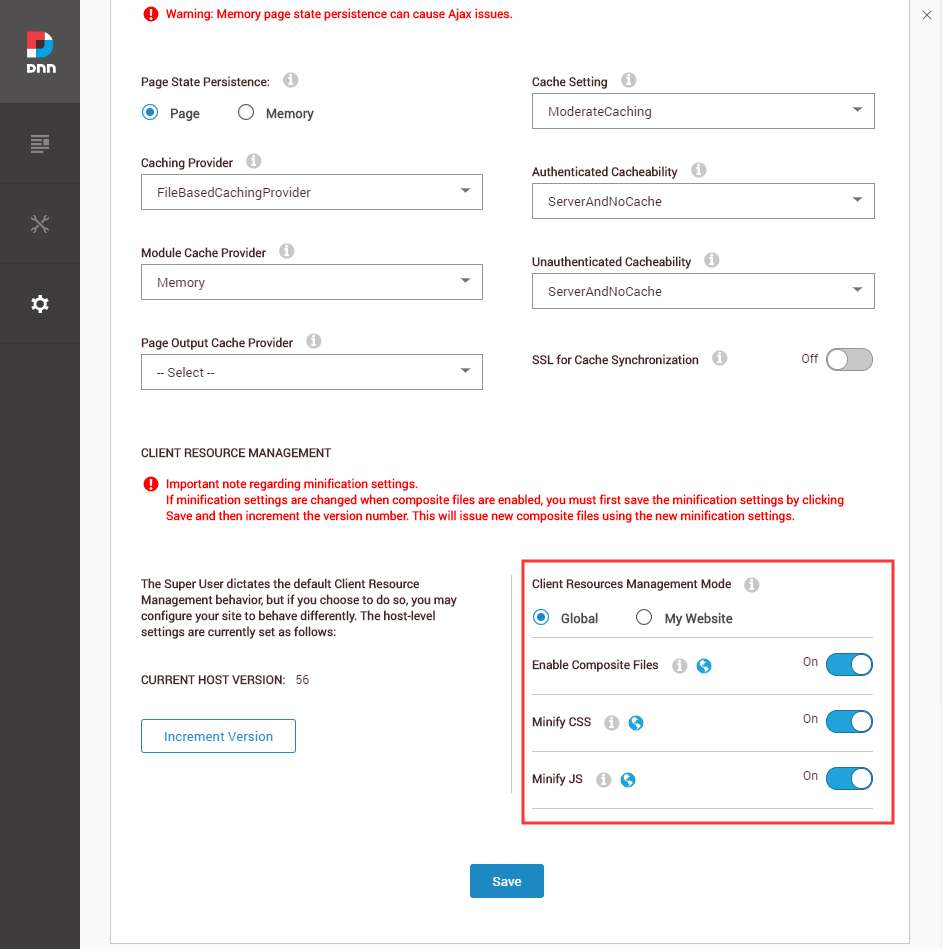
Enable website resource compression
Resource compression merges and minifies all the CSS and JS on your site. Set it under Settings > Servers > Server Settings > Performance, as shown below.
Related
- Use the WebP Image Format — smaller image files
- Global Settings — media library and Content Builder compression