How to Set Up Scroll-Fix Content
Scroll-fix content keeps an anchor navigation pinned to the top of the page as it scrolls; clicking an anchor scrolls the page to the matching section.
See the demo: https://kella.dnngo.net/Features/Scroll-fix-content.
Add the anchor navigation
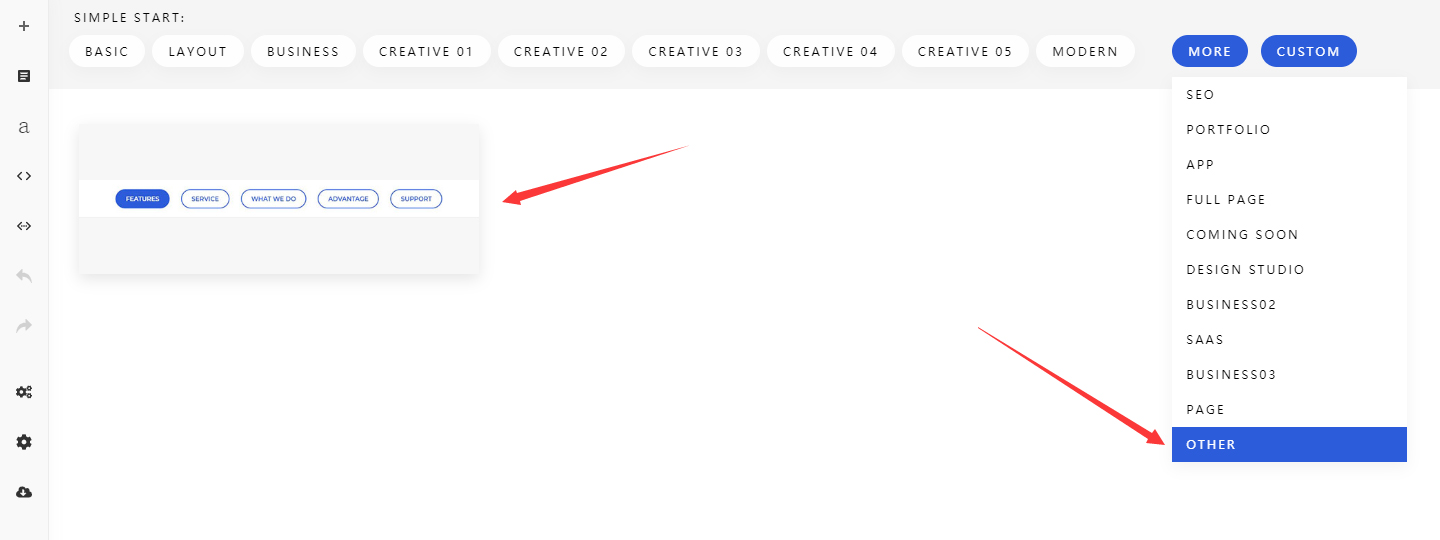
- Add a section to the page.
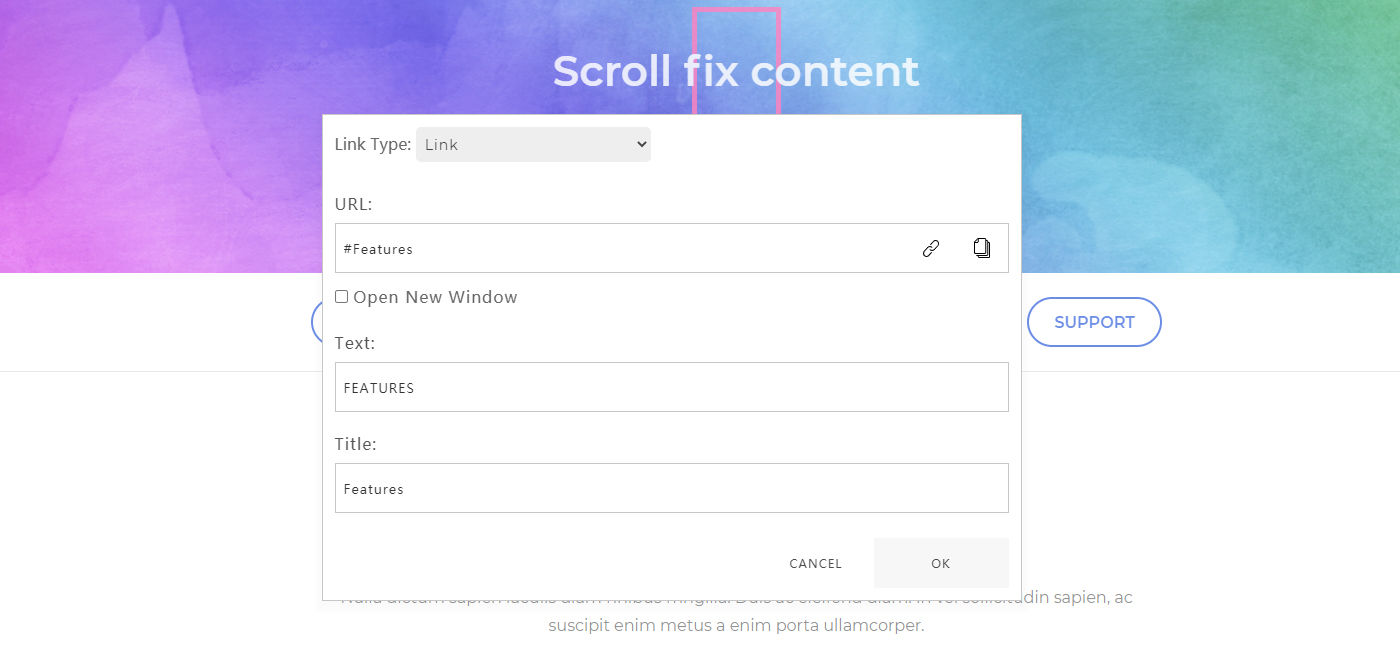
- Set the navigation name and link: enter the Section ID from steps 2-3 below in URL, the navigation name in Text, and the tooltip text in Title.
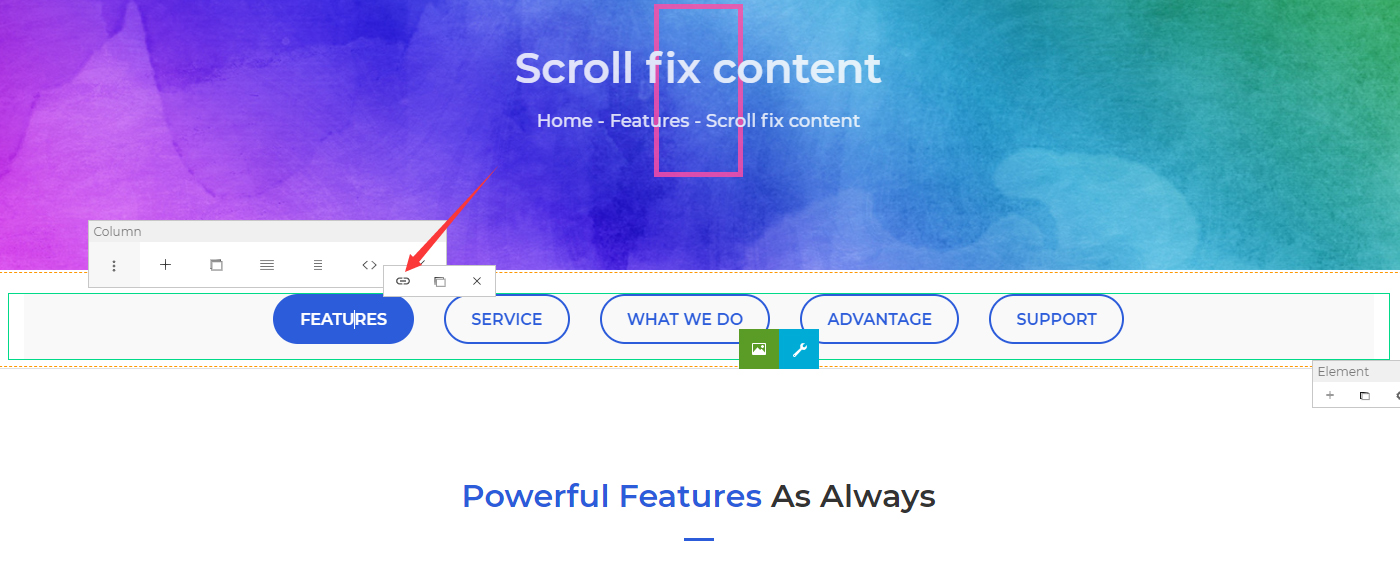
- Add or remove navigation items as needed.
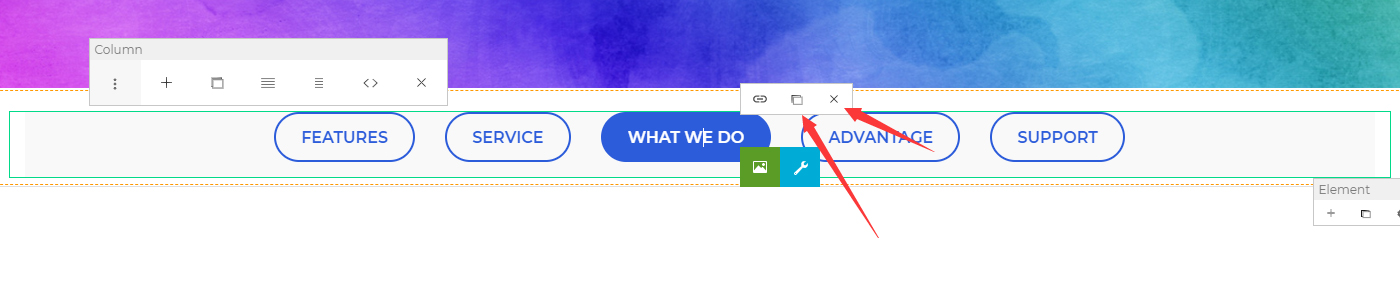
Set the section anchors
Add sections to the page.
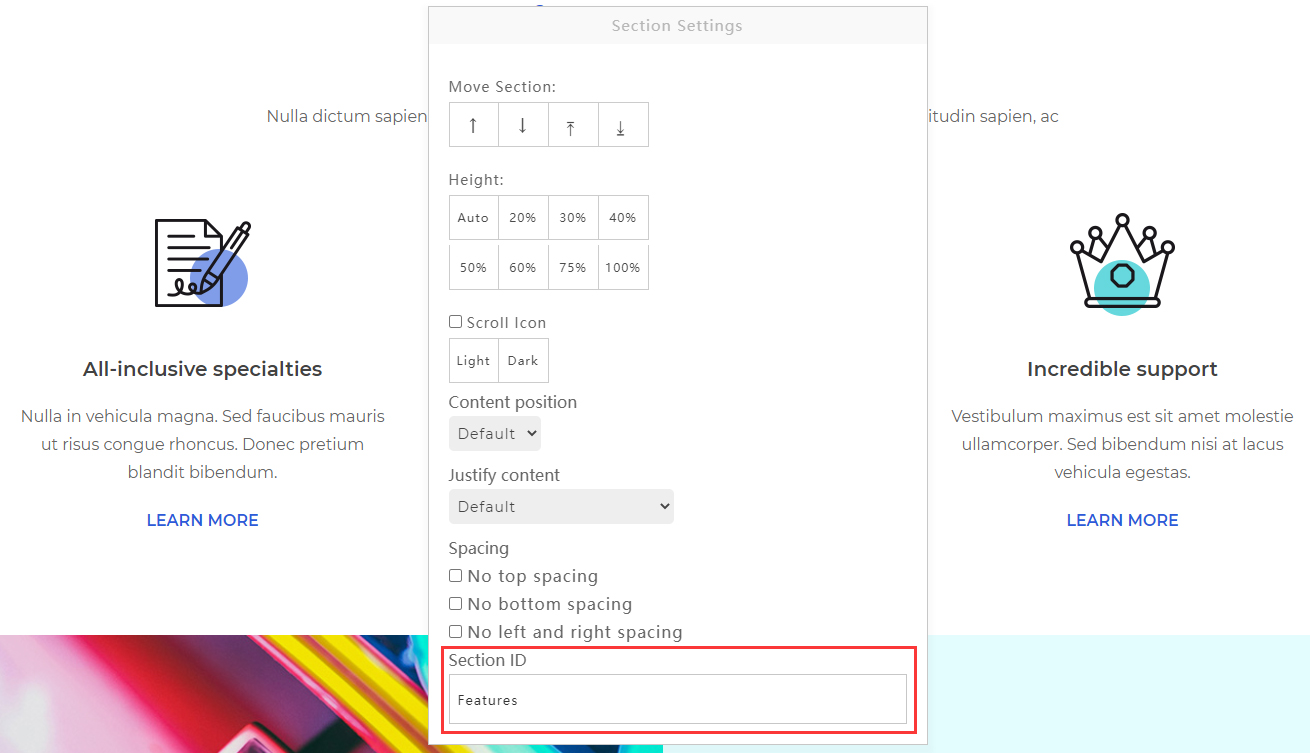
Click a section's settings button.
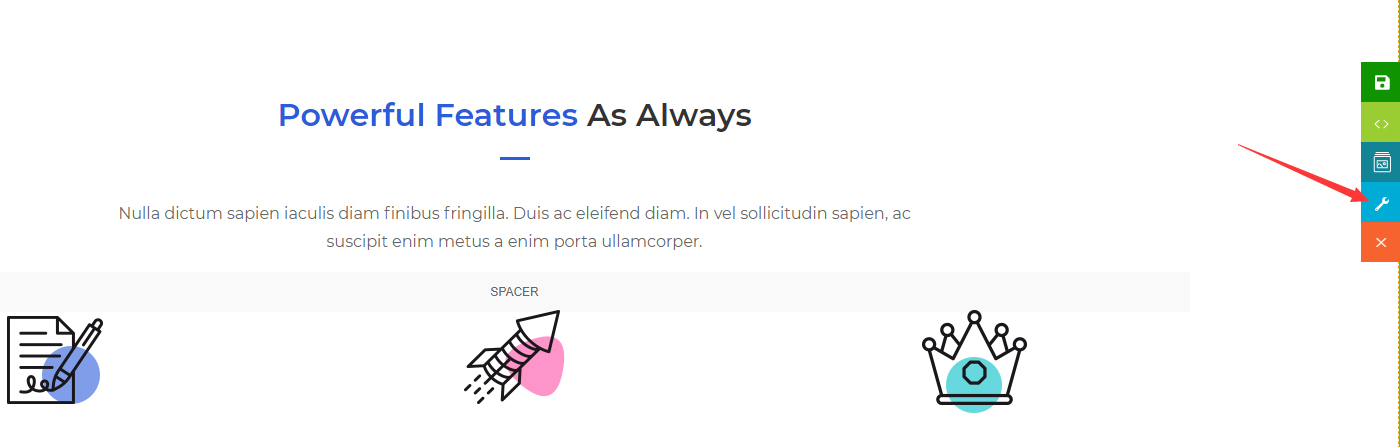
- Fill in the Section ID. The ID must not contain any spaces.