
License Activation
This page describes the activation process for the theme and the modules. Activation requires your invoice ID, the Machine Key and your DNNgo username — we will generate an activation code for you after confirmation.
Demo sites can be activated too
If your site is currently a demo site, your license will still be valid when you transfer the site to a live site.
Theme Activation
Step 1
Apply the theme to your site.
Step 2
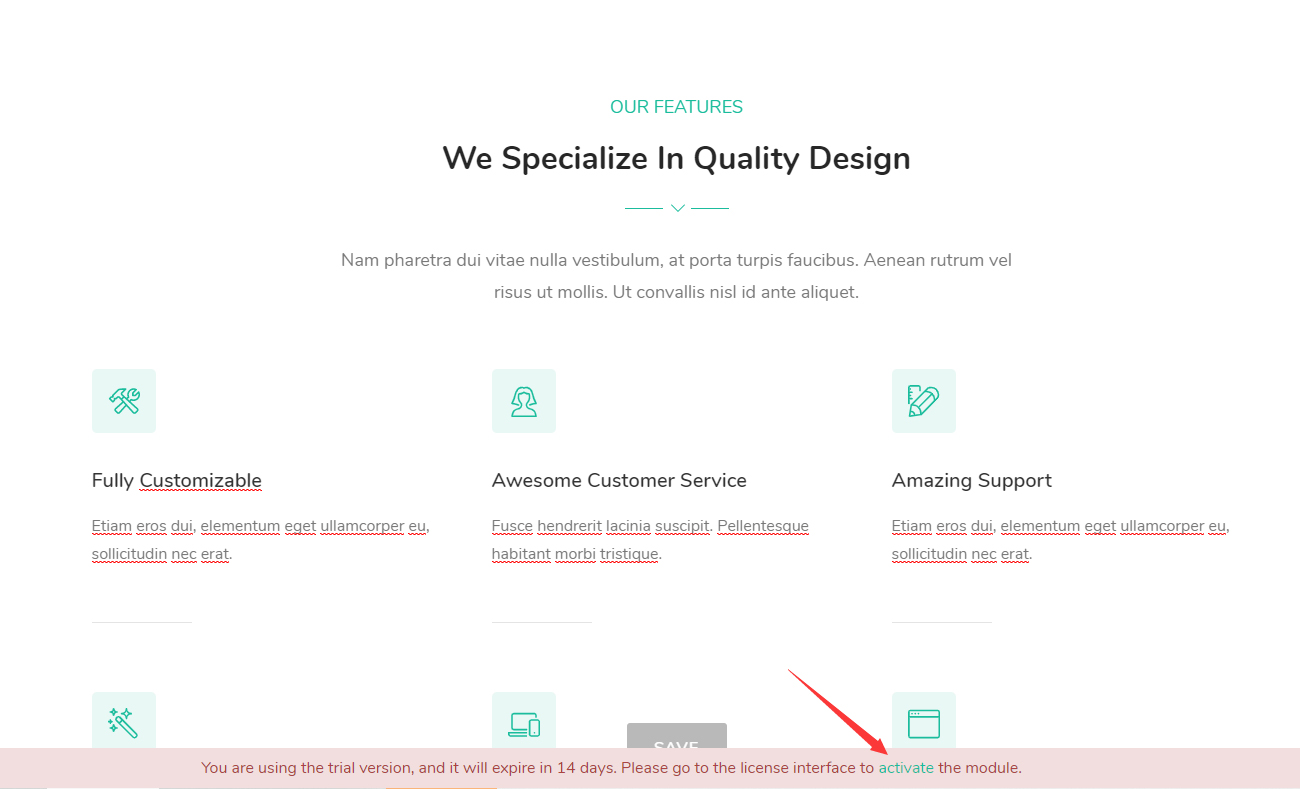
There is a trial message at the bottom of the page. Click the Activate link on it.
Step 3
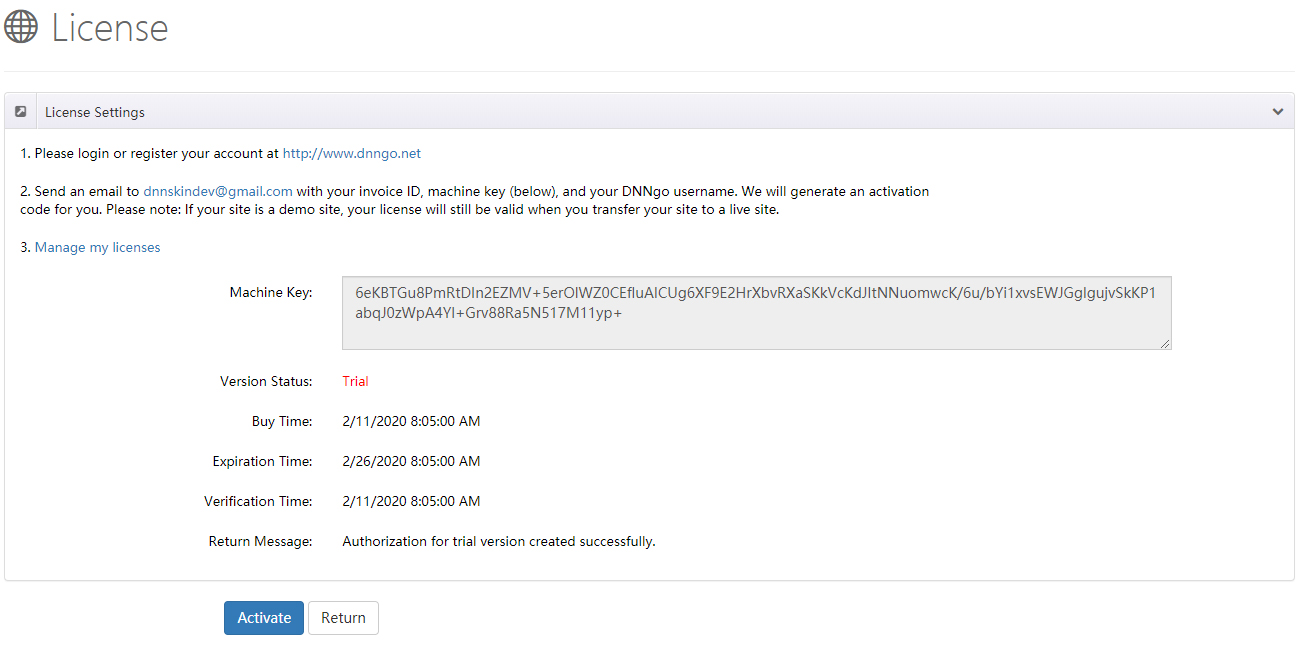
Get the Machine Key.
Step 4
Please log in or register your account at http://www.dnngo.net.
Step 5
Send an email to [email protected] including:
- Your invoice ID
- The Machine Key
- Your DNNgo username
We will generate an activation code for you.
Module Activation
Step 1
Install a module for your site, for example DNNGo_LayerGalleryPro, DNNGo_FormBuilder or DNNGo_xBlog.
Purchased from DNN Store?
If you bought the theme from the DNN Store (http://store.dnnsoftware.com), then none of the module files are included in the download package.
Step 2
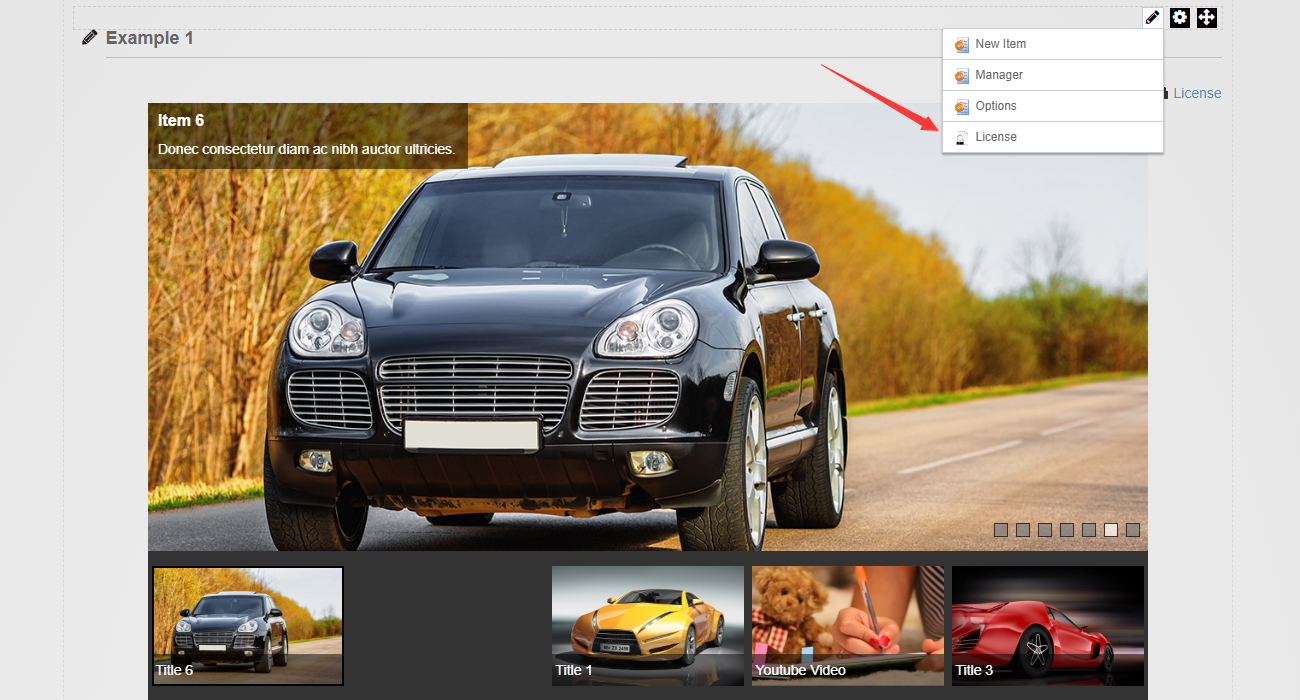
Add the module to a page, then click the License link.
Step 3
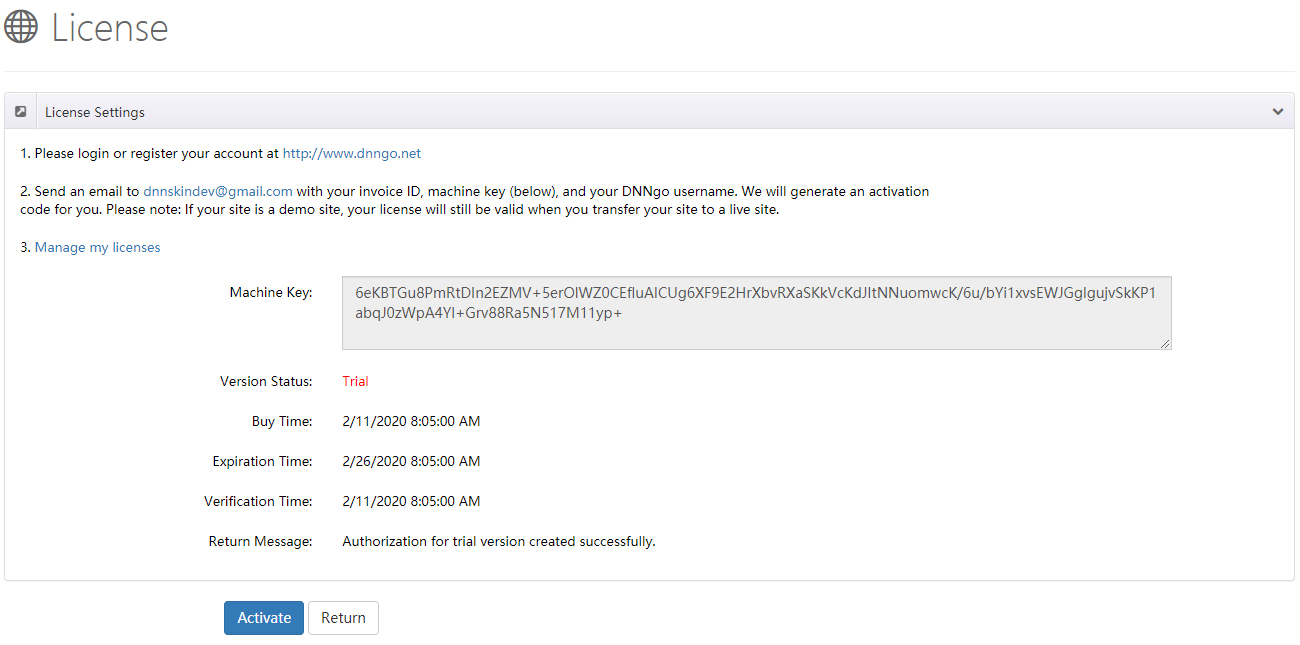
Get the Machine Key.
Step 4
Please log in or register your account at http://www.dnngo.net.
Step 5
Send an email to [email protected] with your invoice ID, Machine Key and DNNgo username, and we will generate an activation code for you.
Support
If you have any questions, please contact: [email protected]