
Add a Form to a Page
Forms are rendered on pages through the Content Builder module. There are two ways to add them.
Method 1: Add a Section with a Form
Using the Content Builder module, add a Section with a form to the page:

Method 2: Add a Form Builder Content Block
Add a Form Builder content block to the page:
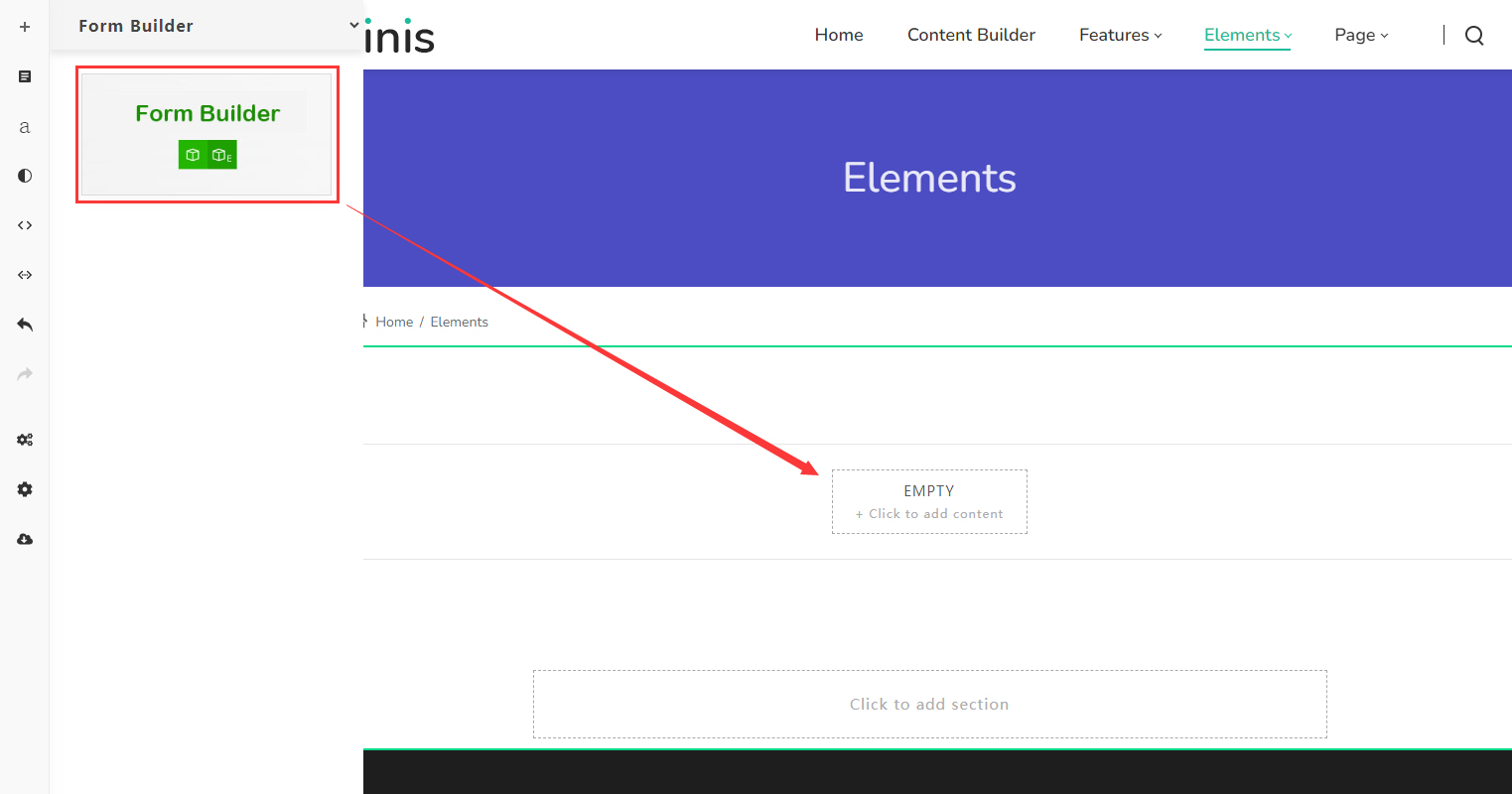
Set the Form Source
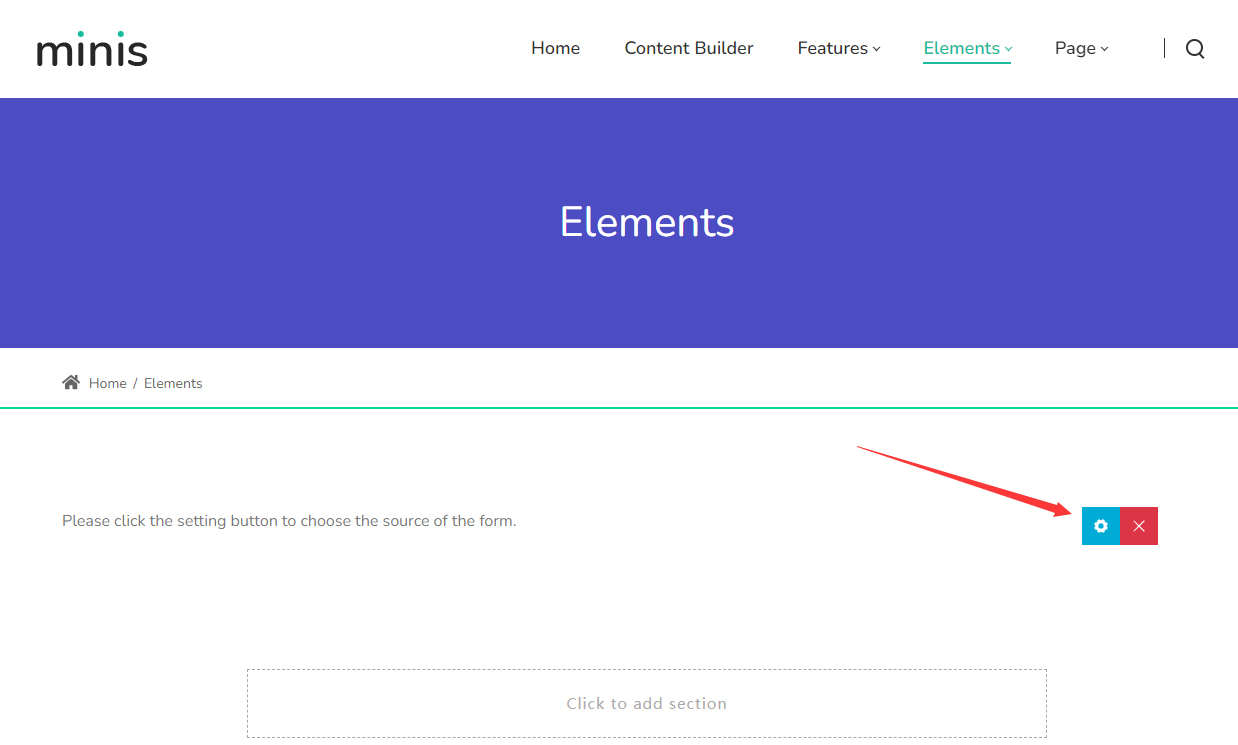
The form will not appear immediately after setup, because you still need to set its data source (Source):
The Source list shows all forms on your site:
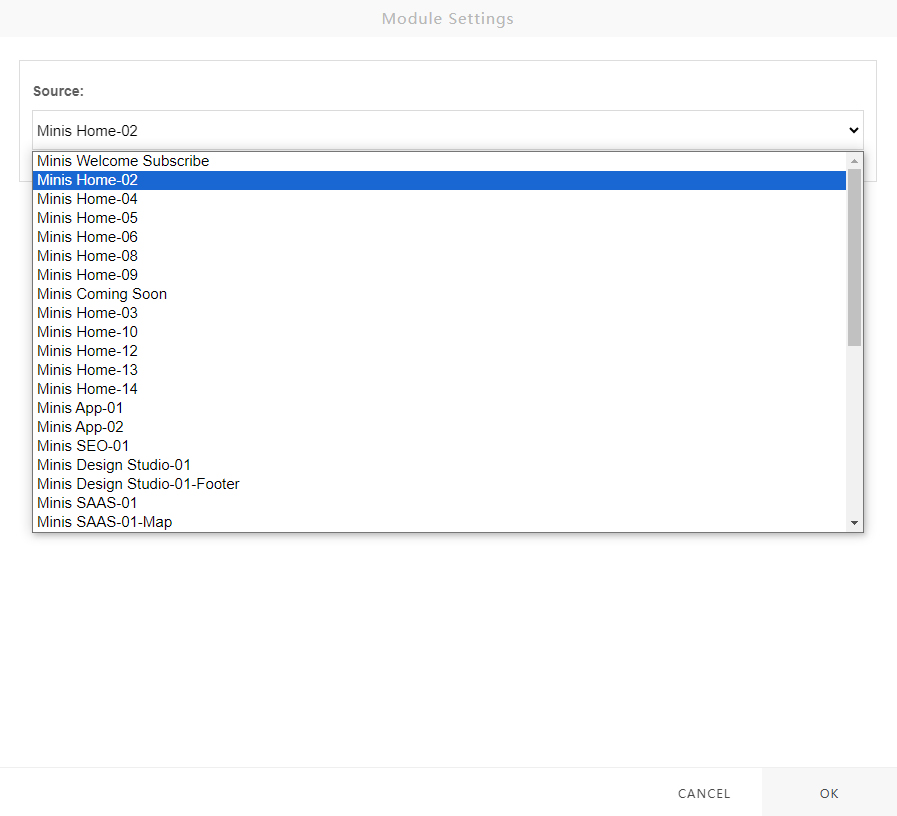
Select a form and save; after refreshing the page, the form will display correctly.
Next Steps
- Import Preset Forms — Import the forms included in the download package
- PowerForms Forms — Instructions for the legacy form module