
License
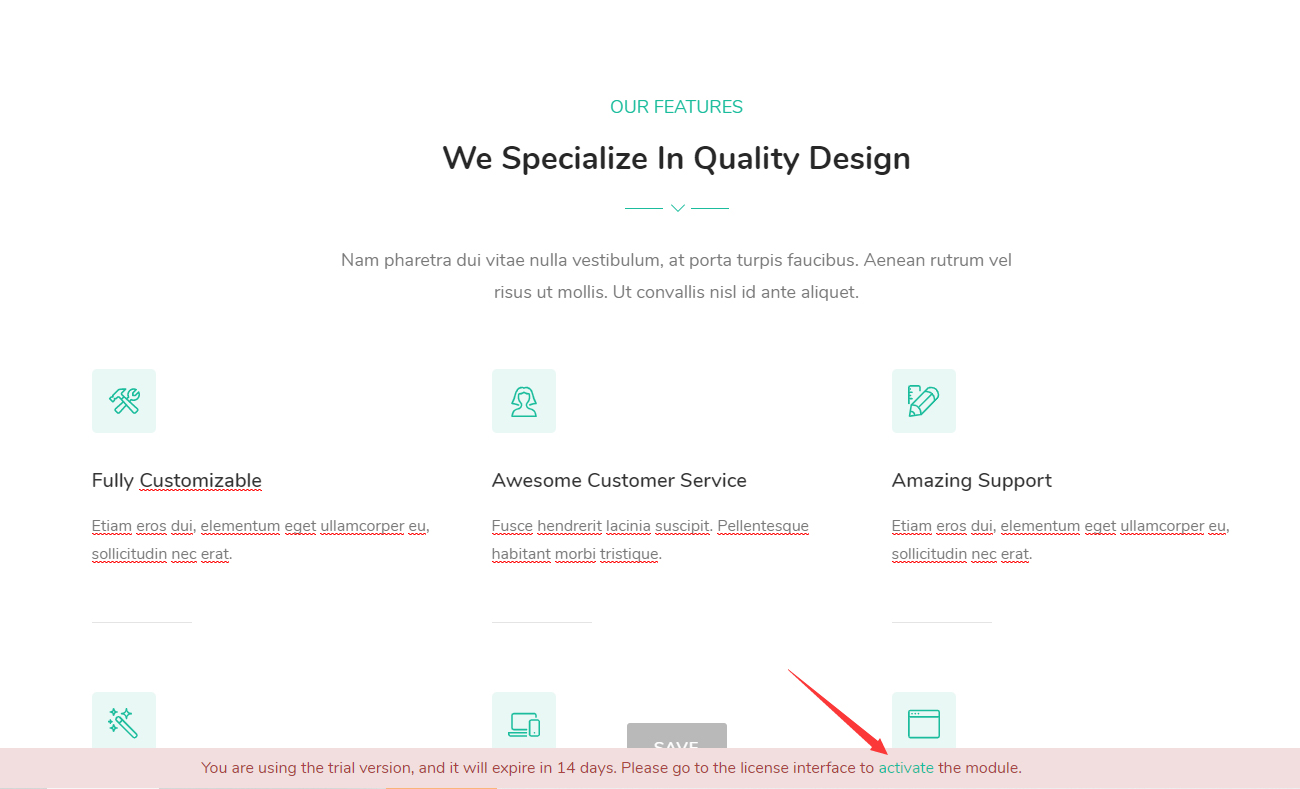
The Obvio theme and its bundled modules need to be activated before full use. Before activation, a trial message is displayed at the bottom of the page; after activation, the message disappears and all features are unlocked.
Theme Activation
- Apply the theme to your site. Before activation, there is a trial message at the bottom of the page — click the Activate link on it.
- Get the Machine Key.
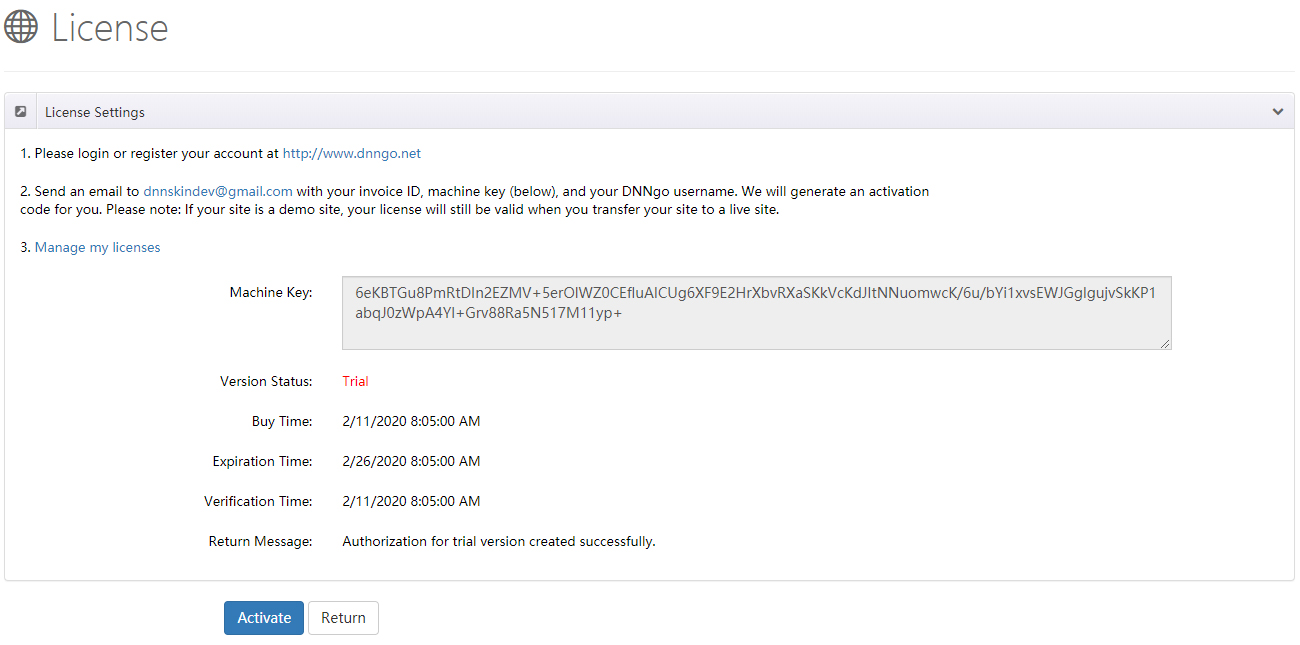
Please log in or register your account at dnngo.net.
Send an email to [email protected] with your Invoice ID, Machine Key and DNNGo username. We will generate an activation code for you.
Once you receive the activation code, go back to the activation page, enter it and submit to finish the activation.
Module Activation
- Install a module for your site, for example: DNNGo_LayerGalleryPro, DNNGo_FormBuilder, DNNGo_xBlog.
Purchased from DNN Store
If you bought the theme from the DNN Store (http://store.dnnsoftware.com), then none of the module files are included in the download package.
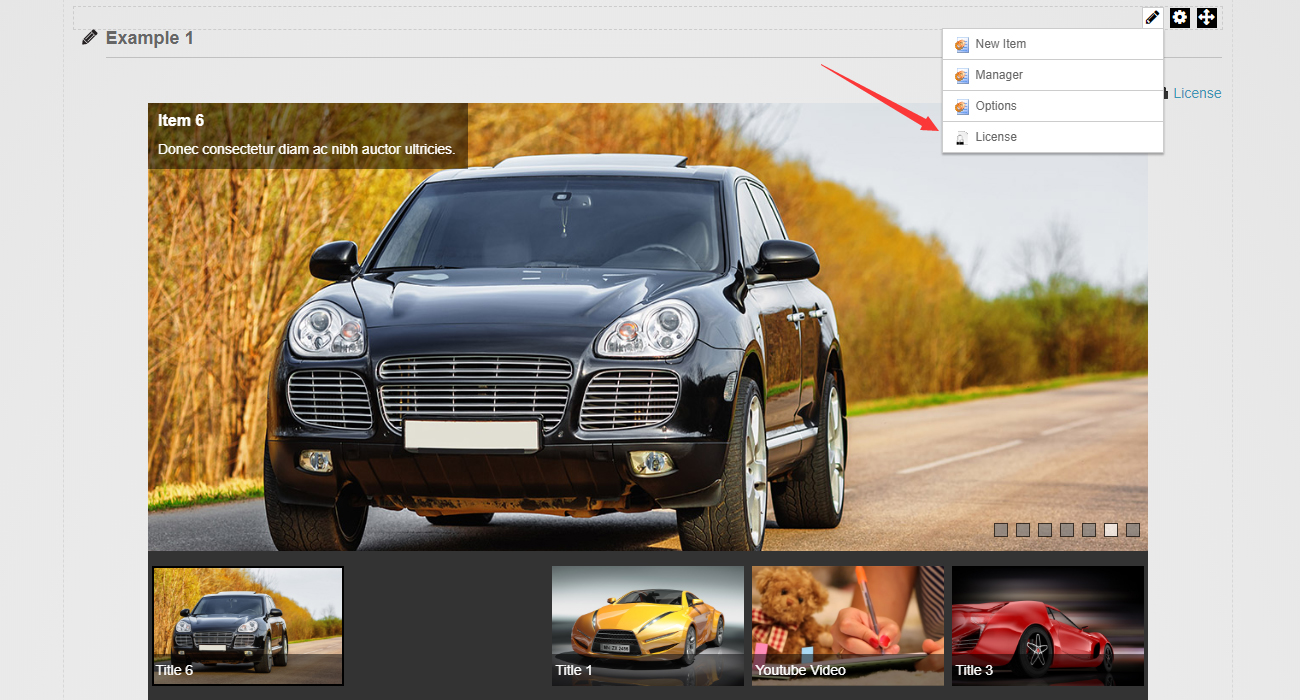
- Add a module to a page, then click the License link.
- Get the Machine Key.
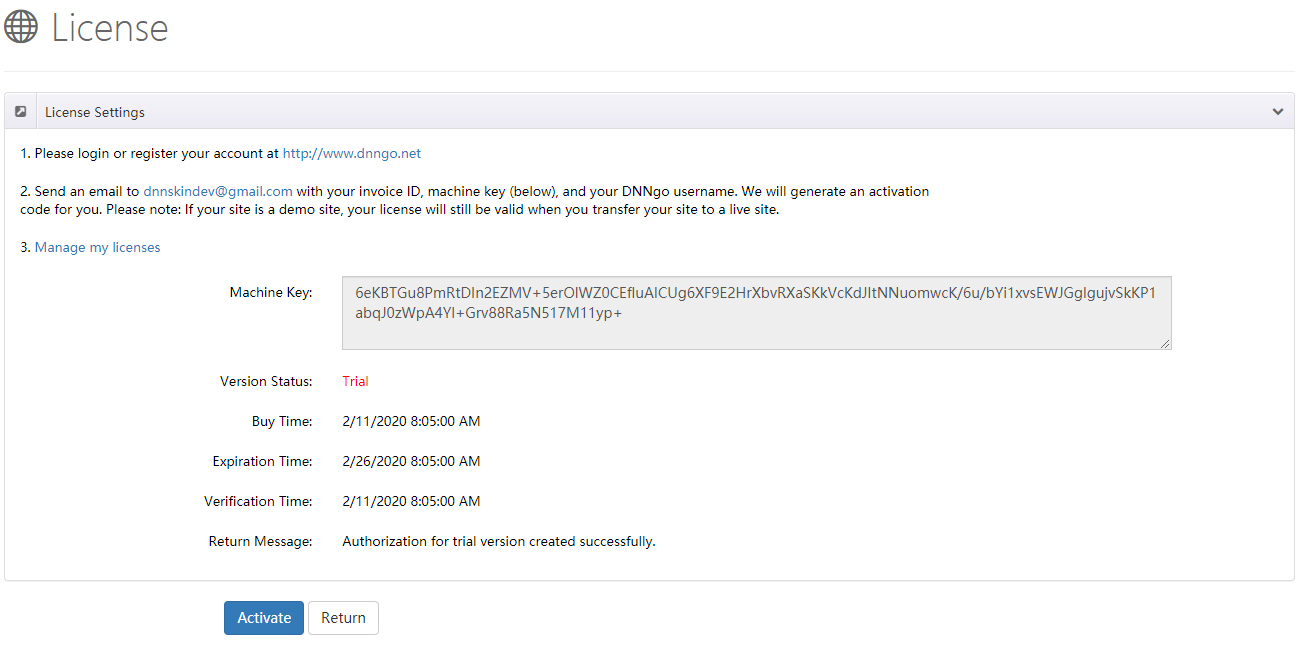
Please log in or register your account at dnngo.net.
Send an email to [email protected] with your Invoice ID, Machine Key and DNNGo username. We will generate an activation code for you.
License and Site Migration
Your license will still be valid when you transfer your site. If your site is a demo site, the license remains valid when you move it to a live site.