
Add a Form to a Page
Forms are placed on pages through the Content Builder module. After placing a form, you must also assign it a data source — the form will not appear until you do.
Steps
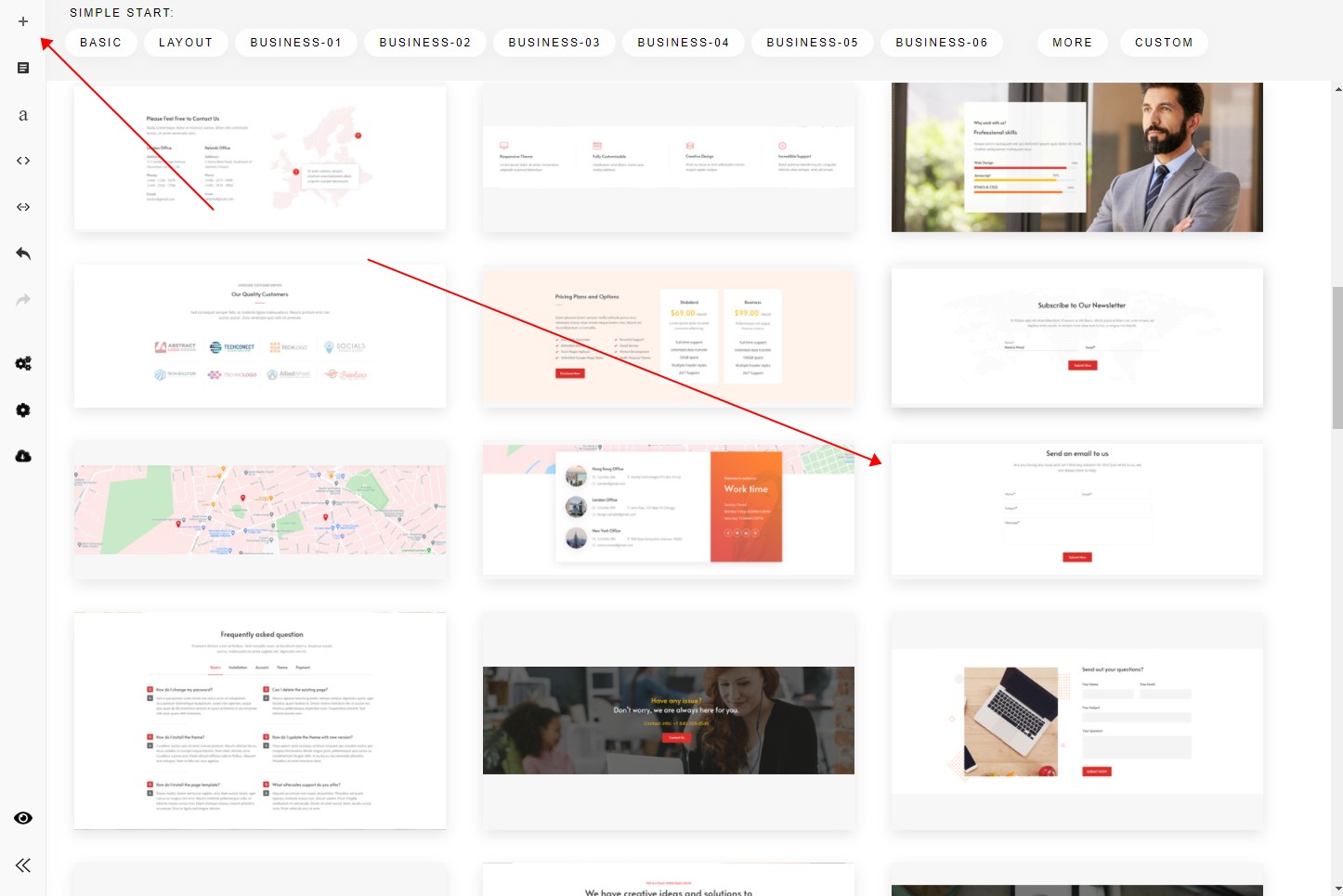
- Add a section with a form to your page through Content Builder.
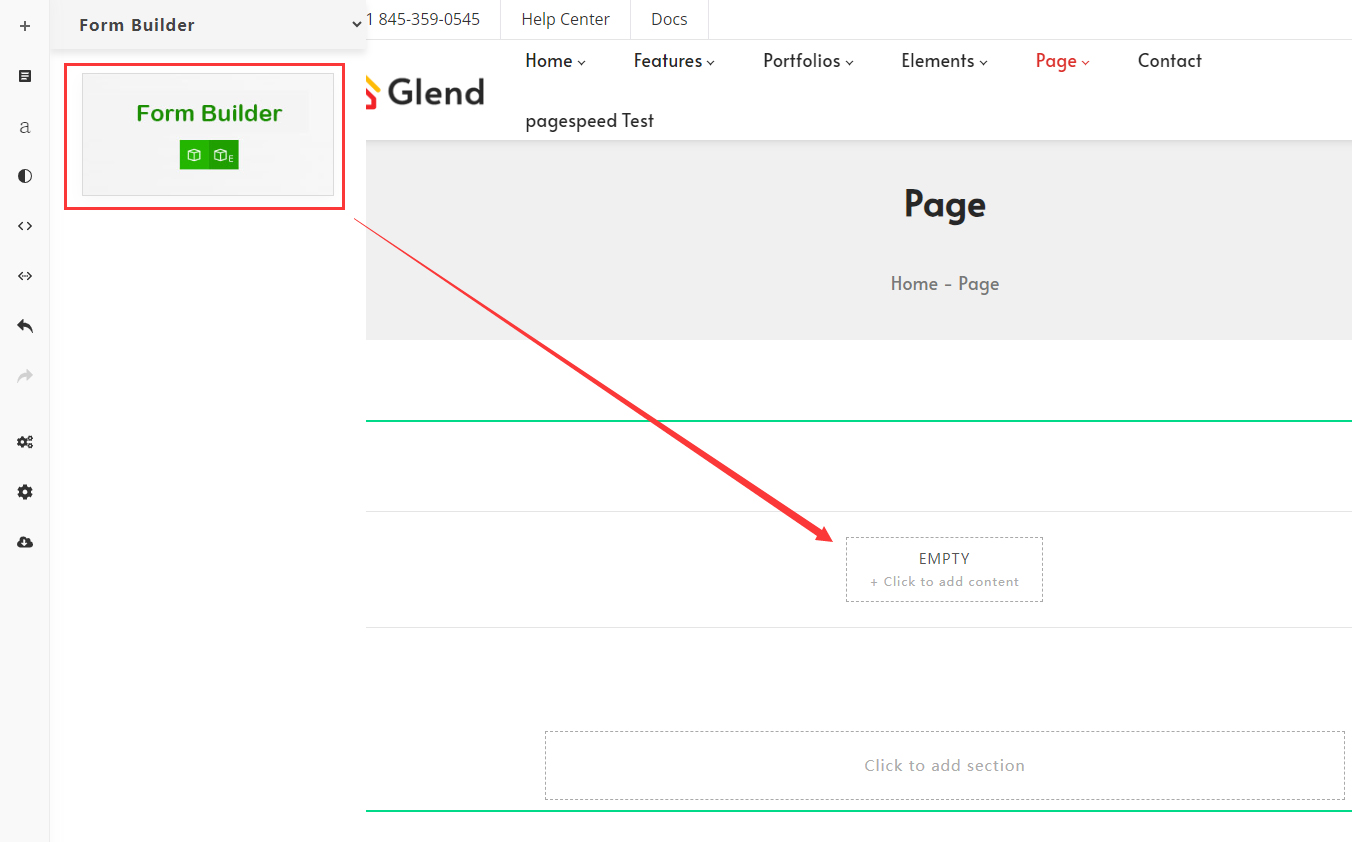
Alternatively, add a Form Builder content block to the page.
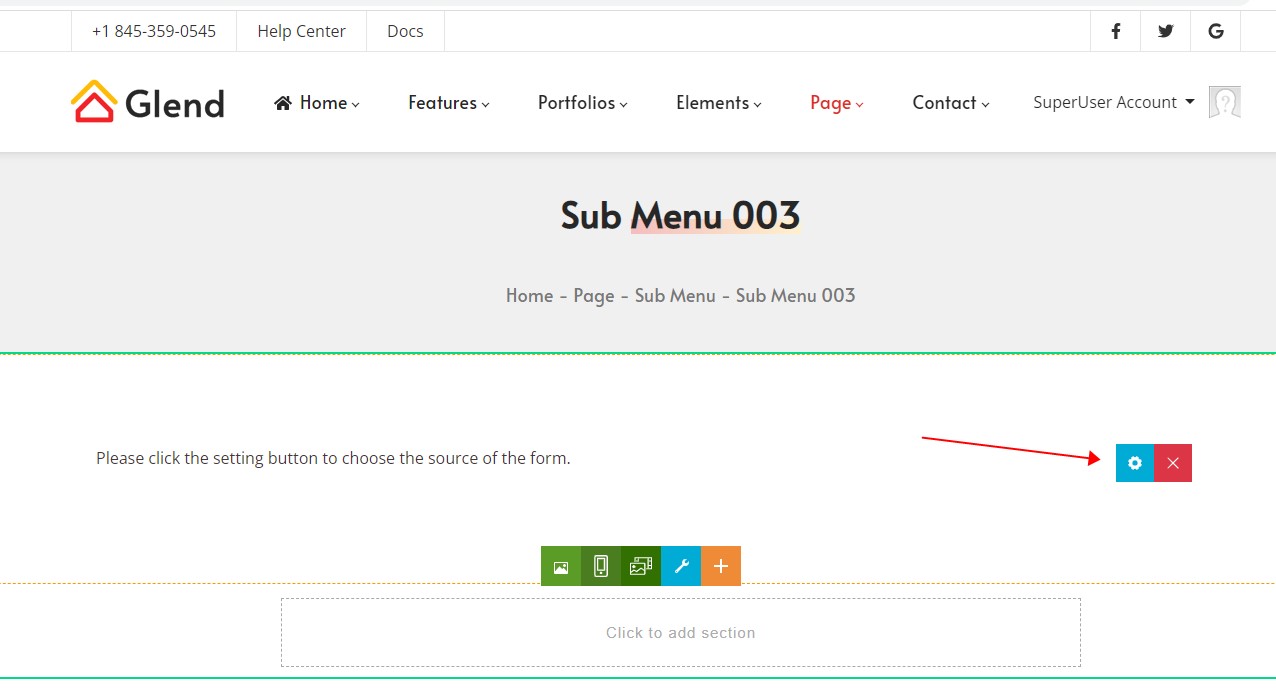
- The form will not appear yet — you still need to set its source.
- The Source drop-down lists every form in the site.
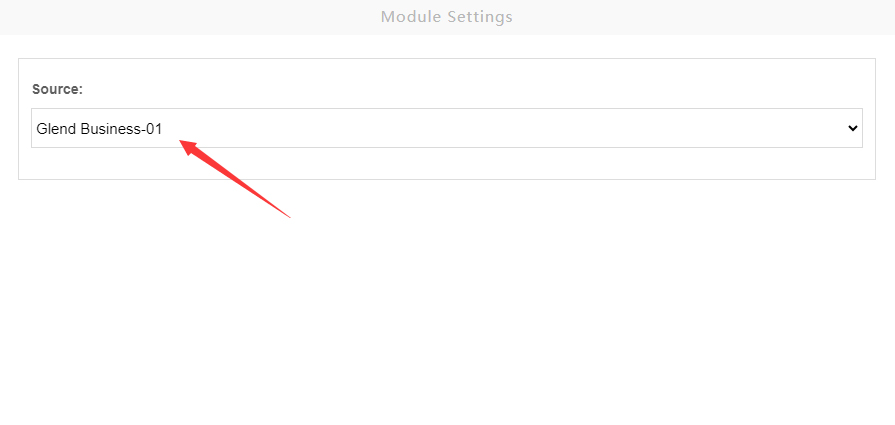
- Pick a form and save. Refresh the page and the form appears.
Further Reading
- Import Preset Forms — import the 38 preset forms
- Set Up Forms — SMTP server configuration