
Import Preset Forms
The DNNGo_FormBuilder folder in the download package includes preset form data in Import.json, ready to use once imported.
Steps
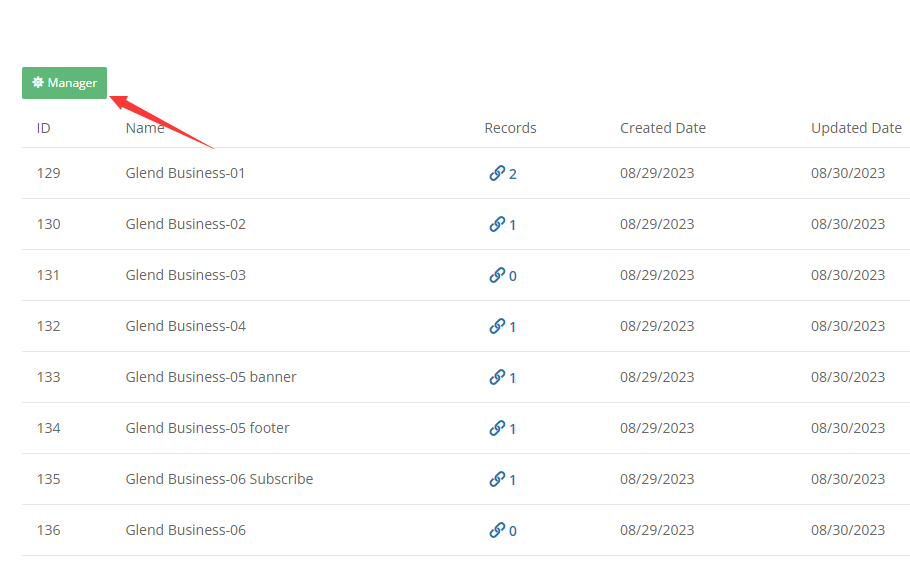
- On the Form Builder Admin page created during installation, click the Manager button.
- Click the Import button.
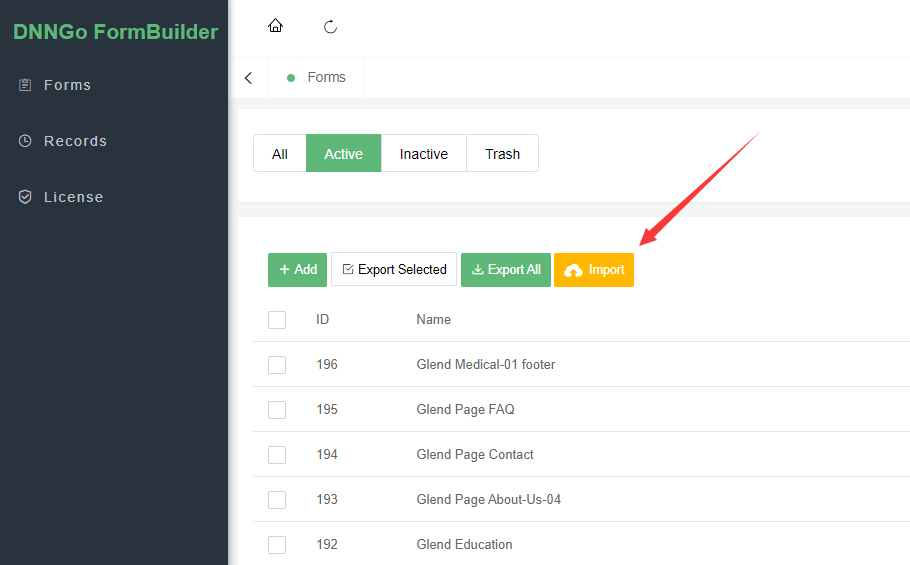
- Upload the Import.json file from the
DNNGo_FormBuilderfolder of the download package to complete the import.
Preset Form List
38 preset forms in total, organized by demo page — after importing, pair each form with the page template of the same name for the best result:
| Category | Forms |
|---|---|
| Business | Business-01 ~ 05, Business-05 banner / footer, Business-06 (incl. Subscribe / footer), Business-07, Business-10 ~ 13 |
| Creative | Creative-01, Creative-02 |
| Parallax | Parallax-01 |
| Legal | law-01, law-02, law-03 (incl. footer) |
| APP | app-01 (incl. Subscribe) |
| Industry | Medical-01 (incl. footer), Fitness-01, Architecture, industry, RealEstate, Education |
| Other styles | Digital-01, Yoga-01 Subscribe |
| General pages | Welcome (incl. Subscribe), Coming-Soon, Page About-Us-04, Page Contact, Page FAQ |
Next Steps
After importing, continue with Add a Form to a Page.