
License
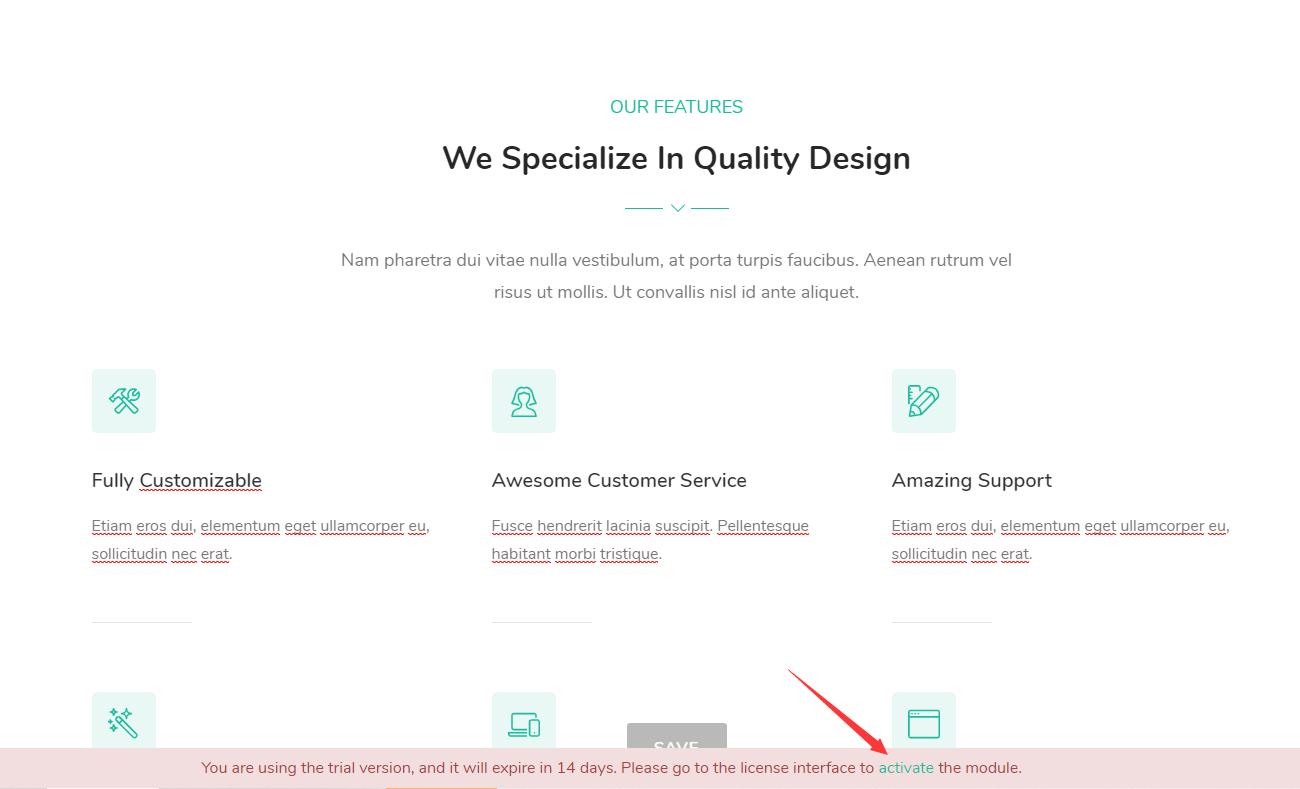
The Glend theme and each bundled module need to be activated before they work without restrictions. Until activated, they run in trial mode and show a trial notice at the bottom of the page; once activated, the notice disappears and all features are unlocked.
Update Policy
- Updates are free for two years from the date of purchase
- After two years, the theme must be purchased again to continue receiving new versions
Theme Activation
- Apply the Glend theme to your site (see Installation). While not activated, a trial notice appears at the bottom of the page — click the Activate link in it to start the activation process.
- On the activation page, get your site's Machine Key (used to bind the license to this site).
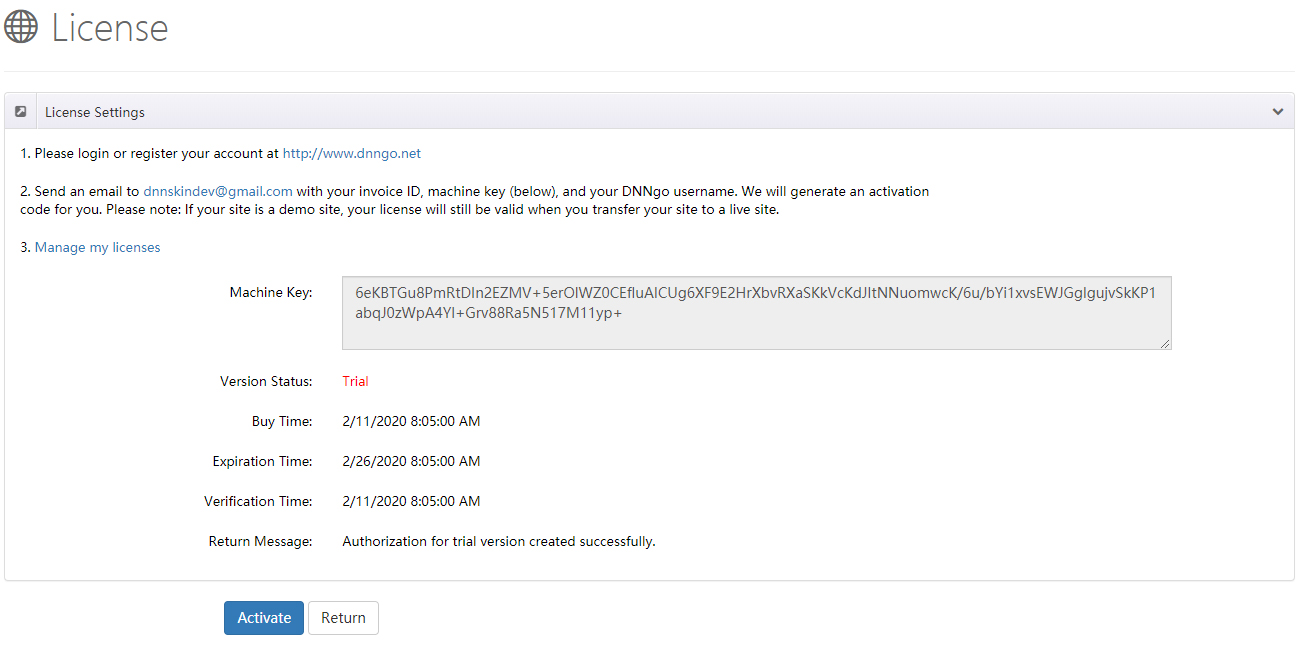
Log in or register an account at dnngo.net.
Email the following information to [email protected] to request an activation code:
- Invoice ID (your order number)
- Machine Key (from the previous step)
- Your DNNGo username (the account registered at dnngo.net)
When you receive the activation code, return to the activation page, enter it, and submit — activation is complete.
Licenses survive site migration
An activated license moves with your site. If you activate on a demo or staging site first and later move to the live site, the license remains valid — no need to request a new one.
Module Activation
LayerGalleryPro, FormBuilder, xBlog, and the other modules are activated individually:
Purchased from the DNN Store?
If you bought the theme from the DNN Store (store.dnnsoftware.com), the download package does not include the module files — they must be obtained separately.
Install the module (for example DNNGo_LayerGalleryPro, DNNGo_FormBuilder, or DNNGo_xBlog).
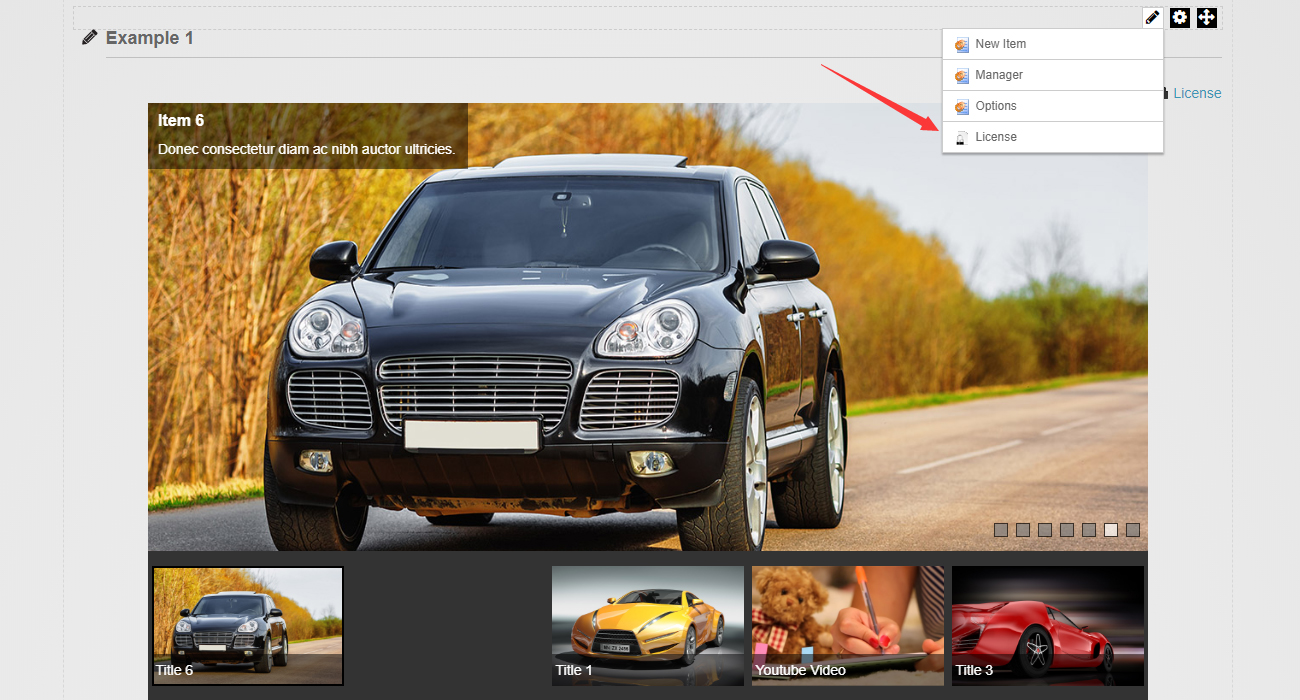
Add the module to a page, then click the License link on the module.
- Get the module's Machine Key.
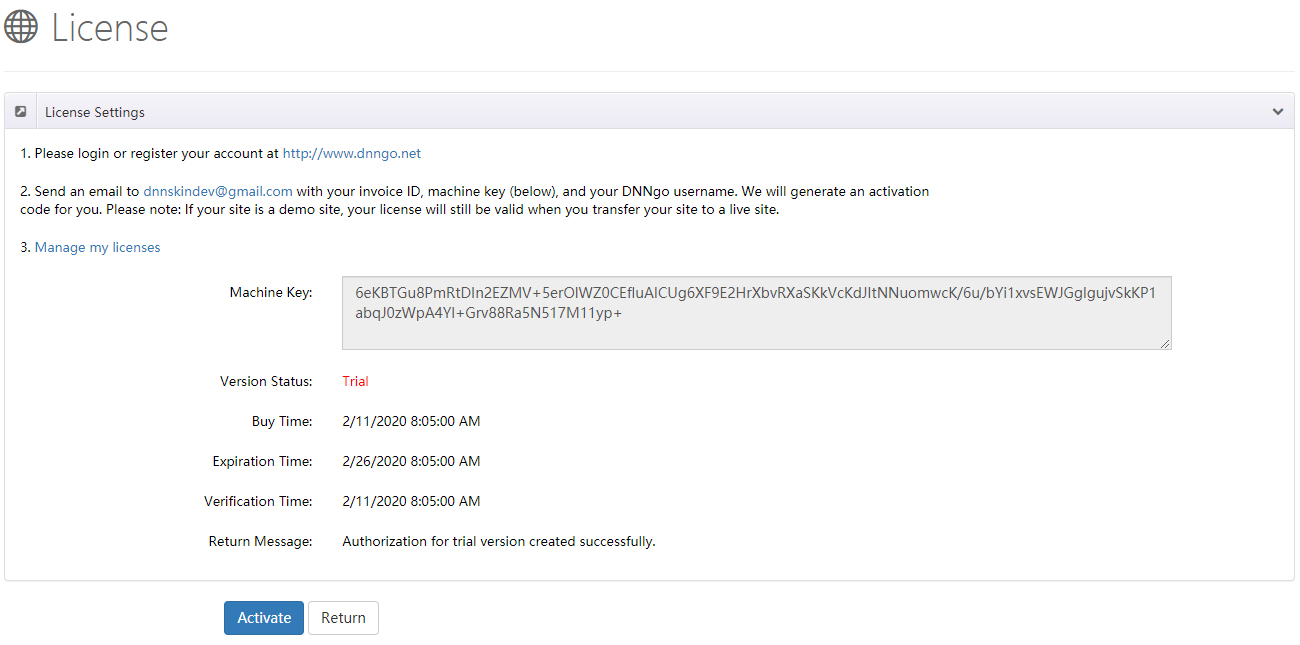
Log in or register an account at dnngo.net.
Email the Invoice ID, Machine Key, and your DNNGo username to [email protected] and we will generate an activation code for you.