Parallax & 3D
Parallax can be used to apply movement to slide content based on mouse or scrolling.
Parallax
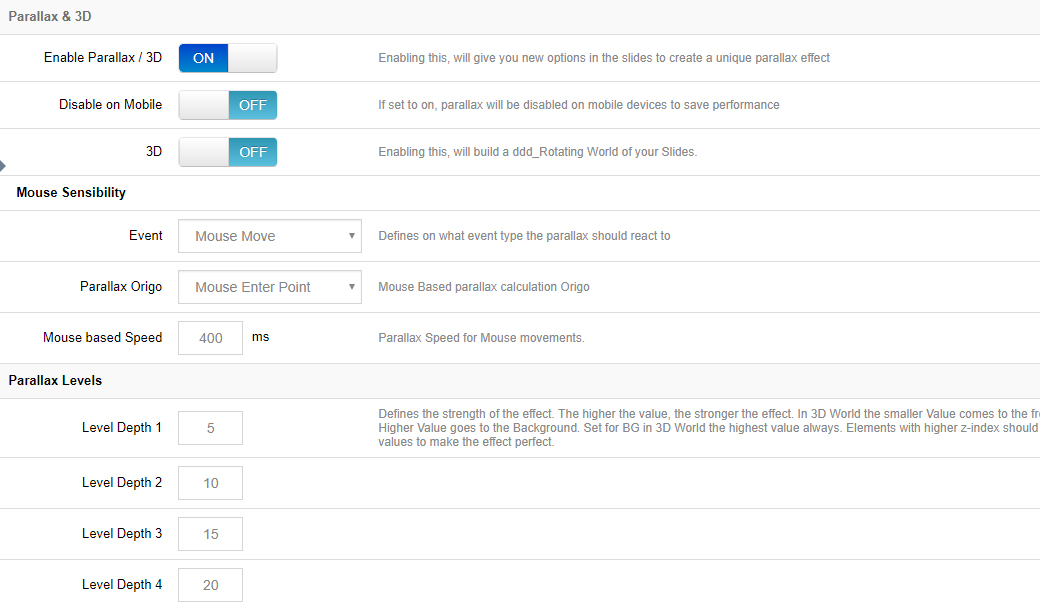
Enable Parallax / Disable on Mobile
Choose to enable the parallax effect for the slider, and if enabled, choose to disable the effect for mobile only (since parallax is based on mouse movement and page scrolling, it usually works best on desktop computers).
Mouse Sensibility
- Event: Choose "Mouse Move", "Scroll Position" (page scrolling) or "Move & Scroll" (the first two combined).
- Parallax Origin:
- Mouse Enter Point — parallax is based on where the mouse first entered the slider.
- Slider Center — parallax is always based on the very center point of the slider (usually the best option).
- Mouse based Speed: The transition duration for the content's movement. Use a lower number such as "750" for fast movement, and a higher number such as "2000" for smoother motion.
Parallax Levels
Each individual layer can be assigned a "Parallax Level", and you can define up to fifteen different levels.
Applying different levels to different slide layers is what gives the content its "depth" in relation to other parallax layers. When choosing your parallax level values, a smaller number means less movement, and a higher number allows a larger amount of movement.
Combine with layers
Parallax levels are assigned per layer (1-15) in the Parallax / 3D section of the layer settings.
3D
Converts a Parallax effect from a traditional 2D view into a 3-dimensional world.
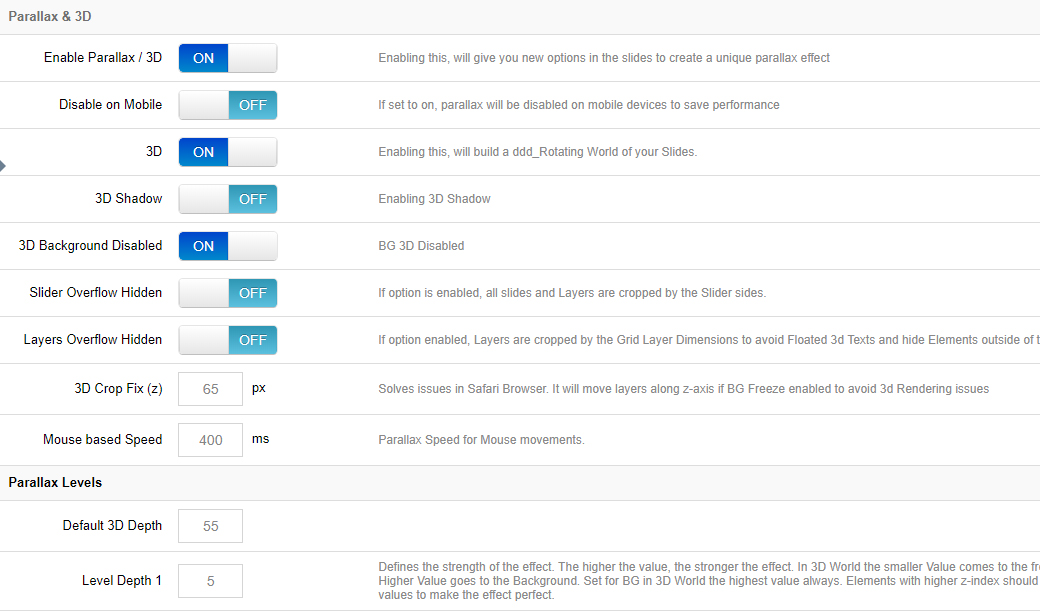
3D Settings
- 3D Shadow: Adds a CSS3 box-shadow to the elements to enhance the 3D visual.
- 3D Background Disabled: Choose to disable the 3D behavior for the slide's main background image — the 3D effect will then only be applied to the slider's content layers.
- Slider Overflow Hidden: Prevents the slider's content from protruding past the slider's normal boundaries.
- Layers Overflow Hidden: Prevents the slider's layer content from protruding past the slider's normal boundaries.
- 3D Crop Fix: Helps prevent Safari-specific 3D issues by separating content along the z-axis plane.
- Mouse based Speed: The transition duration for the content's movement.
3D Depth Levels
The strength of the 3D rotation on the background and layer groups in relation to mouse movement. The higher the value, the more movement.
In a 3D environment, applying different depth levels to different layers is what brings the 3D world to life.
Next Steps
- Scroll Effects — page-scroll based effects
- Slide Layers — assign parallax levels to layers