Problem Handlings
For compatibility with older mobile devices and legacy IE, you can choose to simplify the slider's functionality or replace it with an alternative image.
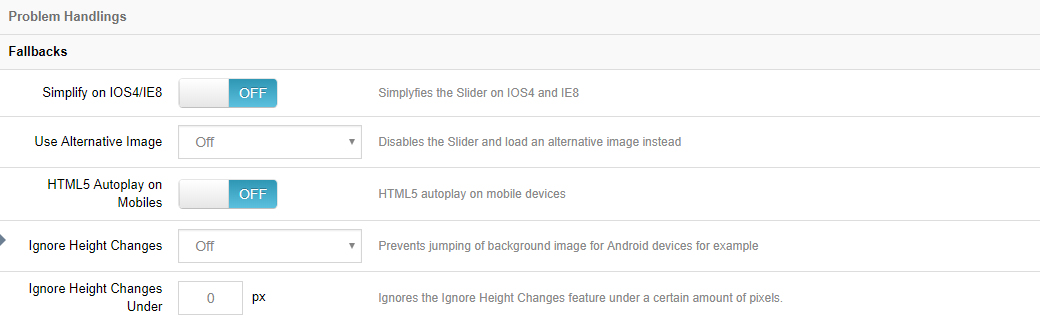
Fallbacks
Simplify on iOS4/IE8
Animations will be set to a simple "fade" for older iOS and IE, which will dramatically improve performance in these environments.
Use Alternative Image
Choose to use an alternative image in place of the slider — for mobile devices, IE8, or both.
HTML5 Autoplay on Mobiles
Enable autoplay for HTML5 background videos or HTML5 video layers on mobile devices.
Note
Some mobile browsers block video autoplay (especially videos with sound) to save data and protect the user experience. When enabling this option, we also recommend muting the video.
Ignore Height Changes
Often useful for fullscreen sliders on mobile devices to help prevent image size changes when the native browser address bar appears and disappears.
Ignore Height Changes Under
The same as the option above, except here you can define a specific height (640px, etc.) below which browser height changes would start to be ignored.
Troubleshooting tips
If the slider displays incorrectly, also check the following:
- Browser console errors: press F12 and look for script errors (e.g. jQuery conflicts caused by the skin or other modules registering it twice); if so, ask the skin/module vendor to adjust the reference.
- Cache: after installing or upgrading, clear the DNN server cache and the browser cache if styles look wrong.
- License: make sure the license is properly activated — some features may be limited when not activated.
Next Steps
- Export & Import — back up slider data