

Mega Menu
In the Pages settings you can choose how the pop-up menu of a page's sub-menu is displayed.
Standard Menu
The regular pop-up menu — sub-menus appear on hover.

Mega Menu
Displays sub-menus in multiple columns.

| Setting | Description |
|---|---|
| Width | Width of the sub-menu. Auto matches the theme's content width; Custom takes an exact value |
| Position | Where the sub-menu appears |
| Column | Number of columns of the sub-menu |
Custom Mega Menu
Insert extra HTML modules and third-party modules into the pop-up menu.
Width
Width of the sub-menu. Auto matches the theme's content width; Custom takes an exact value.
Position
Where the pop-up menu appears.
Pane
Add panes to the Mega Menu control panel.
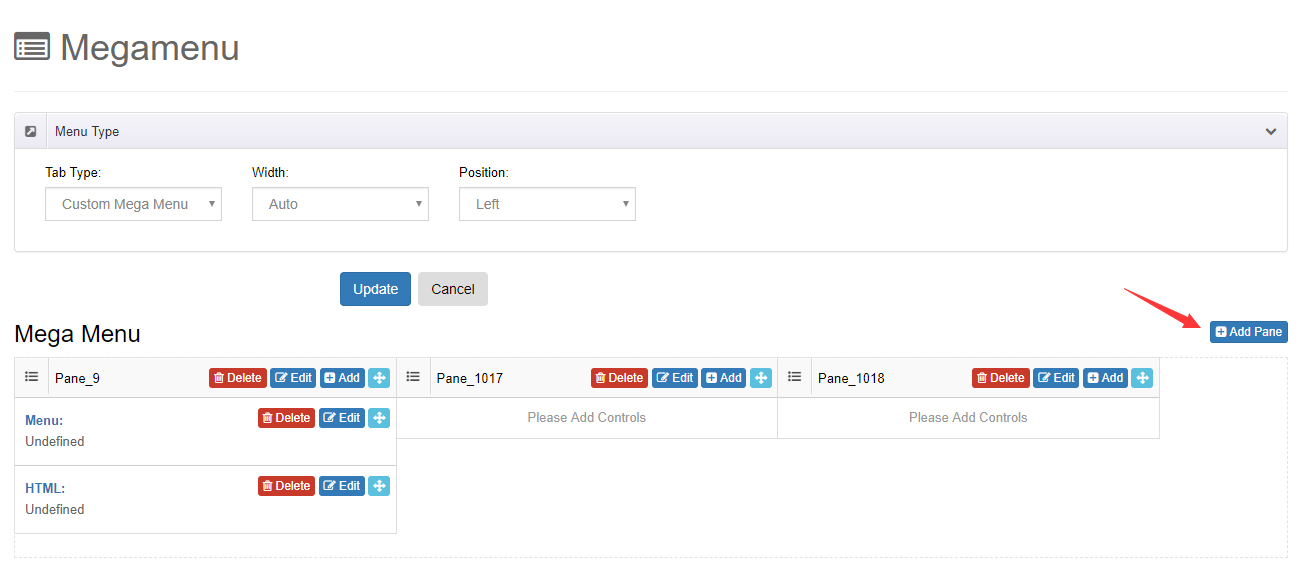
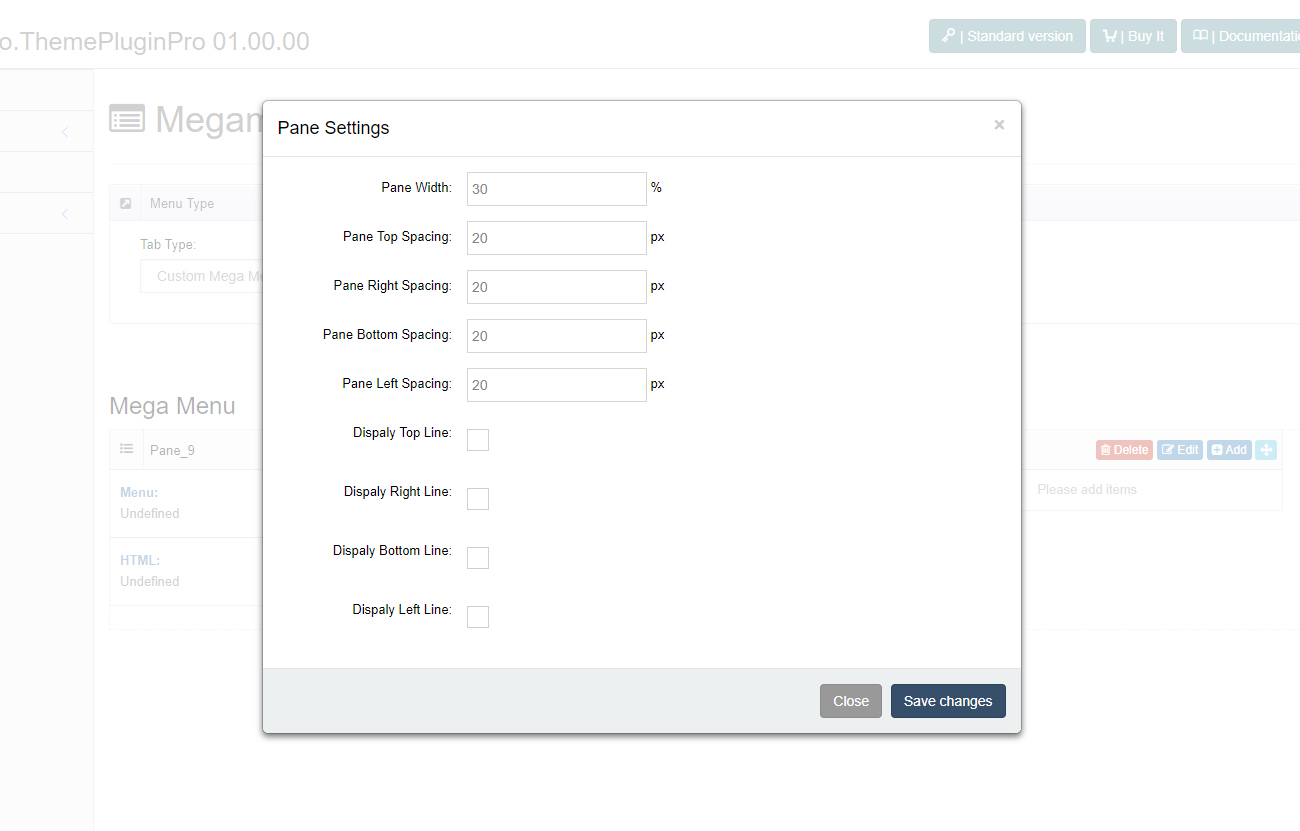
You can adjust the width of each pane, the spacing between panes, and add borders.
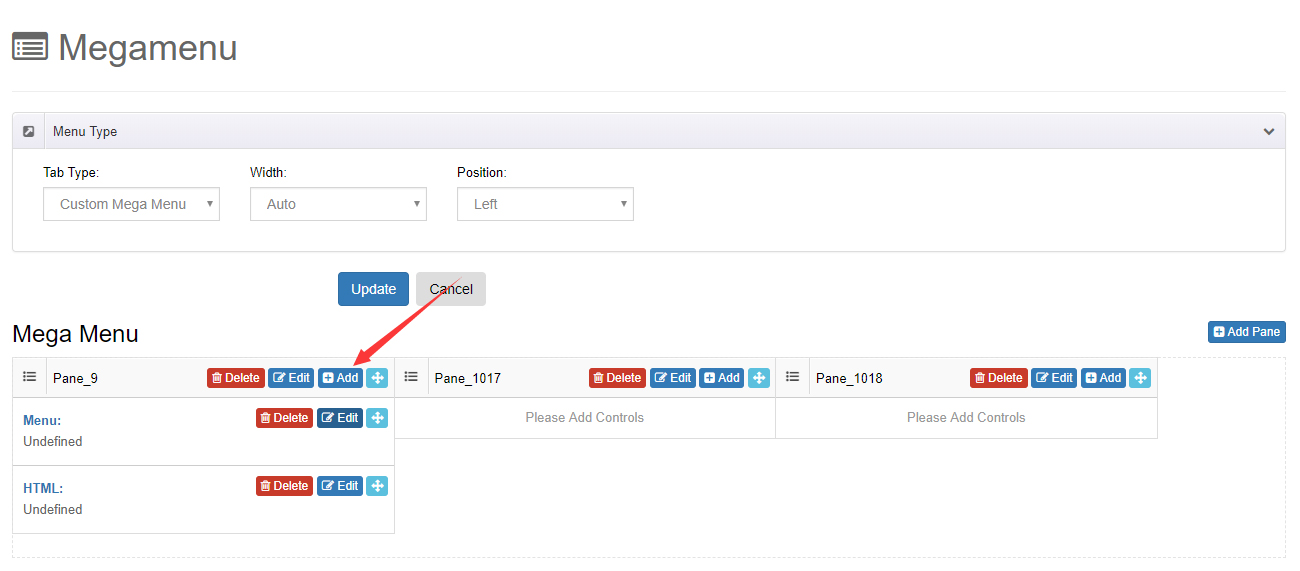
Controls
Add multiple controls to the panes.
| Control | Description |
|---|---|
| Menu Control | Shows a chosen menu and its sub-menus |
| HTML Control | Adds custom HTML code |
| Module Control | Displays a module taken from another page inside the pop-up menu |