

Theme Options
The Theme Options page controls the appearance of the entire site.
Layout
Layout Settings
| Setting | Description |
|---|---|
| Header Layout | The site-wide header layout. Create your own under ThemePluginPro > Layout > Header Layout |
| Content Layouts | The site-wide content layout. Create your own under ThemePluginPro > Layout > Content Layout |
| Footer Layout | The site-wide footer layout. Create your own under ThemePluginPro > Layout > Footer Layout |
Container Settings
| Setting | Description |
|---|---|
| Container Layout | Display mode of the theme — Boxed or Wide |
| Content Margin | Spacing around the content area |
| Container Width | Width of the content area, configurable per resolution |
Design
| Setting | Description |
|---|---|
| Body Background | Background color or image of the theme |
| Content Style | Text color, size and more for the content area |
| H1 - H6 Style | Text color, size and more for headings 1–6 |
| Custom Color | Custom text or background colors. Use them by adding <div class="color1">text</div> in the HTML editor. Custom Font Family, Custom Font Size, Custom Line Height, Custom Letter Spacing and Custom Shadow all work the same way |
Loading Style
The loading animation shown while a page loads.
| Setting | Description |
|---|---|
| Enabled | Enable the loading animation |
| Background Color | Background color of the animation |
| Line Color | Line color of the animation |
| Circle Size | Size of the circle |
| Display Logo Icon | Show a logo while loading |
| Logo Icon | The logo image |
| High-DPI (retina) Logo | Logo for high-DPI screens. The file name must end with -2x, e.g. logo-d-2x.png |
Back to Top
| Setting | Description |
|---|---|
| Enabled | Show the back-to-top button |
| Icon Color | Icon color |
| Icon Hover Color | Icon color on hover |
| Icon Size | Icon size |
| Distance to the right of the window | Button position from the right edge |
| Distance to the bottom of the window | Button position from the bottom edge |
Page Title
| Setting | Description |
|---|---|
| Page Title Enabled | Enable the page title area |
| Page Title Layout | Show or hide the page title area |
| Horizontal Layout | Title and description on separate rows |

| Setting | Description |
|---|---|
| Vertical Layout | Title and description on the same row |
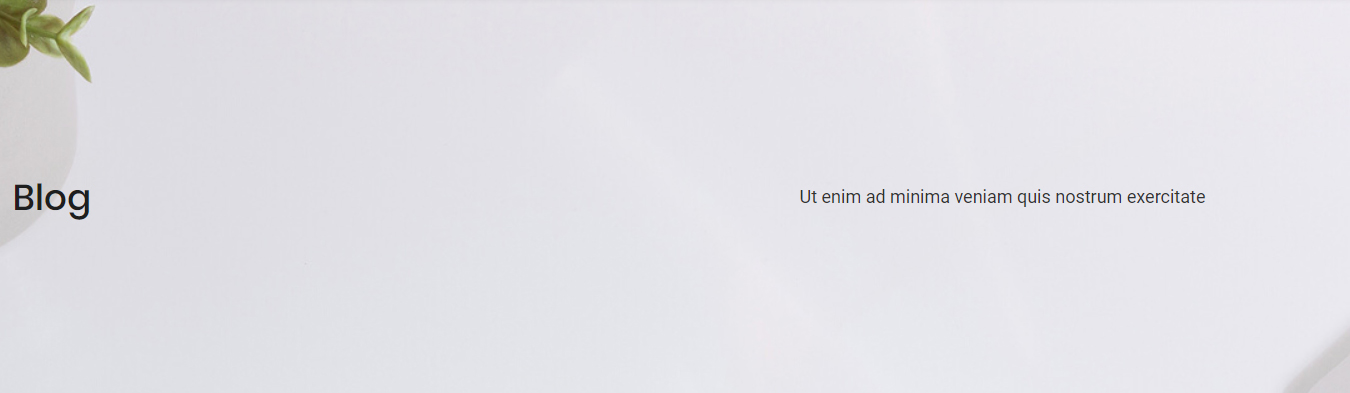
| Setting | Description |
|---|---|
| Title Layout | Title alignment — left, center or right |
| Height | Height of the page title area |
| Display Arrow | Show a down arrow; clicking it scrolls the page down to the content |

| Setting | Description |
|---|---|
| Scrolling Text Animation | Animate the title text while the page scrolls |
| Background Color | Background color of the area |
| Background Image | Background image of the area |
| Color Overlay | A shade layer over the background, with adjustable color and opacity |
| Font Color | Text color of the area |
| Font Size | Text size of the area |
| Background Region | Whether the background extends behind the header |
Sidebar
| Setting | Description |
|---|---|
| Enabled | Enable the sidebar |
| Sidebar Position | Show the sidebar on the left or right of the page |
| Sidebar Width | The theme is based on Bootstrap, and the content area is divided into 12 columns. Set how many columns the sidebar occupies |
| Fixed Sidebar | Keep the sidebar in place while the content scrolls |
| Sidebar Spacing | Spacing around the sidebar |
| Display Line | Show a divider between the sidebar and the content |
Sidebar Menu
| Setting | Description |
|---|---|
| Display Sidebar Menu | Enable the sidebar menu |
| Menu level | Which menu levels to show. ALL shows every level; 1 shows the menus below the first level (not the first level itself); 2 shows the menus below the second level |
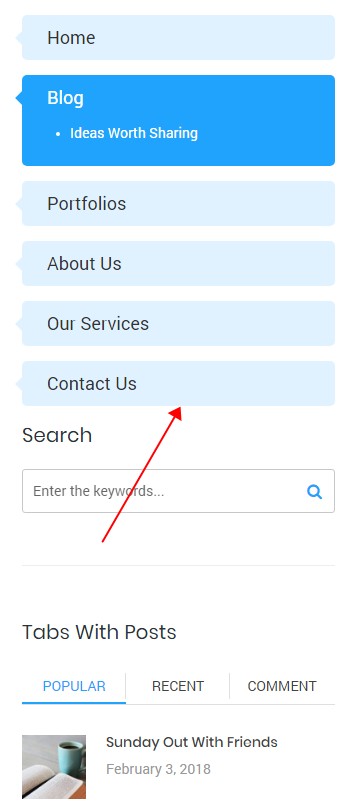
| Setting | Description |
|---|---|
| Menu Accent Color | Accent color of the menu |
| Menu Color | Text color of the main menu |
| Menu Font Family | Font of the main menu |
| Menu Font Weight | Font weight of the main menu |
| Menu Font Size | Font size of the main menu |
| Menu Line Height | Line height of the main menu |
| Sub Menu Font Family | Font of the sub menus |
| Sub Menu Font Weight | Font weight of the sub menus |
| Sub Menu Font Size | Font size of the sub menus |
| Sub Menu Line Height | Line height of the sub menus |
| Current Menu Color | Text color of the current menu item |
Footer
| Setting | Description |
|---|---|
| Footer Mode | Scroll — the footer scrolls with the page; Fixed — the footer stays pinned to the bottom of the window |
Map Settings
| Setting | Description |
|---|---|
| Enabled Map | Enable Google Maps in the theme |
| API Key | Your Google Maps API key — see the Google documentation |
Map01 / Map02 Settings
| Setting | Description |
|---|---|
| Map Code | The Google Maps code. Put it into an HTML module on the page to display the map |
| Address | The address |
| Markers HTML | Content of the markers |
| Icon | Marker icon |
| Zoom | Default zoom level |
| Scrollwheel | Zoom the map with the mouse wheel |
| Type | Google Maps display type |
| Map Height | Map height per resolution |