Confirm
Confirm is a secondary confirmation control that asks the user for a final confirmation before submission.
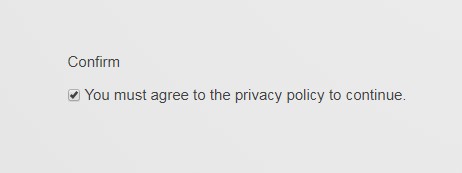
Specific Settings
Default Value
The default state:
true: checked by defaultfalse: unchecked by default
Confirm vs CheckBox
| Aspect | Confirm | CheckBox |
|---|---|---|
| Purpose | Final confirmation of submitted content | Agreement to a single statement |
| Typical case | "I confirm the information above is true and accurate" | "I have read and agree to the Privacy Policy" |
Both can be used in the same form: CheckBox handles agreement to terms, while Confirm verifies that the submitted information is accurate.
TIP
Since 06.00.00 the module also supports input-consistency confirmation (Equals Control), e.g. "two text boxes must match" — see TextBox. The Confirm control is for checkbox-style informed confirmation.
Mandatory Validation
As with other controls, check Required and the user must tick it before submitting.
Next Steps
- CheckBox — ordinary checkbox
- Field Types Overview