DropDownList (Region)
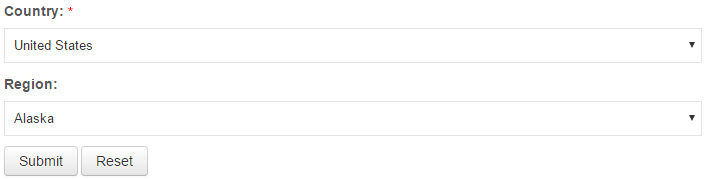
DropDownList (Region) provides a state/province-level dropdown. The data also comes from DNN Lists, and it can be associated with a Country field for cascading selection.
Specific Settings
Associated Control
Select a DropDownList (Country) field from the dropdown. Once set:
- After the user selects a country, the region dropdown shows only that country's regions.
- Before a country is selected, the region options are empty or unaffected by the cascade.
Example
Classic address form combo:
- Add a DropDownList (Country) field (Alias: Country).
- Add a DropDownList (Region) field (Alias: State/Province).
- In the Region field's Associated Control, select the country field. After choosing "United States", the state list shows only US states.
Width
The dropdown width (pixels or percent).
Required
When checked, a region must be selected before submitting.
Data Source
Region options are read from the Region lists of the corresponding country in DNN Lists (e.g. the Country.US list), also maintained in Admin → Lists.
Version requirement
Available since PowerForms 07.00.00.