DropDownList
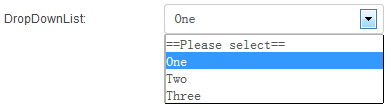
DropDownList provides a single-select dropdown where users pick one option from a preset list.
Specific Settings
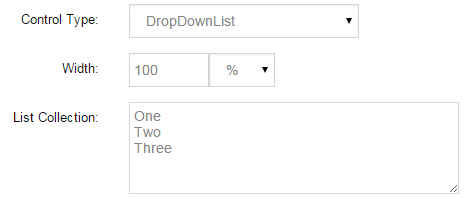
List Collection
Enter the options in a multi-line text box — one option per line:
New York
London
Paris
Tokyo
Default Value
The pre-selected option; it must be included in List Collection.
Width
The dropdown width (pixels or percent).
Mandatory Validation
Check Required so that an option must be selected before submitting.
Related Controls
| Control | Difference |
|---|---|
| ListBox | List box with multi-select |
| RadioButtonList | Radio group with options directly visible |
| DropDownList (Country) | Country data source version |
| DropDownList (Region) | Region data source, cascading with Country |
| DropDownList (SendEmail) | Options bound to recipients |
Next Steps
- RadioButtonList — flat single-select
- Field Types Overview