DropDownList (SendEmail)
DropDownList (SendEmail) is a dropdown with recipient routing: the option the user selects determines who receives the notification email.
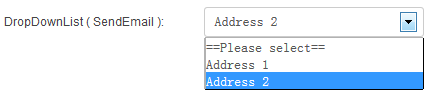
Specific Settings
List Collection
Options use the format Display Name: email address, one per line:
Sales: [email protected]
Support: [email protected]
Partnership: [email protected]
Default Value
The default option (display name); it must exist in List Collection.
Width
The dropdown width (pixels or percent).
How It Works
- The user selects an option (e.g. "Support").
- On submission, the system sends the notification email to the address bound to that option ([email protected]).
Typical scenario
Route contact-form emails by request type: "Sales" goes to the sales team, "Support" to the support team — no need to build multiple forms.
Notes
- Use the English colon
:in options. - The selected value also appears in submission records and the
[FieldName]email placeholder (showing the display name). - If Administrator Email is also enabled in the Email settings, both the administrator and the routed recipient receive the email.
Next Steps
- Email Settings — recipients, CC and more
- Field Types Overview