Multiple FileUpload
Multiple FileUpload is the enhanced upload control (based on Dropzone) that lets users select or drag multiple files at once.
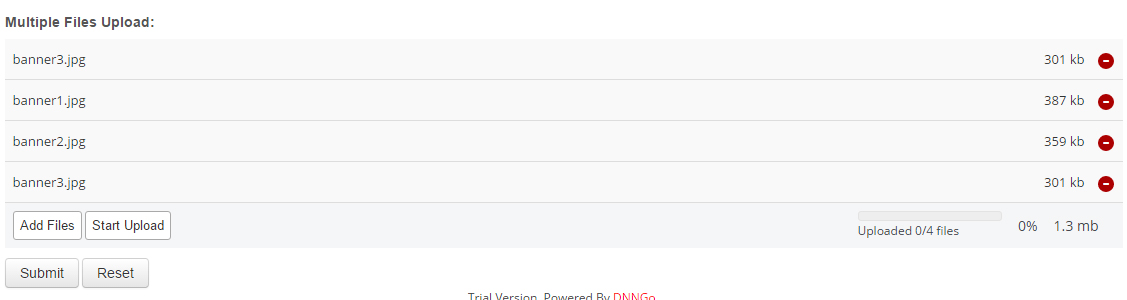
Features
- Select multiple files at once.
- Drag and drop files directly onto the upload area.
- Per-file progress and status for a smooth upload experience.
Version requirement
Available since PowerForms 07.00.00. If the option does not appear in your Control Type list, upgrade the module first.
Specific Settings
Width
The upload area width (pixels or percent).
Required
When checked, at least one file must be uploaded.
File Type and Size Limits
Same as FileUpload:
- Allowed extensions are configured via Upload Extensions in the General settings (comma-separated; empty uses the default list; web markup types such as svg/html/xml are always rejected).
- The file size limit can be set via Max file size in the General settings.
Viewing Uploaded Files
Administrators can view and download all files uploaded through this field in the Submission Records; files can also be sent as attachments with the email notifications.
FileUpload vs Multiple FileUpload
| Aspect | FileUpload | Multiple FileUpload |
|---|---|---|
| File count | Single | Multiple |
| Interaction | Native upload button | Drag + multi-select |
| Use cases | Simple attachments (e.g. avatar) | Resumes, portfolios, multi-file submissions |
Next Steps
- FileUpload — single-file upload
- Field Types Overview