Edit Options
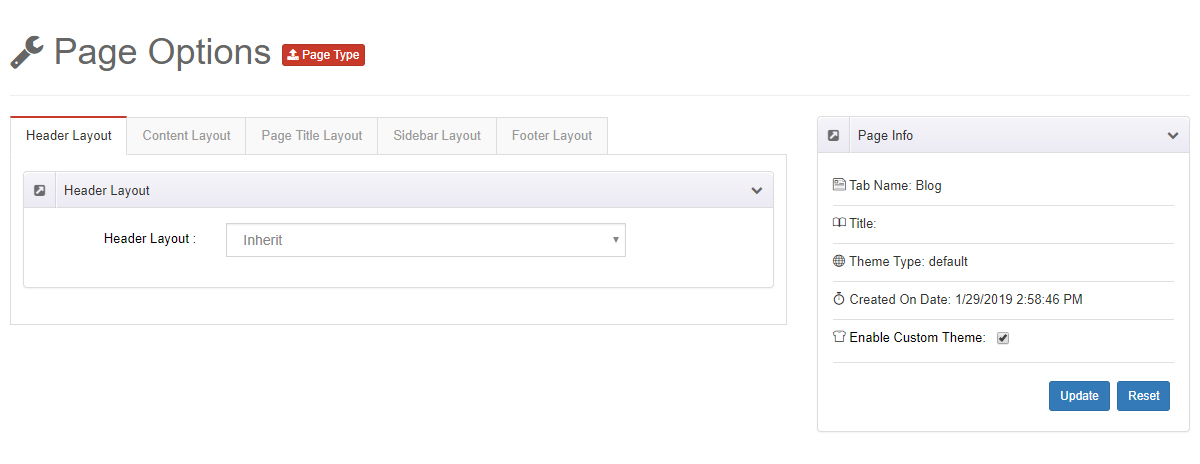
On this settings page you can customize the current page. Every page of your site can use different custom settings, independently of the others.
Enable custom settings first
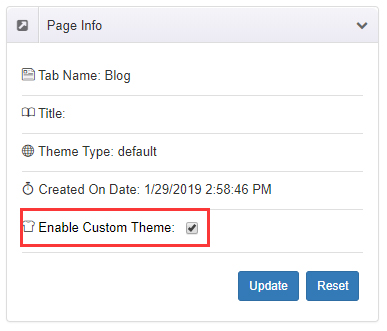
Check Enable Custom Theme — the settings on this page only take effect once it is enabled.
Versus Theme Options
Settings here apply to the current page only and override the site-wide defaults in Theme Options.
Header Layout
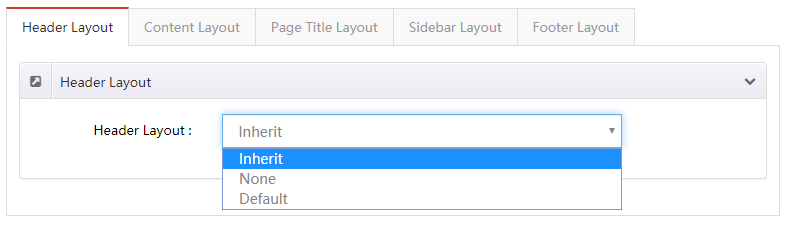
Set a header layout for this page individually.
| Setting | Description |
|---|---|
| Header Layout | The header layout used by this page. Inherit follows the global theme setting; None hides the entire header area |
Content Layout
Style the body content area of this page separately.
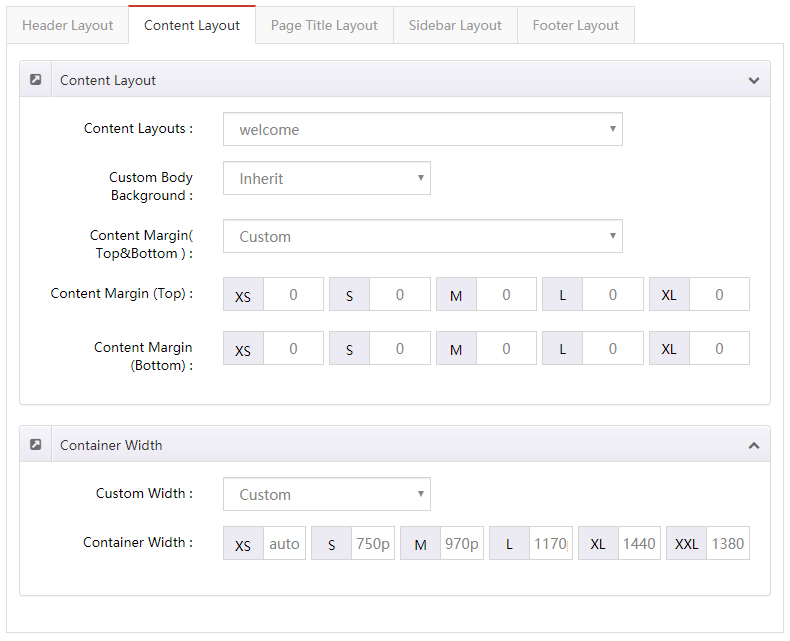
| Setting | Description |
|---|---|
| Content Layouts | The content layout for this page. Inherit follows the global theme setting |
| Custom Body Background | Background color or image of the content area |
| Content Margin (Top & Bottom) | Top and bottom margins of the content area |
| Custom Width | Width of the content area |
Page Title Layout
Style the page title area of this page separately.
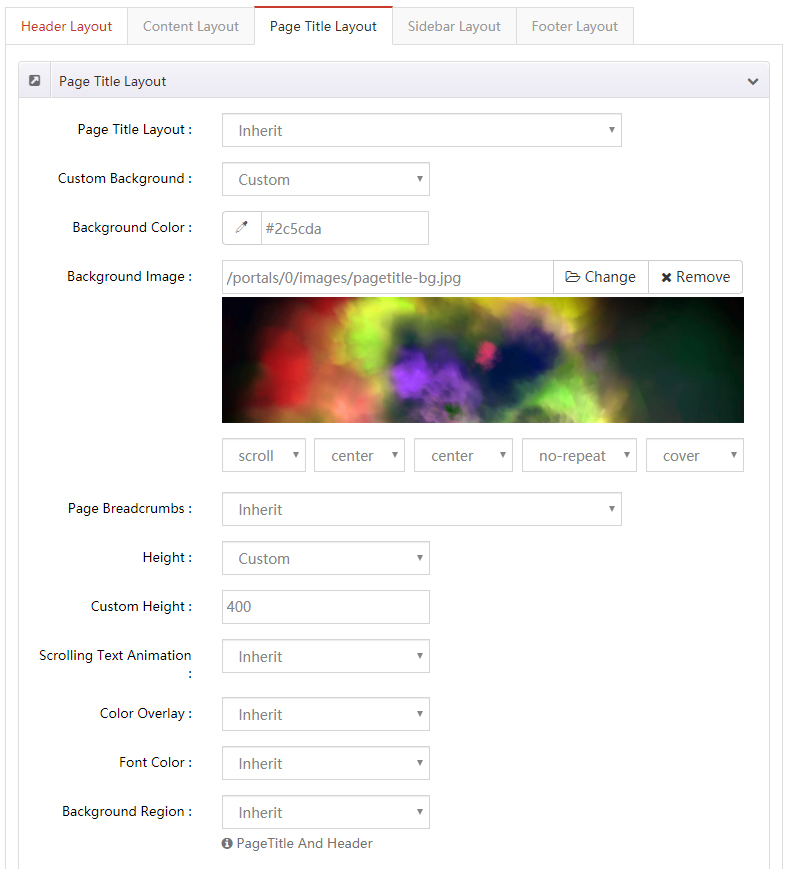
| Setting | Description |
|---|---|
| Page Title Layout | Show or hide the page title |
| Custom Background | Background color or image of the page title area |
| Page Breadcrumbs | Show or hide the breadcrumb area |
| Height | Height of the page title area: Custom Height (a specific value) or Full Height (as tall as the browser window) |
| Scrolling Text Animation | Enable the scrolling text animation |
| Color Overlay | Add a shade layer over the page title background |
| Font Color | Text color of the page title area |
Sidebar Layout
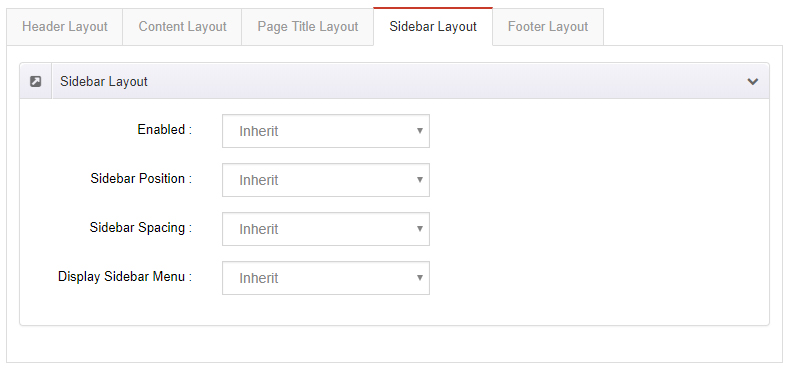
| Setting | Description |
|---|---|
| Enabled | Show the sidebar area |
| Sidebar Position | Place the sidebar on the left or right of the page |
| Sidebar Spacing | Space between the sidebar and the content |
| Display Sidebar Menu | Show the sidebar menu |
Footer Layout
| Setting | Description |
|---|---|
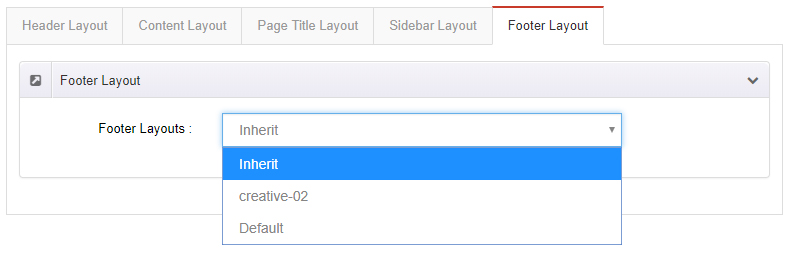
| Footer Layouts | Set a footer layout for this page individually |