Effect 02 SlideShow V
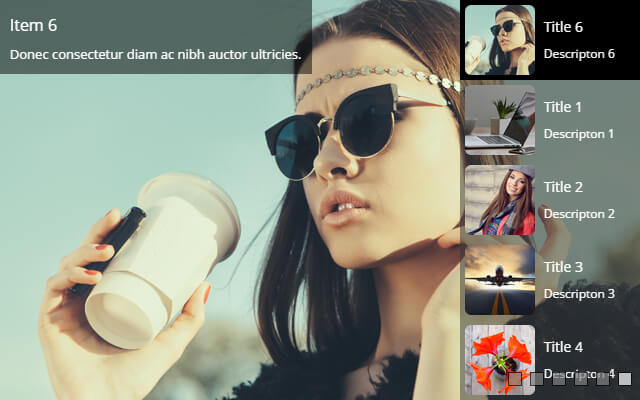
A vertical sibling of Effect 01 on the same engine, featuring a side thumbnail list (dockable left or right, two thumbnail styles) that can show title and summary at once. Great for image sites and case showcases.
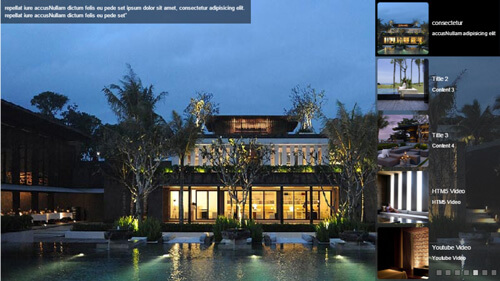
Live Demo
Visit the official demo page to see it in action.
Data Fields
Data fields are the same as Effect 01 SlideShow H:
| Field | Description |
|---|---|
| Title | Slide title, also used for thumbnails |
| Description | Rich text shown as an animated caption |
| Slider Type | Picture or HTML5 Video |
| Picture / Video Poster | Background image or video poster; URL or media library |
| Thumbnail | Small image for the side thumbnail list |
| Link | URL opened when the slide is clicked |
Item form (Field Manager) screenshot:
Effect Settings
Basic Options
| Parameter | Description |
|---|---|
| Slider Width / Height | Slider width (default 900) / height (default 600) in pixels |
| Responsive | Enable responsive scaling — scales down proportionally on small screens |
| Auto Play / Auto Play Interval | Enable autoplay; Autoplay interval in milliseconds (default 3000) |
| Video Auto Play / Display Video Controls | Play the video automatically when its slide activates; Show the video control bar |
| Slide Show Transitions | Transition collection |
Thumbnail Options
| Parameter | Description |
|---|---|
| Thumbnail Style | Thumbnail list style (thumbsytle_1 / thumbsytle_2) |
| Thumbnail Position | Docking position (FloatLeft / FloatRight) |
| Thumbnail Width | List width (default 300) |
| Thumbnail Display Pieces | Visible thumbnails (default 5) |
| Thumbnail Image / Title / Description Enable | Show image / title / summary in thumbnails |
Thumbnail Style 1 / 2
| Parameter | Description |
|---|---|
| Text Bg / Opacity | Thumbnail text background and opacity (style 1) |
| Thumbnail Image Width / Radius | Thumbnail width and corner radius (style 2) |
| Thumbnail Hover Bg | Thumbnail background on hover |
BulletNavigator / ArrowNavigator
| Parameter | Description |
|---|---|
| Enable & styles | Same parameters as Effect 01 |
Description Options
| Parameter | Description |
|---|---|
| Display Title / Description | Show the title/description in the caption area |
| Description Transitions | Caption entrance animation |
| Description Bg / colors | Caption background and text colors |
Related
- Effect Options — configure this effect's theme and parameters
- Effect Overview — all effects
- Adding Items — add items for this effect
- All Items — manage items