Effect 16 VerticalScroll
Vertical scrolling list with row-based scrolling, autoplay and an infinite loop mode. Ideal for news lists, rankings and scrolling announcements.
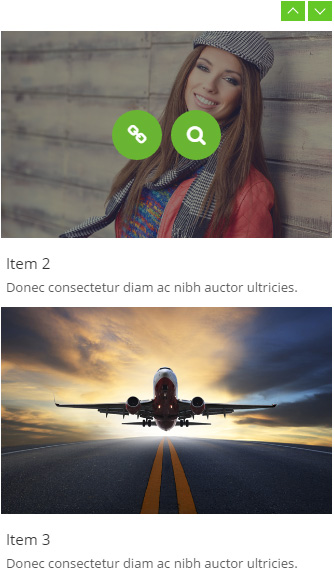
Live Demo
Visit the official demo page to see it in action.
Data Fields
| Field | Description |
|---|---|
| Title | Item title |
| Description | Item summary |
| Featured Image | Item thumbnail |
| Link | Target URL |
Item form (Field Manager) screenshot:
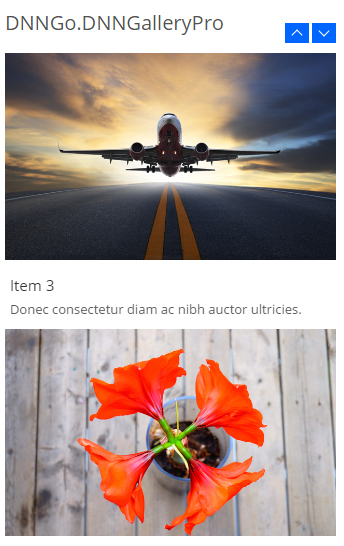
Effect Settings
Basic
| Parameter | Description |
|---|---|
| Show items / Roll items | Visible rows (default 3) / rows scrolled per step (default 3) |
| Item height | Row height (default auto) |
| Auto Play / Auto Play Speed | Enable autoplay; interval (default 3000 ms); scroll speed (default 800 ms) |
| Easing | Scroll easing (default swing) |
| Stop on hover | Pause autoplay on hover |
| Direction | Scroll direction (up/down) |
| Display navigation / pagination | Show up/down arrows / dot pagination |
| Navigation Color | Arrow color (default #69b532) |
| Items Spacing | Item spacing (default 6) |
Module height Settings
| Parameter | Description |
|---|---|
| Module fixed height / Module height | Fix the module height (off by default — adapts) |
| Scroll distance | Scroll distance (default 300) |
Infinite Scroll Settings
| Parameter | Description |
|---|---|
| Infinite Scroll | Enable seamless continuous scrolling |
| Infinite Scroll Speed / Distance | Continuous speed (default 40) / step distance |
Title / Description / Effect / Border / Other
| Parameter | Description |
|---|---|
| Same as Carousel | Matches Effect 03 Carousel |
Related
- Effect Options — configure this effect's theme and parameters
- Effect Overview — all effects
- Adding Items — add items for this effect
- All Items — manage items