Effect 15 ContentSlider
A rotating content showcase: the current item appears as a large centered image with smaller ones orbiting it; click or use the arrows to rotate. The result is very eye-catching. Ideal for products, teams and featured content.
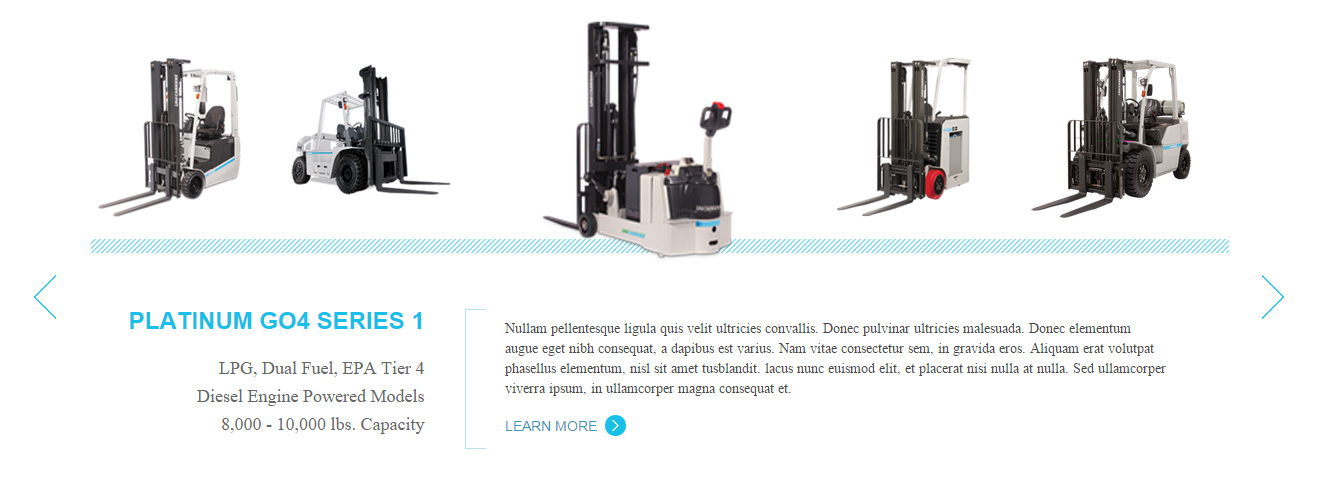
Live Demo
Visit the official demo page to see it in action.
Data Fields
| Field | Description |
|---|---|
| Title | Item title |
| Description | Text of the current item |
| Featured Image | Item image |
| Link | Target URL |
Item form (Field Manager) screenshot:

Effect Settings
Size
| Parameter | Description |
|---|---|
| Max Shown Items | Items visible at once (default 5) |
| Small / Big Pic Width / Height | Small (default 150×150) and big (default 260×260) image sizes |
| Child Div Width / Height | Item container size (default 165×165) |
| Wrapper Text Min Height / Max Width | Text area min height and max width (default 450) |
Playback & interaction
| Parameter | Description |
|---|---|
| Auto Play / Auto Play Pause Time | Enable autoplay; pause duration (default 3000 ms) |
| Hide Arrows / Arrows Mouse Over Show | Hide arrows / show arrows only on hover |
| Show Title | Show the title |
| H/V Switch | Horizontal/vertical arrangement |
| Border Radius | Image corner radius (default 0) |
| Icon Bg / Arrows Color | Icon background and arrow color (default #1ab99b) |
Related
- Effect Options — configure this effect's theme and parameters
- Effect Overview — all effects
- Adding Items — add items for this effect
- All Items — manage items