Effect 18 GoogleMap
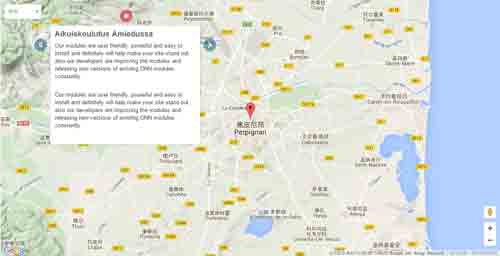
Google map with multiple markers: each item pins a marker; clicking opens an info window. Supports street view, routes and custom map styles, with per-breakpoint heights. Ideal for store and branch locations.
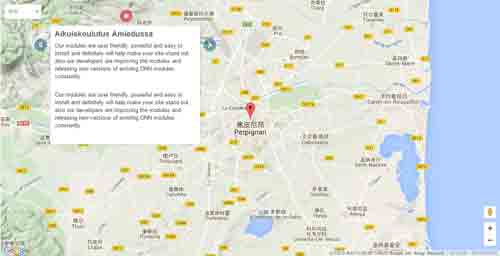
Live Demo
Visit the official demo page to see it in action.
Data Fields
| Field | Description |
|---|---|
| Title | Marker title (info window title) |
| Description | Info window content (address, phone, etc.) |
| Picture | Optional custom marker icon |
| Address / coordinates | Marker position (lat/lng or address) |
Item form (Field Manager) screenshot:
Effect Settings
Map basics
| Parameter | Description |
|---|---|
| Map Width / Height | Map width (default 100%) / height (default 700) |
| Desktop / DesktopSmall / Tablet / Mobile Height | Heights per breakpoint (default 600/500/400/300) |
| Default Zoom | Initial zoom level (default 12) |
| Default latLng | Initial center (picked on the map) |
| Type | Map type: ROADMAP / SATELLITE / HYBRID / TERRAIN |
| Scrollwheel | Allow scroll-wheel zoom |
| API Key | Google Maps API key (required for v3) |
| Map Style | Custom map style JSON (optional) |
Markers & info
| Parameter | Description |
|---|---|
| Display Tooltips / Description | Show tooltips / description info |
| Display Route / Itinerary | Show route / itinerary |
Street View
| Parameter | Description |
|---|---|
| Display Street View Panorama | Enable street view |
| Panorama LatLng / Heading / Pitch / Zoom | Panorama position and view parameters |
TIP
This effect requires a Google Maps API key — apply for one and fill it into the settings.
Related
- Effect Options — configure this effect's theme and parameters
- Effect Overview — all effects
- Adding Items — add items for this effect
- All Items — manage items